Start by identifying your most sensitive data types and applying simple labels. Use existing file server permissions and email rules to enforce access. Delegate technical enforcement to your IT provider while you define the business rules. This approach reduces risk without requiring expensive software.
The Hidden Cost of Unlabelled Data
Small organisations often assume that physical security or basic firewalls protect their information. This assumption fails when data moves. Without clear classification, every file carries the same risk profile. You cannot protect what you cannot distinguish. Classification creates a map of your information assets. It tells you which data requires strict access controls and which data can remain open.
The primary risk is not external theft. The primary risk is internal error. Employees share sensitive information with the wrong colleagues or external partners because they lack clear guidance. Classification provides that guidance. It reduces the cognitive load on staff by making sensitivity visible. A file marked "Confidential" signals immediate caution. A file marked "Public" signals safe sharing.
Unlabelled data also complicates incident response. When a breach occurs, you must determine what was lost. If every file looks the same, you must assume the worst-case scenario. This assumption triggers unnecessary regulatory notifications and reputational damage. Clear classification limits the scope of any incident. It allows you to respond with precision rather than panic.
Why Standard Advice Fails at Small Scale
Large enterprises use automated tools to scan and label data. These tools are expensive and complex. They require dedicated security teams to manage false positives. Small teams lack these resources. Applying enterprise-grade solutions to a small environment often creates more problems than it solves. The tools generate alerts that staff ignore. The noise drowns out real threats.
The usual advice to "use strong passwords" does not address data classification. Passwords protect access to systems. They do not protect the data within those systems. If a user has access to a folder containing both public and confidential files, passwords offer no distinction. You need a mechanism that separates data by sensitivity. This separation must happen at the file level, not just the account level.
Another common mistake is relying on folder names. Folder names are easy to bypass. Users can move files between folders without changing their properties. They can copy files to external drives. Folder-based classification is weak because it is not attached to the data itself. Content-based classification attaches metadata to the file. This metadata travels with the file wherever it goes.
Affordable Ways to Implement Classification
You do not need expensive software to start. Begin with a simple three-tier model. Use labels such as Public, Internal and Confidential. Define each label with clear examples. Public data can be shared with anyone. Internal data is for staff only. Confidential data requires specific permission. This simplicity ensures adoption. Complex models with five or six tiers confuse users and lead to errors.
Apply these labels using existing tools. Most operating systems allow you to add custom properties to files. You can create a simple script or use built-in features to tag files. Email systems often allow you to set sensitivity headers. These headers travel with the message. They remind recipients of the data type. This low-cost approach leverages tools you already pay for.
Document your classification policy. Write down what falls into each category. Include examples of sensitive data such as customer records, financial statements and intellectual property. Exclude non-sensitive data such as marketing brochures. Share this document with all staff. Training is not a one-time event. Reinforce the policy through regular reminders. Make classification part of the onboarding process for new hires.
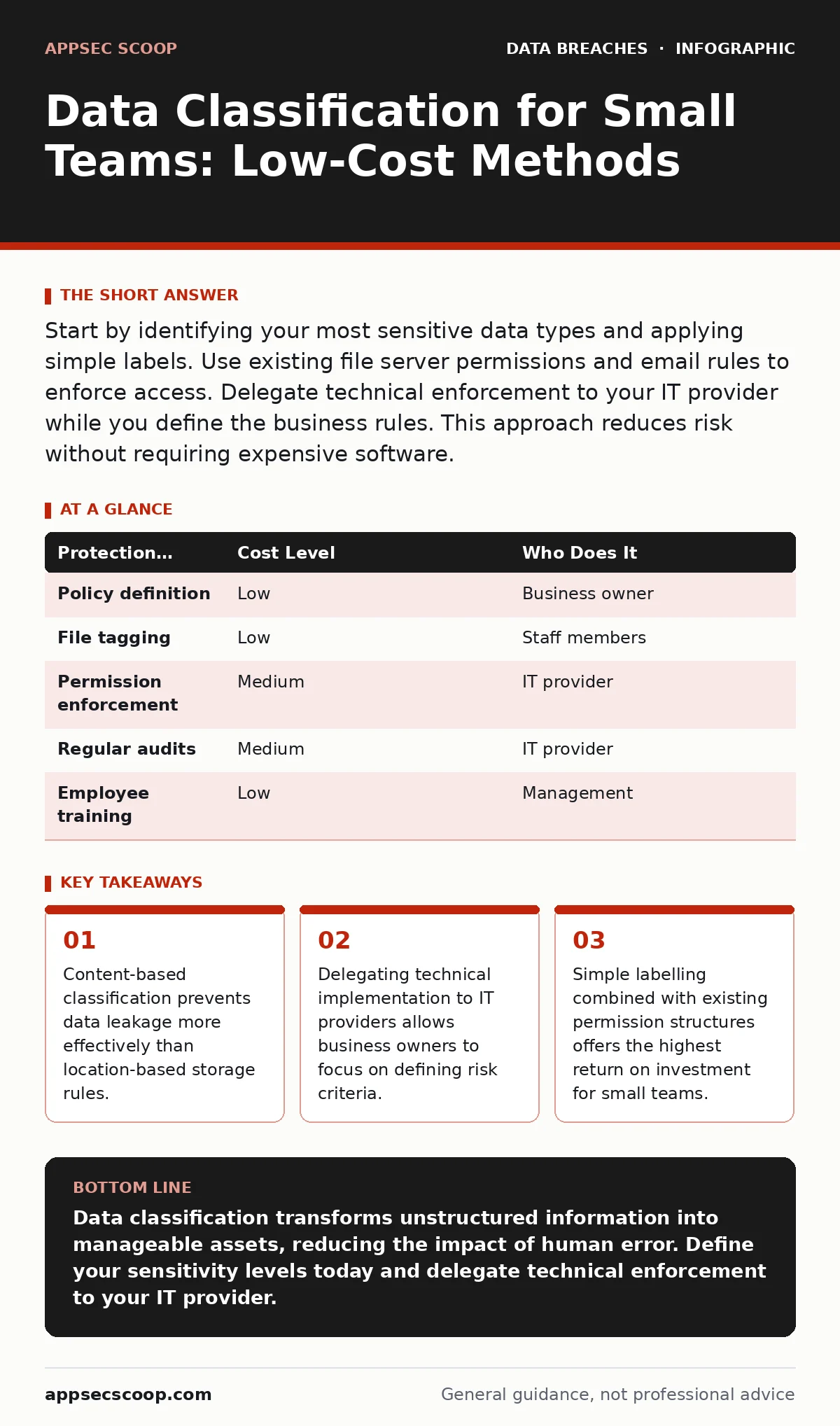
| Protection Measure | Cost Level | Who Does It |
|---|---|---|
| Policy definition | Low | Business owner |
| File tagging | Low | Staff members |
| Permission enforcement | Medium | IT provider |
| Regular audits | Medium | IT provider |
| Employee training | Low | Management |
What to Delegate to Your IT Provider
Defining what is sensitive is a business decision. Only you know the value of your data. Do not delegate this decision to technical staff. They may focus on technical risk rather than business impact. You must define the classification criteria. You must decide which data requires strict protection. This ownership ensures that security supports business goals rather than hindering them.
Delegate the technical implementation to your IT provider. They configure the file servers. They set up user permissions. They ensure that only authorised users can access confidential files. They monitor for unusual access patterns. This separation of duties is critical. You define the rules. They enforce them. This structure prevents conflicts of interest. It also ensures that technical constraints do not dictate business policy.
Your IT provider should also handle regular audits. They check that permissions are still correct. They review access logs for anomalies. They update the system as staff join or leave. This ongoing maintenance is essential for long-term security. It ensures that classification remains effective over time. You should receive regular reports on these audits. Review them to ensure compliance with your policy.
Questions to Ask Your IT Provider
When discussing data protection with your provider, ask specific questions. Vague questions yield vague answers. You need to understand how they handle sensitive data. Ask how they distinguish between user accounts. Ask how they prevent accidental sharing. Ask how they respond to a suspected breach. These questions reveal their capability and willingness to protect your assets.
- How do you enforce access controls at the file level rather than just the folder level?
- What mechanisms do you use to prevent users from copying confidential data to external devices?
- How do you monitor for unusual access patterns or bulk downloads of sensitive files?
- What is your process for revoking access when an employee leaves the organisation?
- How do you ensure that backups of sensitive data are encrypted and stored securely?
These questions help you assess the provider's competence. They also set clear expectations. Your provider should be able to answer these questions clearly. If they cannot, you may need to find a different partner. Clear communication is the foundation of effective security. It ensures that both parties understand their roles and responsibilities.
See also: Tabletop Exercises for Small Teams: Run Effective Drills Without the Budget · PCI DSS Explained: Answers to 8 Common Security Questions
Integrating with Broader Security Practices
Data classification works best when combined with other security measures. It is not a standalone solution. It supports data minimization by helping you identify what data you actually need. If you do not need to keep certain data, delete it. This reduces the attack surface. Classification also aids data masking by identifying which fields require obfuscation in non-production environments.
Consider data sovereignty if you store data across different regions. Classification helps you identify which data must remain within specific jurisdictions. This is critical for compliance with local laws. It also helps you manage breach dwell time by speeding up the identification of affected systems. When you know where your sensitive data lives, you can respond faster to incidents.
For businesses handling payment data, classification supports PCI DSS compliance. It helps you identify cardholder data and apply the necessary controls. It also assists with data subject rights requests. When a customer asks for their data, classification helps you locate it quickly. This efficiency reduces the burden on your staff. It also improves customer satisfaction. Refer to the guide on printed document leaks for physical security considerations.
The Long-Term Benefits of Simple Classification
Implementing a simple classification system takes time. The initial effort seems significant. You must define categories. You must train staff. You must configure systems. However, the long-term benefits outweigh the costs. You reduce the risk of accidental data leakage. You improve your incident response capabilities. You demonstrate due care to customers and regulators.
Classification also improves operational efficiency. Staff spend less time searching for files. They know where to find public information. They know where to store sensitive work. This clarity reduces friction. It allows teams to focus on their core tasks. Security becomes an enabler rather than a barrier. This shift in mindset is crucial for sustainable security.
Regular review is necessary. Business needs change. New types of data emerge. Old data becomes obsolete. Update your classification policy annually. Revisit your definitions. Ensure they still reflect your business reality. This ongoing process keeps your security posture relevant. It ensures that you are always protected against current threats.
Maintaining Consistency Across the Organisation
Consistency is key to effective classification. If different departments use different labels, the system fails. Standardise your terminology. Use the same terms across all systems. Ensure that email headers, file properties and database tags use identical labels. This uniformity reduces confusion. It ensures that everyone understands the sensitivity of the data they handle.
Encourage a culture of security awareness. Make classification a shared responsibility. Staff should feel empowered to correct mislabelled files. They should report suspicious access attempts. This collective vigilance strengthens your defences. It creates a safety net that catches errors before they become breaches. Leadership must model this behaviour. Follow the classification rules yourself.
Regular communication reinforces the policy. Send reminders about classification best practices. Share examples of correct and incorrect labelling. Celebrate successes. Acknowledge staff who follow the rules. This positive reinforcement encourages compliance. It makes security a part of the daily routine. Over time, classification becomes second nature.
Key takeaways
- Content-based classification prevents data leakage more effectively than location-based storage rules.
- Delegating technical implementation to IT providers allows business owners to focus on defining risk criteria.
- Simple labelling combined with existing permission structures offers the highest return on investment for small teams.
Data classification transforms unstructured information into manageable assets, reducing the impact of human error. Define your sensitivity levels today and delegate technical enforcement to your IT provider.
Frequently asked questions
How often should I review my data classification policy?
Review your policy at least once a year or whenever your business operations change significantly. Regular reviews ensure that your classification remains accurate and relevant to current risks.
Can I use cloud storage for confidential data?
Yes, provided your cloud provider offers strong encryption and access controls. Ensure that you classify the data correctly and restrict access to authorised users only. Verify the provider's security certifications.
What happens if an employee misclassifies data?
Misclassification can lead to accidental exposure or unnecessary restrictions. Implement regular audits to catch errors. Train staff on correct labelling. Encourage them to report mistakes so they can be corrected quickly.
Do I need separate classification for digital and physical documents?
The principles are the same, but the mechanisms differ. Digital files use metadata and permissions. Physical documents use locks and labels. Ensure both are covered by your overall classification policy to maintain consistent protection.
How this guide was produced: written by the AppSec Scoop editorial team with AI assistance, checked against the public references listed below, and reviewed when the facts change. See our editorial policy or report an error.