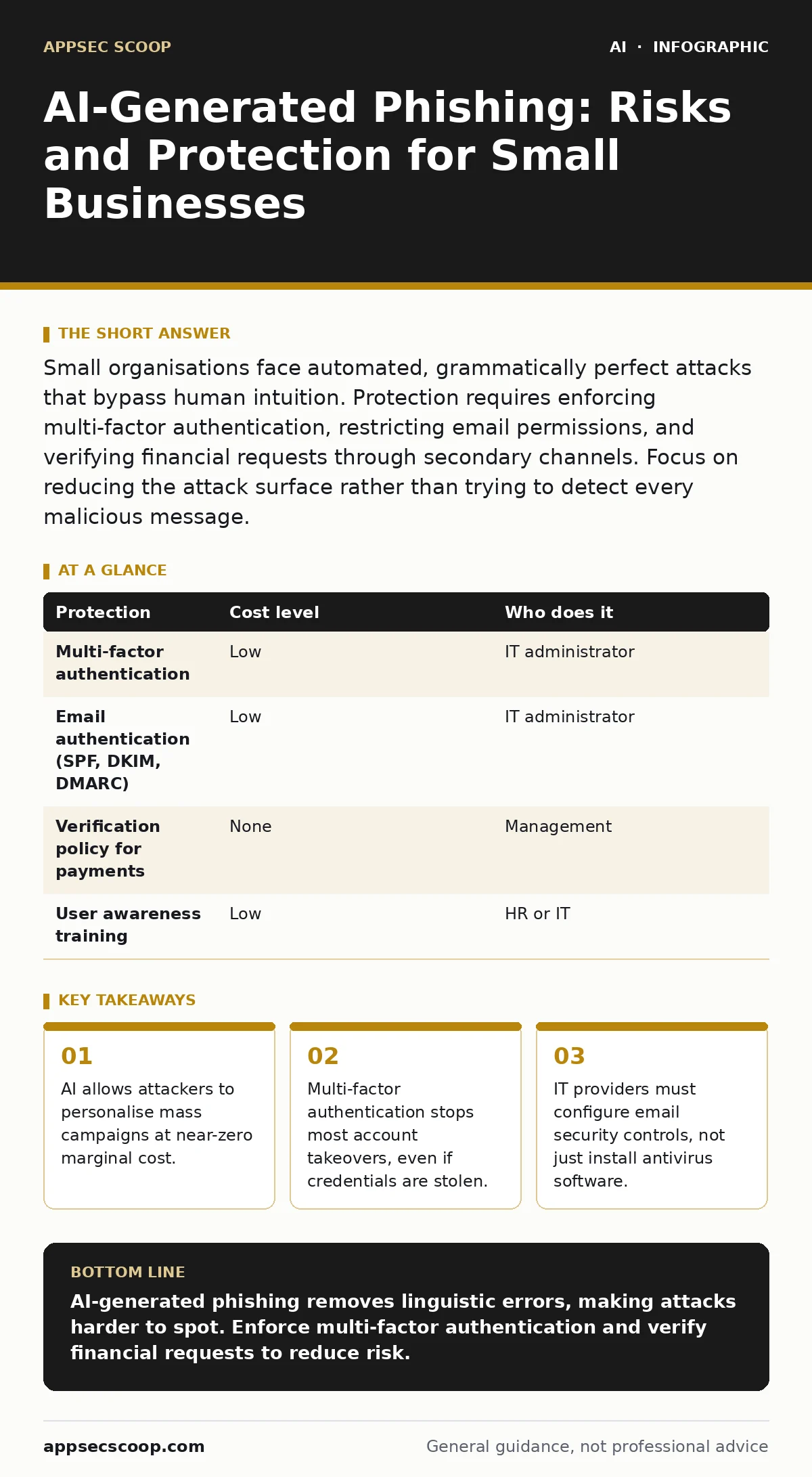
Small organisations face automated, grammatically perfect attacks that bypass human intuition. Protection requires enforcing multi-factor authentication, restricting email permissions, and verifying financial requests through secondary channels. Focus on reducing the attack surface rather than trying to detect every malicious message.
The End of Imperfect Grammar
Traditional phishing relied on poor spelling, awkward phrasing, or generic greetings. Security training taught you to spot these errors. Generative artificial intelligence has removed these weaknesses. These models can mimic specific writing styles, tone, and vocabulary with high accuracy.
This shift changes the detection burden. You can no longer rely on linguistic cues to identify threats. The email looks legitimate because it was constructed to be indistinguishable from normal correspondence. The attacker does not need to craft each message individually. They can generate thousands of personalised variants in seconds.
This scale exposes small organisations disproportionately. Large enterprises have dedicated security teams and advanced filtering systems. Small teams often rely on standard email providers with default settings. The attacker targets the path of least resistance. They know that a small business is less likely to have strict verification protocols for financial transactions.
Why Small Teams Are Exposed
Small businesses are attractive targets because they often lack layered security. A successful breach can yield immediate financial gain. Attackers use AI to overcome the natural defences of small teams, such as familiarity with clients and suppliers.
The primary exposure is the combination of high trust and low verification. Staff members know their business partners. They expect occasional urgent requests. AI-generated content exploits this trust by removing the usual red flags. The message arrives from a familiar domain or a slightly modified address. The content aligns with recent business activities.
Another factor is resource constraints. Small organisations cannot afford large security operations centres. They rely on automated tools to handle initial filtering. However, standard filters struggle with AI-generated text. The language is coherent and contextually appropriate. It does not trigger keyword-based alerts. The burden shifts to the user, who lacks the time or training to scrutinise every message.
Low-Cost Protections
You do not need expensive software to mitigate these risks. The most effective controls are configuration changes and process adjustments. These measures reduce the impact of a successful phishing attempt.
Multi-factor authentication is the single most effective technical control. It requires a second form of verification, such as a hardware token or an authenticator app. Even if an attacker steals your password through a phishing link, they cannot access your account without the second factor. This stops the majority of automated credential theft.
Email authentication protocols also help. These are technical standards that verify the sender’s identity. They prevent attackers from spoofing your domain or mimicking trusted partners. Configuring these correctly ensures that messages claiming to be from your organisation are actually sent from your servers.
Finally, implement a verification policy for financial requests. Require a phone call or a separate communication channel to confirm any change in banking details. This adds friction for the attacker. They cannot automate the verification step. The delay often breaks the attack chain.
| Protection | Cost level | Who does it |
|---|---|---|
| Multi-factor authentication | Low | IT administrator |
| Email authentication (SPF, DKIM, DMARC) | Low | IT administrator |
| Verification policy for payments | None | Management |
| User awareness training | Low | HR or IT |
What to Ask an IT Provider
Your IT provider plays a central role in defence. They must move beyond basic antivirus installation. Ask specific questions about their configuration and monitoring practices.
Do they enforce multi-factor authentication for all accounts? This includes email, cloud storage, and administrative consoles. Any exception weakens the entire system. Ask how they manage lost tokens or emergency access.
How do they configure email security? Look for details on spam filtering rules and safe sender lists. Ask if they monitor for unusual login patterns, such as logins from new locations or at odd hours. Standard filters are not enough. You need proactive monitoring.
What is their incident response plan? If a phishing attack succeeds, how quickly can they detect it? Ask for their estimated time to isolate compromised accounts. Speed is critical in limiting damage.
- Confirm multi-factor authentication is mandatory for all users.
- Verify email authentication protocols are correctly configured.
- Request details on login monitoring and anomaly detection.
- Ask for the incident response timeline and communication plan.
The Hidden Cost of Convenience
Convenience often undermines security. Users prefer single sign-on and automatic logins. These features reduce friction but increase risk. If one account is compromised, the attacker gains access to multiple services.
AI-generated phishing attacks exploit this connectivity. They target the weakest link in the chain. A compromised email account provides a gateway to cloud storage, financial systems, and customer data. The attacker uses the stolen credentials to move laterally.
You must balance usability with security. Multi-factor authentication adds a step to the login process. However, the cost of a breach far exceeds the inconvenience of an extra click. Choose methods that are user-friendly but secure, such as biometric authentication or hardware tokens. Avoid SMS-based verification, which is vulnerable to SIM swapping attacks.
See also: AI Vendor Assessments: Technical Checks for Secure Procurement · Training Data Leakage Explained: How AI Memorises Your Secrets
Beyond Detection
Focusing solely on detection is a losing strategy. AI-generated content is too similar to legitimate text for reliable automated filtering. You must assume that some malicious messages will reach your inbox.
The goal is to limit the damage. If a user clicks a link, what happens? Does the system block the connection? Does it alert the security team? You need controls that stop the attack after the initial click.
This approach aligns with the principles of MITRE ATLAS, which focuses on threats to AI systems. While that framework is broader, the mindset is applicable. You must protect your data and systems from being used or abused. Consider the risks of sensitive data leaks through AI chatbots if your team uses generative tools for internal tasks. Ensure that confidential information is not processed by public models.
For deeper insights into how AI impacts security operations, see the guide on machine learning in cybersecurity. It explains how defensive AI systems work and their limitations. Understanding these tools helps you evaluate vendor claims and set realistic expectations.
Building Resilience
Resilience means recovering quickly from an incident. You will face phishing attempts. The question is how you respond. Regular testing and training keep your team prepared.
Simulate phishing attacks to test user awareness. Measure how many people click the links and report them. Use the results to tailor your training. Focus on high-risk groups, such as finance and executive staff.
Review your security posture regularly. Technology changes rapidly. New AI tools emerge that can generate more sophisticated attacks. Your defences must evolve accordingly. Stay informed about emerging threats and update your policies as needed.
For guidance on evaluating AI tools used in your business, refer to AI vendor assessments. This ensures that the tools you adopt do not introduce new vulnerabilities. Similarly, understand the risks of deepfake fraud if you interact with suppliers or clients via video or voice. Verify identities through multiple channels.
Key takeaways
- AI allows attackers to personalise mass campaigns at near-zero marginal cost.
- Multi-factor authentication stops most account takeovers, even if credentials are stolen.
- IT providers must configure email security controls, not just install antivirus software.
AI-generated phishing removes linguistic errors, making attacks harder to spot. Enforce multi-factor authentication and verify financial requests to reduce risk.
Frequently asked questions
Can AI detect AI-generated phishing emails?
Current detection tools struggle with high-quality AI text. They rely on patterns that sophisticated models can mimic. Human verification and technical controls are more reliable.
Is multi-factor authentication enough?
It stops most account takeovers but does not prevent data theft if a user voluntarily shares information. Combine it with user training and verification policies.
How often should we test for phishing?
Regular testing keeps awareness high. Aim for quarterly simulations, focusing on new hires and high-risk roles. Adjust frequency based on results.
What if we don’t have an IT team?
Use managed service providers who specialise in small business security. Ensure they enforce strict security controls and provide regular reporting.
How this guide was produced: written by the AppSec Scoop editorial team with AI assistance, checked against the public references listed below, and reviewed when the facts change. See our editorial policy or report an error.