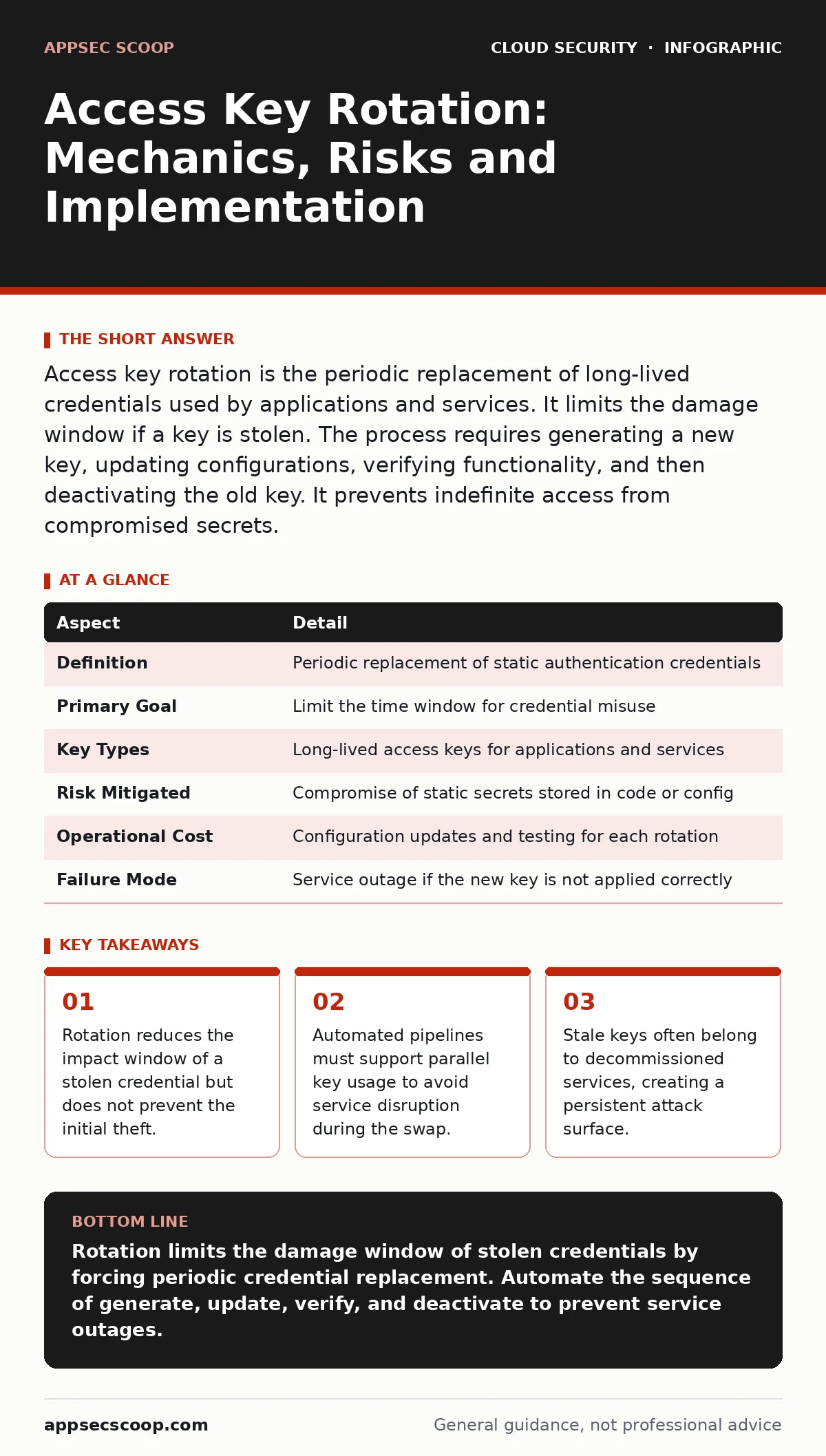
Access key rotation is the periodic replacement of long-lived credentials used by applications and services. It limits the damage window if a key is stolen. The process requires generating a new key, updating configurations, verifying functionality, and then deactivating the old key. It prevents indefinite access from compromised secrets.
The Library Card Analogy
Imagine a library that issues permanent membership cards. If a card is lost, the finder can borrow books indefinitely. The library cannot revoke access without cancelling the entire card system. Rotation works differently. You issue a temporary card valid for 90 days. When it expires, the holder must renew it. If the card was stolen, the thief loses access when the expiry hits. The library retains control without disrupting legitimate users. This mechanism applies to cloud credentials.
| Aspect | Detail |
|---|---|
| Definition | Periodic replacement of static authentication credentials |
| Primary Goal | Limit the time window for credential misuse |
| Key Types | Long-lived access keys for applications and services |
| Risk Mitigated | Compromise of static secrets stored in code or config |
| Operational Cost | Configuration updates and testing for each rotation |
| Failure Mode | Service outage if the new key is not applied correctly |
What Access Key Rotation Solves
Static credentials persist until an administrator manually deletes them. Developers often embed keys in configuration files. These files end up in version control systems. Even if removed later, the history remains. Attackers scan public repositories for these patterns. Once found, they use the key to access your cloud resources. The key remains valid indefinitely. Rotation forces a change. If an attacker steals a key, they only have access until the next rotation cycle. This limits the blast radius. It does not stop the theft. It stops the long-term abuse.
The main problem is not just theft. It is neglect. Teams create keys for testing. They forget to delete them. These keys sit idle for years. They represent an open door. Rotation requires active management. You cannot rotate a key you do not know exists. The process forces an inventory. You must identify every service using a static key. This visibility is the real benefit. It highlights unused permissions and orphaned resources.
The Mechanics of the Swap
Rotation is not a single action. It is a sequence of 4 steps. First, you generate a new access key. The old key remains active. Second, you update the application configuration to use the new key. Third, you verify the application works with the new key. Fourth, you deactivate the old key. This order is critical. If you deactivate the old key before updating the application, the service breaks. The application cannot authenticate. It fails silently or crashes.
Parallel key usage is the technical requirement. Your cloud provider must support multiple active keys for one identity. Most providers do. You can have 2 active keys at once. This allows the swap. The application reads the new key from a secure store. It uses it for requests. Once you confirm success, you remove the old key. The old key becomes invalid. Any request using it fails immediately.
Where It Fits in Defence
Rotation is a containment measure. It does not prevent initial compromise. It works alongside other controls. Leaked cloud access keys are the threat model here. You assume keys will leak. Rotation limits the damage. It is part of cloud-native security practices. Modern applications should use short-lived tokens where possible. Static keys are a legacy pattern. They are easier to manage than short-lived tokens for some batch jobs. But they carry higher risk.
Rotation complements overprivileged cloud identities. If a key is stolen, the attacker gets the permissions of that identity. If the identity has admin rights, the damage is severe. Rotation forces you to review those permissions. You cannot rotate a key for an identity you do not understand. The process encourages least privilege. You drop permissions you no longer need during the review. This reduces the impact of any future breach. It is a defensive layer, not a shield.
The Hidden Costs of Rotation
Rotation is not free. It requires engineering effort. Each rotation cycle involves code changes. You must update configuration files. You must redeploy services. You must test the changes. This takes developer time. If you rotate monthly, the cost adds up. If you rotate annually, the risk increases. There is a trade-off. More frequent rotation increases security but also operational overhead.
The hidden cost is complexity. Applications must handle key changes gracefully. They cannot hardcode keys. They must read them from environment variables or secret managers. If the application crashes during the swap, you must roll back. This requires robust deployment pipelines. Shift-left security helps here. You build rotation support into the application design. You do not add it later. This reduces the friction. It makes rotation a routine task, not an emergency.
See also: Hybrid Cloud Security Best Practices for Consistent Control · What Is Federated Identity: How Single Sign-On Works and Why It Matters
What People Usually Get Wrong
Teams often think rotation is a one-time fix. They rotate keys once and forget them. The keys remain static again. The risk returns. Rotation must be continuous. It is a process, not an event. Another mistake is rotating keys for interactive users. Humans use passwords or MFA. They do not use access keys. Access keys are for machines. Rotating human passwords is different. Do not confuse the two.
A common error is ignoring the deactivation step. Teams generate new keys but keep the old ones active. They assume the old key is "just in case". This defeats the purpose. The old key is still valid. An attacker can use it. You must deactivate the old key. It must become unusable. Some teams automate this poorly. They deactivate the key before the application picks up the new one. This causes outages. Automation must respect the sequence.
Integrating With Other Controls
Rotation works best with automated secret management. Manual rotation is error-prone. You miss keys. You forget to update configs. Automated tools can rotate keys on a schedule. They update the secret store. They trigger deployments. They verify health. This reduces human error. It ensures consistency. You can integrate this with cloud vulnerability management. Scans can detect static keys in code. They can flag keys that are near expiry. This gives you visibility.
For containers, container runtime security plays a role. Containers should not have keys baked into images. They should inject them at runtime. This makes rotation easier. You update the secret, not the image. For hybrid cloud security, rotation applies to on-premises services accessing cloud resources. The principles are the same. The implementation may differ. You must ensure all endpoints support the new key format.
The Reality of Implementation
You will not rotate every key. Some legacy systems cannot support rotation. They hardcode keys in binary files. You must plan for these. Isolate them. Restrict their permissions. Monitor their usage. Eventually, replace them. Rotation is a journey. Start with high-value accounts. Move to lower-risk ones. Build the automation. Test the failure modes. Ensure your monitoring detects when a key is rejected. This tells you when a rotation failed. You can act quickly.
The goal is resilience. You accept that keys will leak. You ensure the leak does not lead to long-term compromise. Rotation is a key part of this strategy. It is not the only part. Combine it with monitoring. Combine it with least privilege. Combine it with secure coding practices. This creates a layered defence. It reduces the risk to an acceptable level. It does not eliminate it. No control does.
Key takeaways
- Rotation reduces the impact window of a stolen credential but does not prevent the initial theft.
- Automated pipelines must support parallel key usage to avoid service disruption during the swap.
- Stale keys often belong to decommissioned services, creating a persistent attack surface.
Rotation limits the damage window of stolen credentials by forcing periodic credential replacement. Automate the sequence of generate, update, verify, and deactivate to prevent service outages.
Frequently asked questions
How often should I rotate access keys?
Rotate keys every 90 days or less. The frequency depends on your risk tolerance and operational capacity. More frequent rotation reduces risk but increases overhead.
Can I rotate keys without downtime?
Yes, if your application supports parallel keys. Update the configuration to use the new key while the old one remains active. Verify success, then deactivate the old key.
What if an application fails after rotation?
Immediately reactivate the old key. Investigate the failure. Fix the configuration or code. Retry the rotation. Never leave the old key active indefinitely as a workaround.
Does rotation protect against insider threats?
No. Rotation limits the window for misuse but does not prevent an insider from using a valid key. Combine rotation with strict permission reviews and monitoring.
How this guide was produced: written by the AppSec Scoop editorial team with AI assistance, checked against the public references listed below, and reviewed when the facts change. See our editorial policy or report an error.