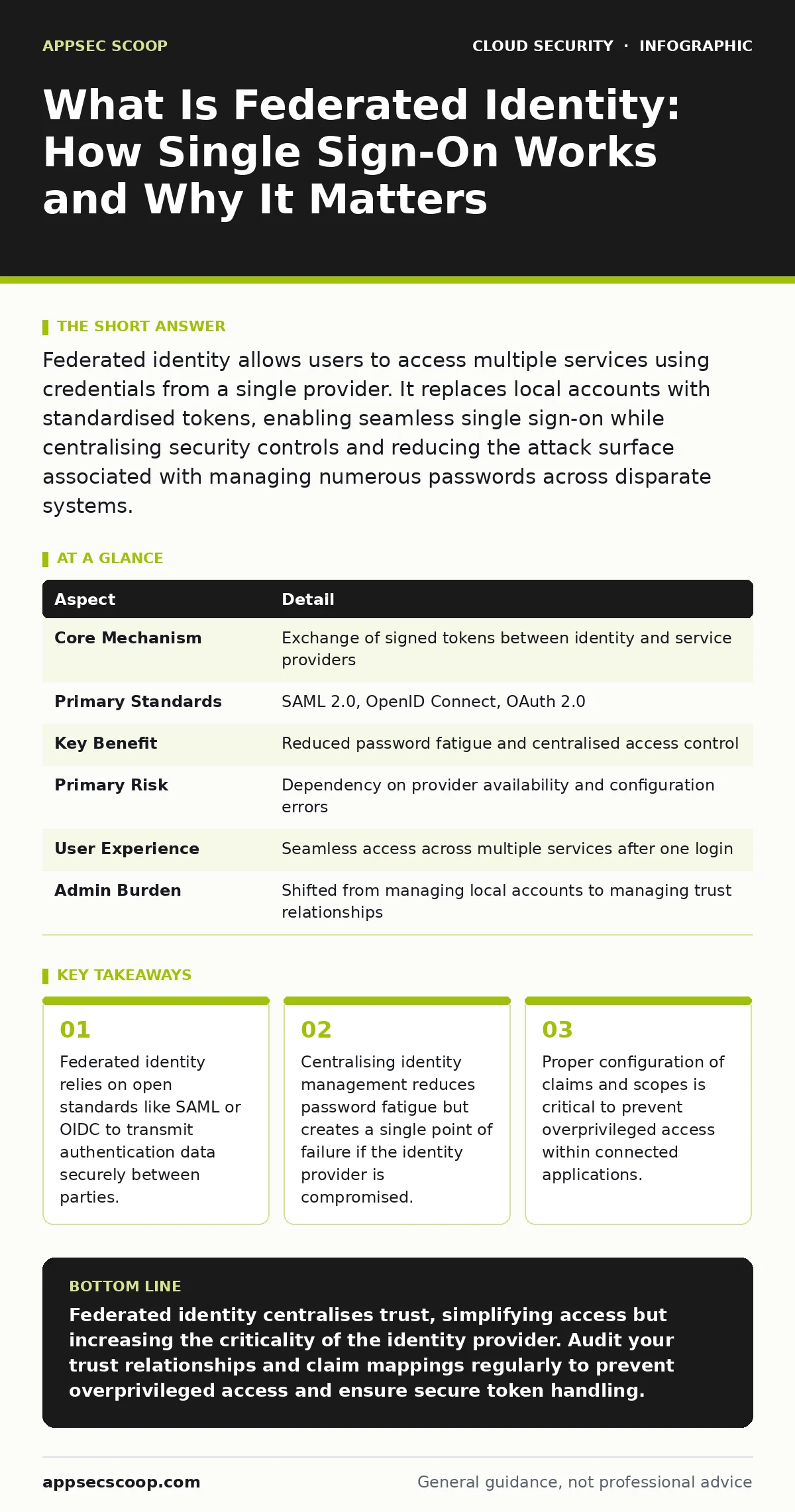
Federated identity allows users to access multiple services using credentials from a single provider. It replaces local accounts with standardised tokens, enabling seamless single sign-on while centralising security controls and reducing the attack surface associated with managing numerous passwords across disparate systems.
What Is Federated Identity
Federated identity is a system that allows users to access multiple applications or services using a single set of credentials issued by a trusted provider. Instead of creating unique accounts for every service, you rely on an identity provider to verify who you are and share that verification with the service you wish to use.
This mechanism decouples authentication from authorisation. The identity provider confirms your identity, while the service provider decides what you are allowed to do based on the information received. This separation enables single sign-on capabilities without requiring each service to store sensitive password hashes or manage complex user lifecycle processes.
The concept extends beyond simple convenience. It establishes a trust framework where one organisation vouches for the identity of its users to another organisation. This trust is established through cryptographic signatures and standardised protocols, ensuring that the identity data cannot be tampered with during transit.
At a Glance
| Aspect | Detail |
|---|---|
| Core Mechanism | Exchange of signed tokens between identity and service providers |
| Primary Standards | SAML 2.0, OpenID Connect, OAuth 2.0 |
| Key Benefit | Reduced password fatigue and centralised access control |
| Primary Risk | Dependency on provider availability and configuration errors |
| User Experience | Seamless access across multiple services after one login |
| Admin Burden | Shifted from managing local accounts to managing trust relationships |
How Federated Identity Works
The process begins when you attempt to access a service that supports federation. The service provider recognises it does not have your credentials locally and redirects you to your identity provider. This redirect includes a request for authentication and often specifies what information the service needs to make an authorisation decision.
You authenticate with the identity provider using your usual methods, which might include passwords, hardware keys, or biometric checks. The identity provider verifies these credentials against its own database. If the verification succeeds, the provider creates a token containing your identity attributes and signs it cryptographically.
The identity provider sends this signed token back to the service provider. The service provider validates the signature to ensure the token has not been altered and that it came from a trusted source. It then extracts the claims within the token to determine your permissions. This entire exchange happens behind the scenes, often in milliseconds, allowing you to access the service without entering additional credentials.
Who It Affects
Federated identity impacts every organisation that uses cloud services or third-party applications. It affects employees who access corporate resources from external platforms, contractors who need temporary access, and customers who log into portals using social or enterprise accounts.
For security teams, it shifts the focus from protecting individual password databases to managing trust relationships and token validity. You must ensure that the identity provider is secure and that the claims sent to service providers are accurate and minimally privileged.
For users, it simplifies access but introduces dependency on the identity provider. If the provider experiences an outage, you may lose access to multiple services simultaneously. This concentration of risk requires careful planning for high availability and disaster recovery within the identity infrastructure.
What People Usually Get Wrong
Many assume that federated identity eliminates the need for strong authentication at the identity provider. This is incorrect. The identity provider becomes the most critical security boundary. If an attacker compromises your credentials there, they gain access to every service that trusts that provider.
Another common misconception is that federation automatically handles authorisation correctly. The identity provider only confirms who you are. It does not decide what you can do. Misconfigured claims can lead to overprivileged cloud identities, where users retain access to resources they no longer need.
Some teams believe that implementing federation is a one-time project. In reality, it requires continuous monitoring of trust relationships, certificate rotations, and claim mappings. Neglecting these maintenance tasks can lead to service disruptions or security gaps as underlying standards evolve.
See also: Data sovereignty definition: controlling where your data lives and obeys · Shift-Left Security Misunderstandings and How to Fix Them
Configuring Federation Securely
Secure configuration starts with choosing the right protocol for the use case. SAML 2.0 is widely used for enterprise web applications, while OpenID Connect is preferred for modern mobile and API-driven applications. Understanding the differences helps you implement appropriate security controls.
You must define the scope of claims carefully. Only request the minimum information necessary for the service to function. Excessive data sharing increases privacy risks and can complicate compliance efforts. Regular audits of claim mappings ensure that permissions align with current job roles.
Certificate management is another critical area. Federation relies on digital signatures to verify token integrity. Certificates must be rotated before expiration to prevent service outages. Automated tools can help monitor certificate validity and trigger renewal processes in advance.
Managing Risks and Dependencies
The primary risk in federated identity is the concentration of trust. A breach of the identity provider can cascade across all connected services. Mitigating this risk requires strong authentication methods at the provider level, such as multi-factor authentication and hardware security keys.
Monitoring for anomalous authentication patterns is essential. Unusual login locations or times can indicate a compromised account. Real-time alerts allow security teams to intervene before an attacker can pivot to other services. Integrating identity logs with security information and event management systems helps detect these anomalies quickly.
Dependency on external providers also introduces availability risks. If the identity provider goes offline, users cannot access services. Implementing fallback mechanisms, such as local account options for critical services, ensures business continuity during provider outages.
Maintaining Long-Term Security
Federated identity is not a set-and-forget solution. Regular reviews of trust relationships ensure that only necessary services are connected. Decommissioning unused integrations reduces the attack surface and simplifies management.
Updating protocols and libraries is critical. Security standards evolve, and older versions may contain known vulnerabilities. Keeping software up to date ensures that you benefit from the latest security improvements and patches.
Training users on the implications of federated access is also important. Users should understand that logging into the identity provider grants access to multiple services. This awareness encourages careful credential management and reporting of suspicious activity.
Related Security Considerations
Federated identity intersects with several other security domains. Understanding these connections helps you build a more resilient security posture. For instance, managing cloud entitlements becomes more complex when permissions are derived from federated claims rather than local roles.
The risk of SaaS account takeover increases if users reuse passwords across personal and professional accounts. Federation mitigates this by centralising authentication, but it requires strong controls at the identity provider to prevent credential stuffing attacks.
Implementing MFA for cloud accounts is more effective when integrated with the identity provider. This ensures that multi-factor authentication is enforced consistently across all federated services, rather than relying on individual applications to implement it correctly.
Finally, cloud security architecture must account for the flow of identity tokens. Ensuring that tokens are transmitted over secure channels and validated correctly at every boundary prevents interception and replay attacks.
Key takeaways
- Federated identity relies on open standards like SAML or OIDC to transmit authentication data securely between parties.
- Centralising identity management reduces password fatigue but creates a single point of failure if the identity provider is compromised.
- Proper configuration of claims and scopes is critical to prevent overprivileged access within connected applications.
Federated identity centralises trust, simplifying access but increasing the criticality of the identity provider. Audit your trust relationships and claim mappings regularly to prevent overprivileged access and ensure secure token handling.
Frequently asked questions
Does federated identity replace passwords entirely?
No, it centralises them. You still need strong authentication methods at the identity provider, such as multi-factor authentication, to secure the single entry point.
What happens if the identity provider goes offline?
Users may lose access to federated services. Implementing fallback mechanisms or local accounts for critical systems ensures business continuity during outages.
Is SAML or OpenID Connect better?
It depends on the use case. SAML is standard for enterprise web apps, while OpenID Connect is better for mobile and API-driven applications due to its lighter weight.
How do I prevent overprivileged access in federation?
Audit claim mappings regularly. Ensure that the identity provider only sends necessary attributes and that service providers enforce least privilege based on those claims.
How this guide was produced: written by the AppSec Scoop editorial team with AI assistance, checked against the public references listed below, and reviewed when the facts change. See our editorial policy or report an error.