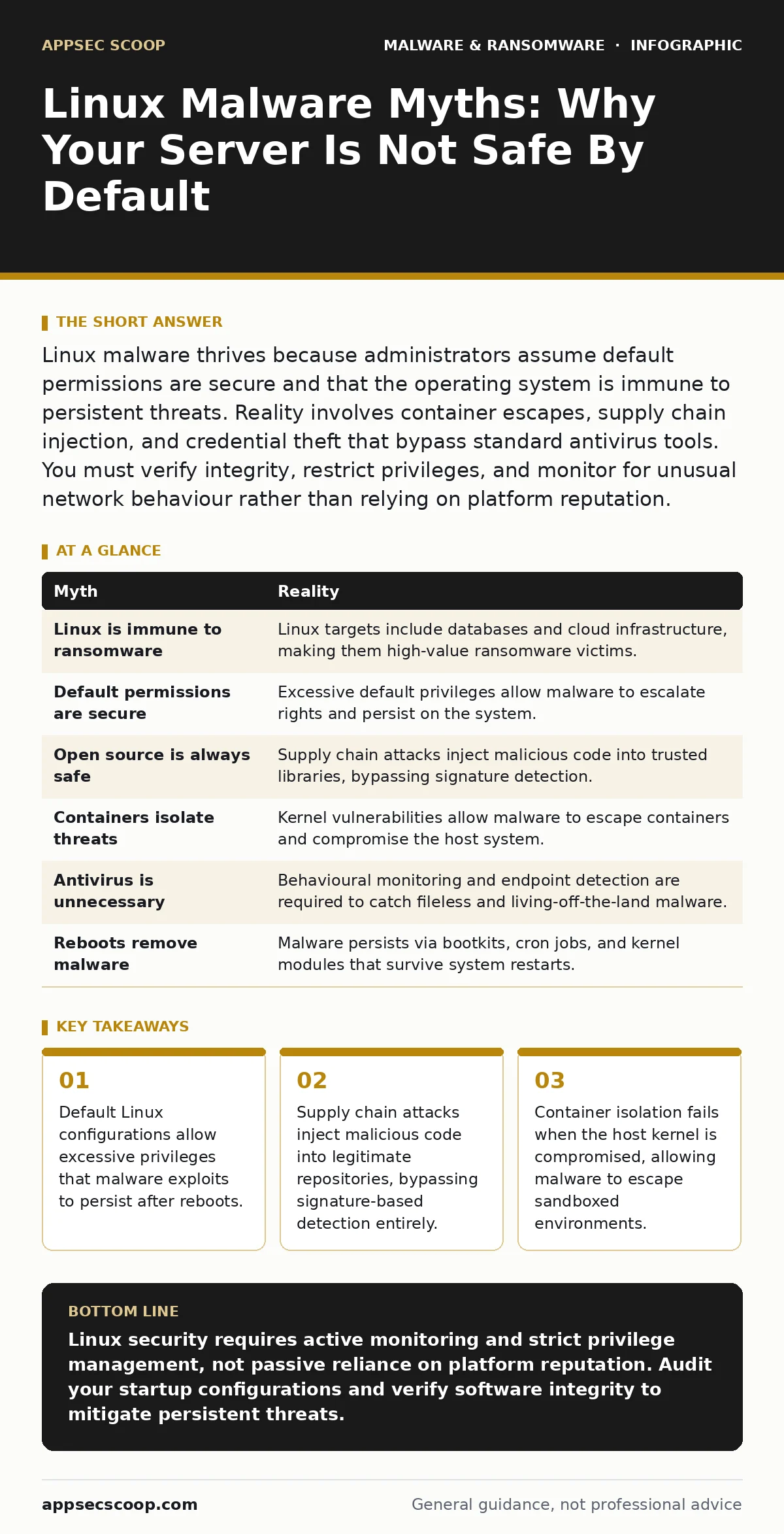
Linux malware thrives because administrators assume default permissions are secure and that the operating system is immune to persistent threats. Reality involves container escapes, supply chain injection, and credential theft that bypass standard antivirus tools. You must verify integrity, restrict privileges, and monitor for unusual network behaviour rather than relying on platform reputation.
Myth: Linux is immune to ransomware
Reality: Linux systems are frequent targets for ransomware that encrypts files and demands payment. The belief that ransomware only affects Windows ignores the prevalence of Linux in enterprise infrastructure and cloud environments. Attackers target databases, virtualisation hosts, and network storage arrays running Linux. They exploit unpatched vulnerabilities in web servers or remote access services to gain initial footholds.
Once inside, they scan for sensitive data and encryption keys. The ransomware then encrypts directories, rendering data inaccessible until a key is provided. This disrupts business operations and forces organisations to pay or restore from backups. The threat is real because Linux manages critical backend services that hold high-value data.
Myth: Default permissions provide sufficient security
Reality: Default Linux installations often grant users more privileges than necessary for their role. Many administrators deploy servers with root access or sudo privileges enabled for multiple accounts. Malware exploits these excessive permissions to modify system files, install backdoors, or disable security services. When a user account is compromised, the malware inherits the user's rights.
If those rights include administrative capabilities, the malware can escalate its control. This is known as privilege escalation. Attackers use this to persist on the system even after the initial vulnerability is patched. They create new user accounts or modify cron jobs to maintain access. You must enforce the principle of least privilege to limit damage.
Myth: Open source code is always secure
Reality: Open source projects rely on community contributions that may contain malicious code. Attackers inject vulnerabilities or backdoors into popular libraries and frameworks. This is a supply chain attack. Developers integrate these compromised libraries into their applications without knowing the code is tainted. The malware is signed by the legitimate project maintainers, bypassing integrity checks.
Users trust the source because it is public and auditable, but audits often miss subtle logic flaws. The malicious code executes when the application runs. This method bypasses traditional antivirus signatures because the code appears legitimate. You must verify the integrity of dependencies and monitor for unexpected changes in repository commits.
Myth: Containers isolate malware completely
Reality: Containerisation provides process isolation but relies on the host kernel for security. If the host kernel has a vulnerability, malware can escape the container. This is a container breakout. Attackers exploit kernel flaws to gain access to the host filesystem and network. Once on the host, they can pivot to other containers or services.
The assumption that containers are sandboxes is dangerous. Containers share the same kernel as the host. A compromise in one container can affect the entire system. You must keep the host kernel patched and restrict container capabilities. Use security modules to enforce strict boundaries between processes. Do not run containers as root unless absolutely necessary.
Myth: Linux does not need antivirus software
Reality: Linux systems require endpoint detection and response tools to identify threats. Traditional antivirus focuses on signature matching, which misses fileless malware and living-off-the-land techniques. Linux malware often uses system commands to perform malicious actions without dropping executable files. This makes detection difficult.
Endpoint detection monitors behavioural anomalies rather than just file hashes. It tracks process creation, network connections, and file modifications. This approach identifies malware that evades signature-based tools. You should deploy agents that collect telemetry from the system. Analyse this data for indicators of compromise. Relying on the operating system's built-in security is insufficient against advanced threats.
See also: USB Malware: How It Works and How to Block It · What Malware Payloads Actually Do and How Analysts Misread Them
Myth: Linux malware cannot persist across reboots
Reality: Linux malware uses multiple methods to survive system restarts. It modifies startup scripts, cron jobs, or systemd services. These mechanisms execute the malware automatically when the system boots. Some malware embeds itself in the boot process. This is a bootkit. It loads before the operating system, making detection difficult.
Other malware modifies kernel modules. These modules run in kernel space, hidden from user-space tools. Attackers also create hidden user accounts with administrative privileges. These accounts allow remote access after reboot. You must audit startup configurations and monitor for unauthorized changes. Regular integrity checks help detect modifications to critical system files.
Myth: SSH keys eliminate credential theft risks
Reality: SSH keys provide stronger authentication than passwords but are not immune to theft. If an attacker compromises the system, they can copy the private key from the disk. This allows them to authenticate to other systems without knowing the passphrase. Attackers also use man-in-the-middle attacks to intercept key exchanges.
They present a fake host key to the client. The user accepts the key, establishing a connection with the attacker. The attacker then forwards traffic to the real server. This allows them to capture credentials or inject malicious commands. You must verify host fingerprints and protect private keys with passphrases. Use hardware security keys for additional protection.
| Myth | Reality |
|---|---|
| Linux is immune to ransomware | Linux targets include databases and cloud infrastructure, making them high-value ransomware victims. |
| Default permissions are secure | Excessive default privileges allow malware to escalate rights and persist on the system. |
| Open source is always safe | Supply chain attacks inject malicious code into trusted libraries, bypassing signature detection. |
| Containers isolate threats | Kernel vulnerabilities allow malware to escape containers and compromise the host system. |
| Antivirus is unnecessary | Behavioural monitoring and endpoint detection are required to catch fileless and living-off-the-land malware. |
| Reboots remove malware | Malware persists via bootkits, cron jobs, and kernel modules that survive system restarts. |
Key takeaways
- Default Linux configurations allow excessive privileges that malware exploits to persist after reboots.
- Supply chain attacks inject malicious code into legitimate repositories, bypassing signature-based detection entirely.
- Container isolation fails when the host kernel is compromised, allowing malware to escape sandboxed environments.
Linux security requires active monitoring and strict privilege management, not passive reliance on platform reputation. Audit your startup configurations and verify software integrity to mitigate persistent threats.
Frequently asked questions
How does Linux malware spread between servers?
Malware spreads via compromised credentials, unpatched vulnerabilities, and lateral movement using SSH keys or remote execution tools.
Can Linux malware hide from process lists?
Yes, rootkits can hook kernel functions to hide processes, files, and network connections from standard system utilities.
What is the first step in removing Linux malware?
Isolate the infected system from the network to prevent lateral movement and data exfiltration before beginning analysis.
Does SELinux prevent all Linux malware?
SELinux restricts process actions but cannot stop malware that exploits kernel vulnerabilities or operates within allowed policy boundaries.
How this guide was produced: written by the AppSec Scoop editorial team with AI assistance, checked against the public references listed below, and reviewed when the facts change. See our editorial policy or report an error.