
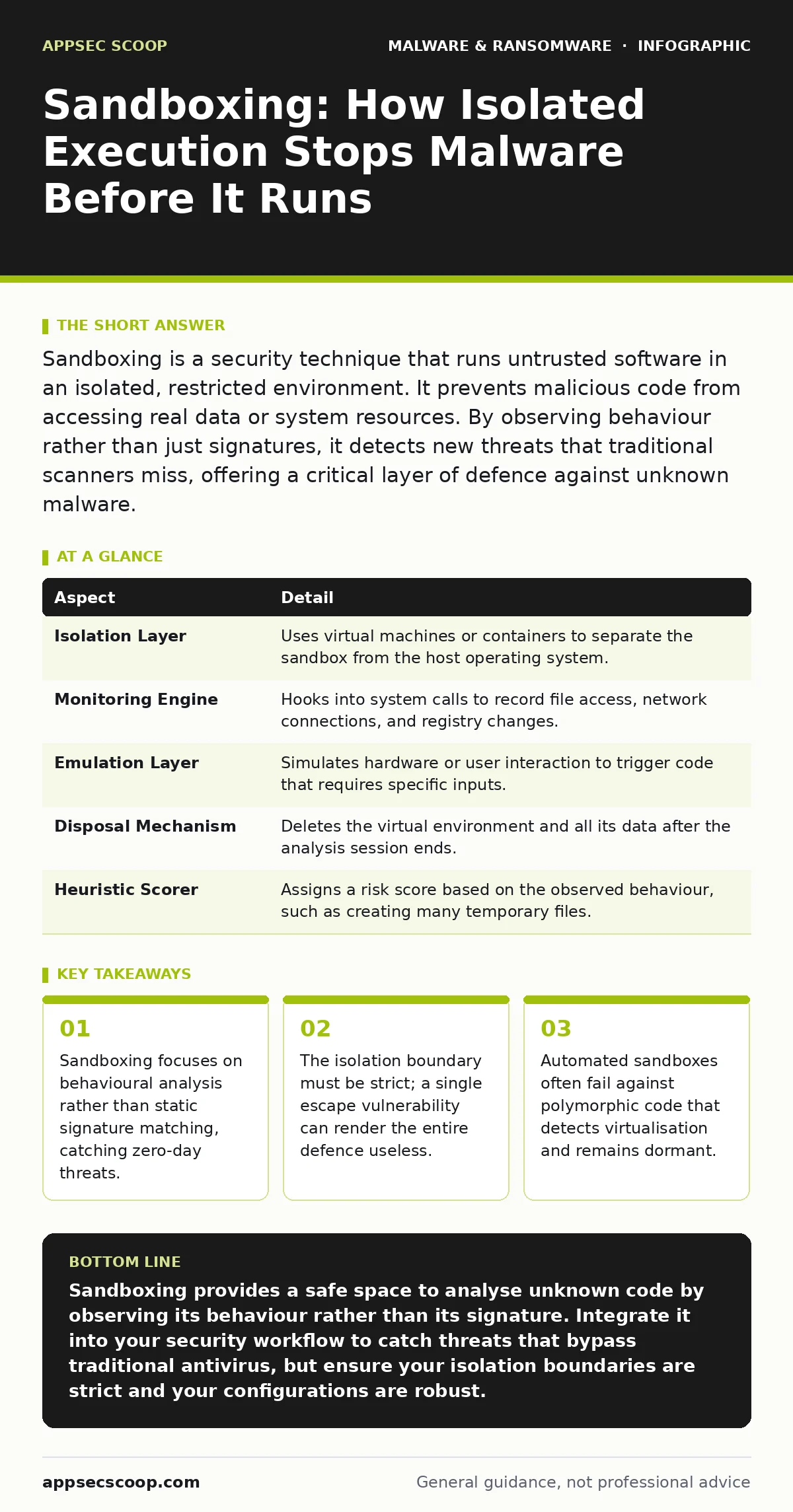
Sandboxing is a security technique that runs untrusted software in an isolated, restricted environment. It prevents malicious code from accessing real data or system resources. By observing behaviour rather than just signatures, it detects new threats that traditional scanners miss, offering a critical layer of defence against unknown malware.
The Glass Box Analogy
Imagine receiving a package from an unknown sender. You suspect it might contain something hazardous, so you do not open it in your living room. Instead, you place it in a sealed glass box with thick walls. You shake it, tap it, and observe how it moves. If it explodes or leaks acid, the box contains the damage. Your living room remains untouched.
In cybersecurity, this glass box is a sandbox. It is an isolated environment where you can execute untrusted code. The goal is to observe what the code does without letting it touch your actual files, network, or hardware. If the code is benign, you allow it to run on your main system. If it is malicious, the sandbox discards the code and the changes it made.
This approach solves a specific problem: signature-based detection fails against new threats. Traditional antivirus software looks for known patterns of bad code. If a hacker writes a new virus, it has no signature. The antivirus does not know it is bad. A sandbox does not care about the code’s identity. It cares about its actions. If the code tries to encrypt files or contact a command server, the sandbox flags it.
Anatomy of an Isolated Environment
A sandbox is not a single tool. It is a combination of hardware, virtualisation, and monitoring layers. Understanding these parts helps you see where the defence can fail.
| Aspect | Detail |
|---|---|
| Isolation Layer | Uses virtual machines or containers to separate the sandbox from the host operating system. |
| Monitoring Engine | Hooks into system calls to record file access, network connections, and registry changes. |
| Emulation Layer | Simulates hardware or user interaction to trigger code that requires specific inputs. |
| Disposal Mechanism | Deletes the virtual environment and all its data after the analysis session ends. |
| Heuristic Scorer | Assigns a risk score based on the observed behaviour, such as creating many temporary files. |
The isolation layer is the most critical component. It relies on hypervisors or container runtimes. These technologies create a boundary that the guest code cannot cross. If the boundary holds, the malicious code is trapped. If the boundary fails, the malware escapes into the host system. This is known as a sandbox escape.
The monitoring engine acts as the eyes. It records every system call. A system call is a request by a program for the operating system to perform a service, like reading a file. By logging these requests, the sandbox builds a profile of the code’s behaviour. It does not need to understand the code’s logic. It only needs to see that the code is acting suspiciously.
Where Sandboxing Fits in Defence
Sandboxing does not replace other security measures. It complements them. It sits between initial screening and deep forensic analysis.
First, email attachment scanning filters out known bad files. It is fast but limited to known threats. Files that pass this filter may still be dangerous. Sandboxing takes these suspicious files and runs them. It provides a second opinion based on behaviour rather than reputation.
This fits well with behavior-based detection strategies. While static analysis looks at the code’s structure, behavioural detection looks at what the code does. Sandboxing is a form of dynamic behavioural detection. It allows you to see if a file exhibits traits of trojans or botnets without infecting your network.
Consider the case of cryptojacking malware. This type of malware uses your computer’s processing power to mine cryptocurrency. It may not steal data or encrypt files. Traditional antivirus might ignore it because it does not damage the system directly. A sandbox can detect the high CPU usage and the network connections to mining pools. It identifies the threat even if the code looks harmless.
The Illusion of Safety
Many organisations believe that sandboxing provides complete protection. This is a dangerous misconception. Sandboxes are not infallible. They have limitations that attackers actively exploit.
The primary limitation is detection. Sophisticated malware can detect that it is running in a virtual environment. It looks for signs of virtualisation, such as specific hardware IDs or the presence of monitoring drivers. If it detects a sandbox, it may behave normally to avoid detection. This is known as evasion. The malware waits until it is on a real system before activating.
Another limitation is time. Sandboxes often run code for a short period. If the malware is designed to wait for a specific trigger, such as a certain date or a network event, it may remain dormant during the analysis. The sandbox sees nothing and releases the file. This is a common tactic for advanced persistent threats.
Furthermore, sandboxes struggle with human interaction. Some malware requires a user to click a button or enter a password to activate. Automated sandboxes simulate clicks, but they may not mimic human timing or patterns perfectly. The malware may detect the automated input and remain dormant.
Common Misconfigurations
Implementing sandboxing is not just about installing software. It requires careful configuration. Many teams make mistakes that reduce its effectiveness.
One common error is allowing the sandbox to access the production network. The sandbox should be on a separate, isolated network segment. If it can reach internal servers, malware can use the sandbox as a launchpad for lateral movement. Even if the malware is contained, it may scan for vulnerabilities in other systems.
Another mistake is ignoring false positives. Sandboxes may flag legitimate software as malicious. If you block all flagged software, you disrupt business operations. You need a process for reviewing false positives and whitelisting trusted applications. However, whitelisting must be done carefully. A compromised trusted application can bypass the sandbox entirely.
You must also consider the cost of analysis. Running every file through a sandbox consumes resources. It slows down file transfers and increases storage needs. You should use heuristics to decide which files need sandboxing. Files with known good signatures do not need analysis. Files with suspicious extensions or origins do.
See also: What Malware Payloads Actually Do and How Analysts Misread Them · Endpoint Protection Checklist for Secure Device Management
Integrating with Removal and Recovery
Sandboxing is a preventive measure. It does not help you if malware already infects your system. If a threat bypasses the sandbox, you need other tools.
For instance, if malware infects a Windows PC, you need to know how to remove it. Sandboxing does not clean infected systems. It only prevents infection. You must have incident response plans in place. These plans should include steps for isolating infected machines and removing malware from a Windows PC.
Sandboxing also helps in understanding the threat. If malware escapes, the logs from the sandbox can provide clues. These logs show what the malware tried to do. This information helps forensic analysts understand the attack vector. It aids in developing better defences for the future.
However, do not rely on sandbox logs as evidence of an attack. If the malware evaded detection, the logs may be incomplete. You must corroborate sandbox findings with other data sources, such as network traffic logs and endpoint detection records.
The Future of Isolated Execution
As attackers improve their evasion techniques, sandboxes must evolve. The next generation of sandboxes will use artificial intelligence to detect subtle behavioural anomalies. They will also mimic human interaction more realistically.
However, the fundamental principle remains the same. Isolate the unknown. Observe its behaviour. Make a decision based on evidence. This approach will remain relevant as long as new malware is created. The details may change, but the need for safe execution environments will not.
You should view sandboxing as a dynamic filter. It adapts to new threats by learning from their behaviour. It does not rely on a static list of known bad actors. This makes it a powerful tool in your defence arsenal. But it requires careful management. You must balance security with performance. You must update your configurations regularly. And you must never assume that the sandbox is perfect.
Key takeaways
- Sandboxing focuses on behavioural analysis rather than static signature matching, catching zero-day threats.
- The isolation boundary must be strict; a single escape vulnerability can render the entire defence useless.
- Automated sandboxes often fail against polymorphic code that detects virtualisation and remains dormant.
Sandboxing provides a safe space to analyse unknown code by observing its behaviour rather than its signature. Integrate it into your security workflow to catch threats that bypass traditional antivirus, but ensure your isolation boundaries are strict and your configurations are robust.
Frequently asked questions
Does sandboxing slow down my computer?
Sandboxing typically runs on a separate server or cloud service, so it does not directly slow down your local machine. However, the time taken to analyse files can delay access to new documents.
Can sandboxing detect ransomware?
Yes. Sandboxes can detect ransomware by observing file encryption behaviour. If the code tries to encrypt multiple files rapidly, the sandbox flags it as malicious.
Is sandboxing the same as a virtual machine?
No. A virtual machine is a general-purpose tool for running operating systems. A sandbox is a security-focused environment designed to isolate and monitor untrusted code. While sandboxes often use virtual machines, they include additional monitoring and disposal mechanisms.
How do I know if my sandbox is being evaded?
Look for files that behave differently in the sandbox than in production. If a file is flagged as benign in the sandbox but causes issues on a real system, it may be using evasion techniques. Regularly test your sandbox with known evasive malware.
How this guide was produced: written by the AppSec Scoop editorial team with AI assistance, checked against the public references listed below, and reviewed when the facts change. See our editorial policy or report an error.