
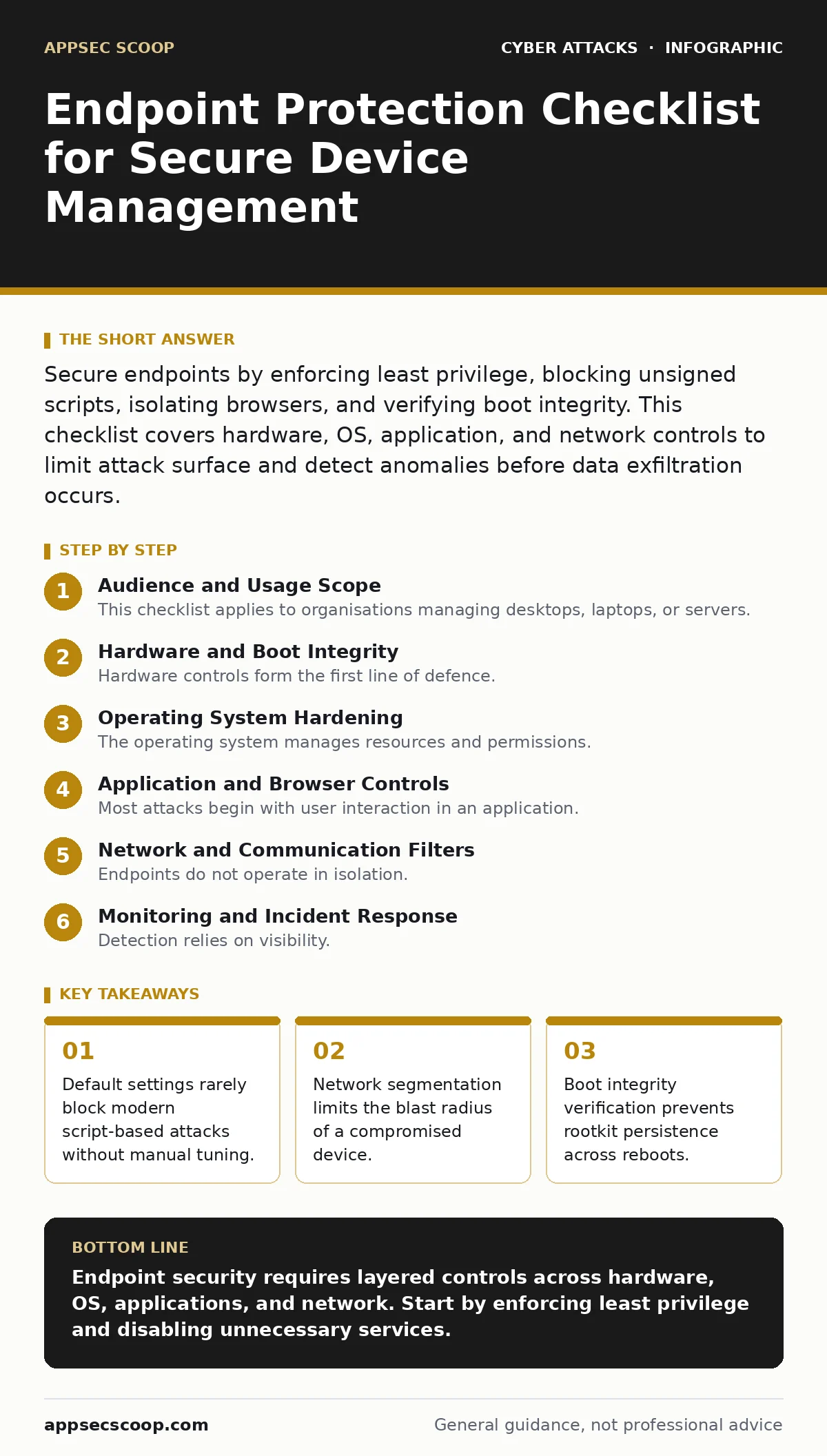
Secure endpoints by enforcing least privilege, blocking unsigned scripts, isolating browsers, and verifying boot integrity. This checklist covers hardware, OS, application, and network controls to limit attack surface and detect anomalies before data exfiltration occurs.
Audience and Usage Scope
This checklist applies to organisations managing desktops, laptops, or servers. Use it to audit existing configurations against current threats. Do not treat it as a one-time setup task. Security posture degrades as software updates introduce new permissions or features. Review these items quarterly or after major system changes.
Hardware and Boot Integrity
Hardware controls form the first line of defence. If an attacker gains physical access or compromises the firmware, software controls often fail.
- Enable firmware password: Prevents booting from external media or changing boot order without authorisation.
- Disable unused physical ports: Reduces attack surface from USB-based attacks or direct network connections.
- Verify Secure Boot status: Ensures only signed and trusted operating system loaders execute during startup.
- Check TPM presence: Provides a hardware root of trust for encryption keys and attestation data.
- Disable legacy boot modes: Prevents attackers from bypassing Secure Boot via older BIOS compatibility layers.
Imagine a scenario where a thief steals a laptop. Without a firmware password, they can boot from a USB drive containing a custom kernel. This allows them to bypass the operating system’s login screen entirely. Secure Boot mitigates this by ensuring the kernel is cryptographically signed.
Operating System Hardening
The operating system manages resources and permissions. Misconfigurations here allow privilege escalation or persistent access.
- Enforce least privilege accounts: Standard users cannot install malware or modify system files, limiting damage.
- Disable unnecessary services: Reduces the number of processes an attacker can exploit for remote code execution.
- Configure automatic patching: Ensures known vulnerabilities in the OS are closed promptly without manual intervention.
- Enable audit logging: Records file access and login attempts for forensic analysis after an incident.
- Restrict command line access: Prevents standard users from running scripts that could bypass application controls.
Default installations often enable services like printing or remote assistance that most users never need. Each enabled service is a potential entry point. Disabling them reduces the complexity of the environment. This makes it harder for attackers to find a foothold.
Application and Browser Controls
Most attacks begin with user interaction in an application. Browsers and office suites are frequent targets due to their complex parsing engines.
- Enable application whitelisting: Only allows execution of approved binaries, blocking unknown malware.
- Restrict browser extensions: Removes unvetted code that can read keystrokes or access local files.
- Disable macro execution in documents: Prevents automatic running of malicious scripts embedded in files.
- Use sandboxing for risky apps: Isolates applications so they cannot access sensitive system resources.
- Update browser plugins regularly: Plugins often contain vulnerabilities that allow cross-site scripting or data theft.
Macro execution is a common vector for initial compromise. By default, many office applications prompt users to enable content. This prompt can be social-engineered. Disabling macros entirely forces users to use approved scripts only. This aligns with the principles of cyber hygiene.
Network and Communication Filters
Endpoints do not operate in isolation. Network traffic can carry malware or exfiltrate data. Controlling what an endpoint can talk to is critical.
- Enable host-based firewall: Blocks unsolicited inbound connections and restricts outbound traffic to known services.
- Disable SMBv1 protocol: Removes support for an outdated protocol with known vulnerabilities like EternalBlue.
- Restrict DNS queries: Prevents communication with known malicious domains or command-and-control servers.
- Encrypt local storage: Protects data at rest if the device is lost or stolen.
- Limit remote management ports: Reduces exposure to attacks targeting administrative interfaces like RDP or SSH.
An endpoint connected to a public Wi-Fi network is vulnerable to sniffing. A host-based firewall can block scanning attempts from other devices on that network. Encryption ensures that even if data is intercepted, it remains unreadable. This is particularly relevant when defending against watering hole attacks where users visit compromised sites.
See also: Implementing Behavior-Based Detection: A Practical Rollout Plan · Cloud Entitlements: What They Are and Why You Over-Provision Them
Monitoring and Incident Response
Detection relies on visibility. Without proper logging and monitoring, breaches may go unnoticed for months.
- Enable real-time file monitoring: Detects creation or modification of suspicious files such as scripts or executables.
- Configure alert thresholds: Triggers notifications for unusual activity like multiple failed logins or large data transfers.
- Integrate with central logging: Aggregates data from multiple endpoints for correlation and trend analysis.
- Test backup integrity: Ensures backups are not infected and can restore systems after ransomware attacks.
- Document recovery procedures: Provides clear steps for isolating and remediating compromised endpoints.
Imagine a scenario where a user clicks a link in a callback phishing email. The endpoint detects the creation of a new PowerShell process. An alert triggers immediately. The security team can then investigate before the attacker establishes persistence. This speed is vital for limiting damage.
Validation and Testing
A checklist is only useful if validated. Regular testing ensures controls remain effective against evolving tactics.
- Conduct periodic access reviews: Verifies that users still require their current permission levels.
- Run vulnerability scans: Identifies missing patches or misconfigurations in the endpoint environment.
- Perform tabletop exercises: Simulates breach scenarios to test response procedures and communication flows.
- Verify backup restoration: Confirms that backups can actually recover data and system state.
- Review firewall rules: Ensures that outdated or overly permissive rules are removed.
Testing reveals gaps that configuration checks miss. For example, a firewall rule might be correct but not applied due to a service restart failure. Regular validation catches these issues. This process supports broader tabletop exercises by providing accurate data on endpoint resilience.
Key takeaways
- Default settings rarely block modern script-based attacks without manual tuning.
- Network segmentation limits the blast radius of a compromised device.
- Boot integrity verification prevents rootkit persistence across reboots.
Endpoint security requires layered controls across hardware, OS, applications, and network. Start by enforcing least privilege and disabling unnecessary services.
Frequently asked questions
Does antivirus software replace this checklist?
No, antivirus detects known malware but cannot prevent misconfigurations or block attacks that do not rely on traditional signatures.
How often should I review these settings?
Review quarterly or after any major software update, as new features may introduce new vulnerabilities or permission changes.
How this guide was produced: written by the AppSec Scoop editorial team with AI assistance, checked against the public references listed below, and reviewed when the facts change. See our editorial policy or report an error.