
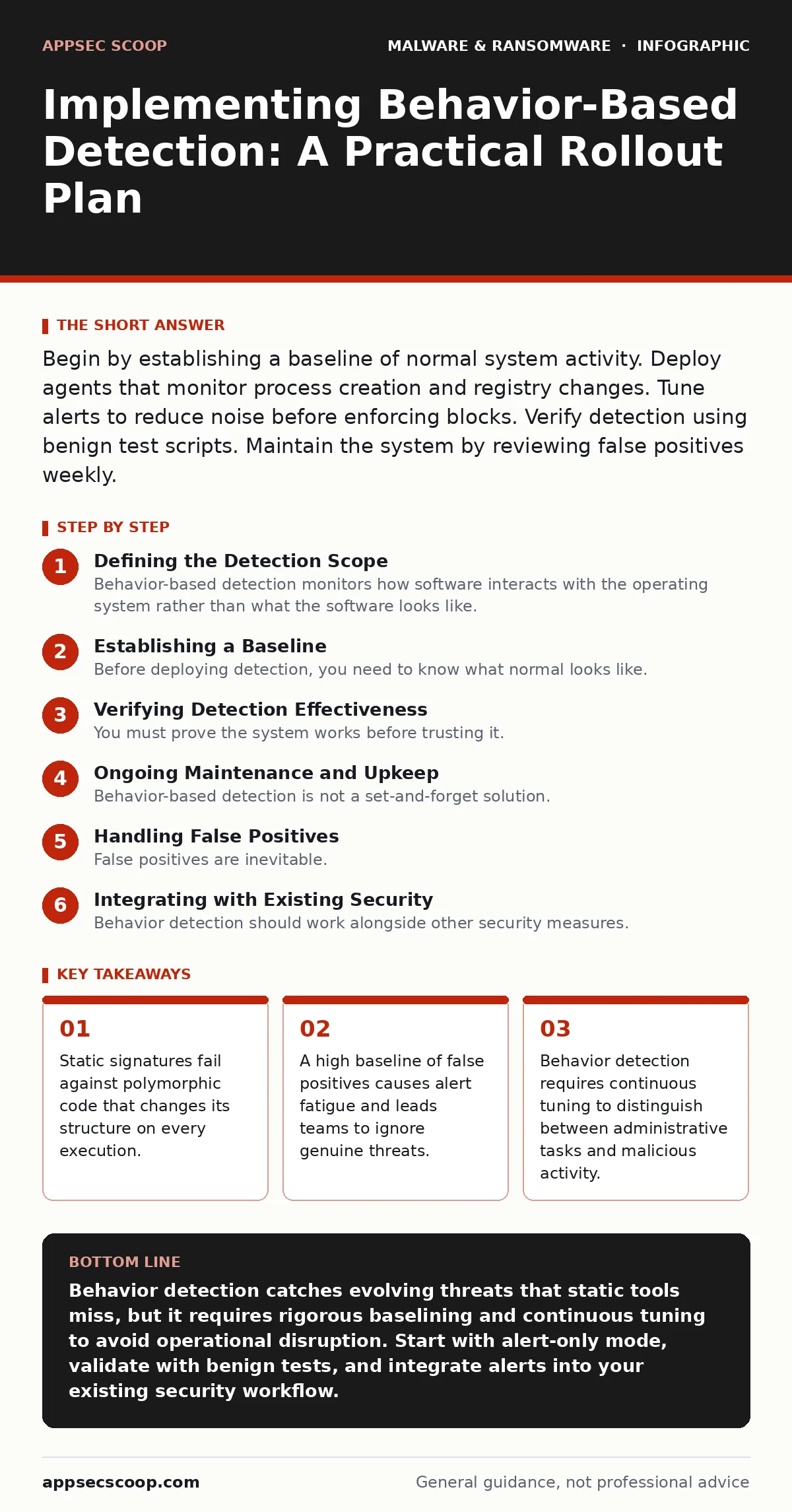
Begin by establishing a baseline of normal system activity. Deploy agents that monitor process creation and registry changes. Tune alerts to reduce noise before enforcing blocks. Verify detection using benign test scripts. Maintain the system by reviewing false positives weekly.
Defining the Detection Scope
Behavior-based detection monitors how software interacts with the operating system rather than what the software looks like. Traditional antivirus relies on signatures, which are unique hashes of known malicious files. If an attacker alters the code slightly, the signature changes, and the detection fails. Behavior detection looks for actions, such as a word processor attempting to connect to a command and control server.
You must decide which behaviors indicate compromise. Common indicators include unexpected process injections, rapid file encryption, or modifications to critical system files. Defining these indicators requires understanding your environment. A software development server will naturally see more file changes than a finance workstation.
This approach complements other security layers. For instance, while sandboxing isolates suspicious files for analysis, behavior detection monitors the isolated environment for malicious actions. This combination provides depth, catching threats that evade static analysis.
Establishing a Baseline
Before deploying detection, you need to know what normal looks like. Every system has a unique pattern of activity. Background updates, scheduled tasks, and user habits create a baseline. Without this reference, every new process appears suspicious.
Monitor system calls and network connections for a period of observation. Record which processes typically communicate with which external hosts. Note the frequency of registry edits and file creations. This data forms the foundation for your detection rules.
Imagine a scenario where a legitimate backup tool encrypts files nightly. If you do not record this behavior, your detection system will flag it as ransomware. Accurate baselining prevents this confusion.
Step 1: Audit Current Telemetry
Identify what data your security tools already collect. Ensure that process creation events, network connections, and file modifications are logged. If this data is missing, behavior detection cannot function.
- Verify that process creation logs include command-line arguments.
- Confirm that network logs capture destination ports and protocols.
- Check that file integrity monitoring covers critical system directories.
You know this step worked when you can answer questions about specific process origins without guessing.
Step 2: Define Critical Assets
Not all systems require the same level of scrutiny. Identify servers and workstations that hold sensitive data or critical functions. These assets need stricter behavior monitoring.
Create groups for different asset types. For example, separate database servers from general user workstations. Each group will have different baseline expectations.
This segmentation allows you to apply tailored rules. A rule that is normal for a developer machine may be suspicious on a production server.
Step 3: Configure Detection Rules
Set up rules that trigger alerts on specific behaviors. Start with high-confidence indicators, such as a script executing from a temporary directory. Avoid broad rules that catch too much normal activity.
Use open standards like the Open Cybersecurity Schema Framework to standardise your event data. This ensures consistency across different tools and platforms.
Test each rule in isolation. Ensure it triggers only when the expected behavior occurs.
Step 4: Enable Alerting Only
Deploy the detection agents in alert-only mode. Do not block any activity yet. This allows you to observe the impact without disrupting operations.
Monitor the volume of alerts. High volumes indicate noisy rules or an inaccurate baseline. Adjust thresholds to reduce false positives.
This phase can last several weeks. Patience here prevents operational failures later.
Step 5: Tune and Validate
Review every alert generated during the alert-only phase. Categorise them as true positives, false positives, or benign anomalies. Adjust rules to eliminate false positives.
Create exceptions for known legitimate tools. For example, if a specific application modifies the registry frequently, whitelist that behavior.
You know this step worked when the alert volume is manageable and every alert represents a genuine anomaly.
Step 6: Enable Blocking
Switch the detection system to blocking mode for high-confidence rules. This action stops malicious behavior in real time.
Start with a small subset of assets. Monitor for any operational disruptions. If a legitimate process is blocked, immediately create an exception.
Gradually expand the blocking scope to all critical assets.
Verifying Detection Effectiveness
You must prove the system works before trusting it. Use benign test scripts that mimic malicious behavior. These scripts should perform actions like creating unexpected processes or modifying system files.
Execute these tests on isolated systems. Verify that the detection system generates an alert or blocks the action. Document the results for each test case.
This verification process ensures that your detection logic is sound. It also helps identify gaps in coverage.
Imagine a test script that attempts to inject code into a running process. If the system fails to alert, your process injection detection rule is ineffective.
Ongoing Maintenance and Upkeep
Behavior-based detection is not a set-and-forget solution. Attackers change their tactics, and your environment evolves. Regular maintenance keeps the system effective.
Review alerts weekly. Look for patterns that indicate new threats or changes in normal behavior. Update baselines as new software is deployed.
Stay informed about emerging threats. For example, understanding how botnets communicate can help you refine network behavior rules. This knowledge allows you to anticipate new attack vectors.
Also, consider the role of USB malware in your environment. Behavior detection can catch malicious executables transferred via removable media, even if they are previously unknown.
Handling False Positives
False positives are inevitable. They occur when legitimate activity mimics malicious behavior. Ignoring them leads to alert fatigue. Responding to every alert wastes resources.
Investigate each false positive. Determine if the behavior is truly benign. If so, create a specific exception. Avoid broad exceptions that might hide real threats.
Document the reason for each exception. This documentation helps future audits and troubleshooting. It also provides context for new team members.
Consider how macro security settings interact with your detection. If macros are disabled, you may see fewer attempts to execute scripts from documents. This reduces noise but may miss other indicators.
See also: Endpoint Protection Checklist for Secure Device Management
Integrating with Existing Security
Behavior detection should work alongside other security measures. It does not replace static scanning or network firewalls. It adds a layer of depth.
Integrate alerts with your security information and event management system. This centralises visibility and allows for correlation. Correlating behavior alerts with other data sources improves accuracy.
For example, a behavior alert combined with a failed login attempt may indicate a more serious compromise. This holistic view helps prioritise responses.
Addressing Edge Cases
Some legitimate applications exhibit suspicious behavior. Development tools, testing frameworks, and system utilities may mimic malware. You must account for these edge cases.
Create specific rules for these applications. Whitelist their known behaviors. Monitor for deviations from these whitelisted patterns.
This approach balances security and usability. It prevents blocking critical business tools while maintaining protection.
Consider how bootkits operate. They reside below the operating system, making them hard to detect. Behavior detection at the OS level may miss them entirely. This limitation highlights the need for layered security.
Also, be aware of trojans that masquerade as legitimate software. They may initially behave normally to avoid detection. Long-term monitoring helps identify these slow-burn threats.
Conclusion of Implementation
Implementing behavior-based detection requires careful planning and continuous adjustment. You have defined your scope, established baselines, and validated your rules. The system is now active and monitoring your environment.
Regular upkeep ensures long-term effectiveness. Stay vigilant against new threats and evolving tactics. Your detection system is a dynamic tool, not a static shield.
Consider how removing malware from a Windows PC might require different steps if behavior detection missed the initial infection. This underscores the importance of comprehensive monitoring.
Key takeaways
- Static signatures fail against polymorphic code that changes its structure on every execution.
- A high baseline of false positives causes alert fatigue and leads teams to ignore genuine threats.
- Behavior detection requires continuous tuning to distinguish between administrative tasks and malicious activity.
Behavior detection catches evolving threats that static tools miss, but it requires rigorous baselining and continuous tuning to avoid operational disruption. Start with alert-only mode, validate with benign tests, and integrate alerts into your existing security workflow.
Frequently asked questions
How long does it take to implement behavior-based detection?
Implementation varies based on environment complexity. Baseline establishment alone may take several weeks. Full tuning and validation can take months.
Does behavior detection prevent all malware?
No. It detects malicious actions, but sophisticated threats may mimic normal behavior. It is one layer of defence, not a complete solution.
Can behavior detection slow down my systems?
Yes, monitoring system calls adds overhead. Proper configuration and hardware sizing mitigate performance impacts.
How do I handle new software deployments?
Update your baseline to include the new software's behavior. Test the software in alert-only mode before full deployment.
How this guide was produced: written by the AppSec Scoop editorial team with AI assistance, checked against the public references listed below, and reviewed when the facts change. See our editorial policy or report an error.