
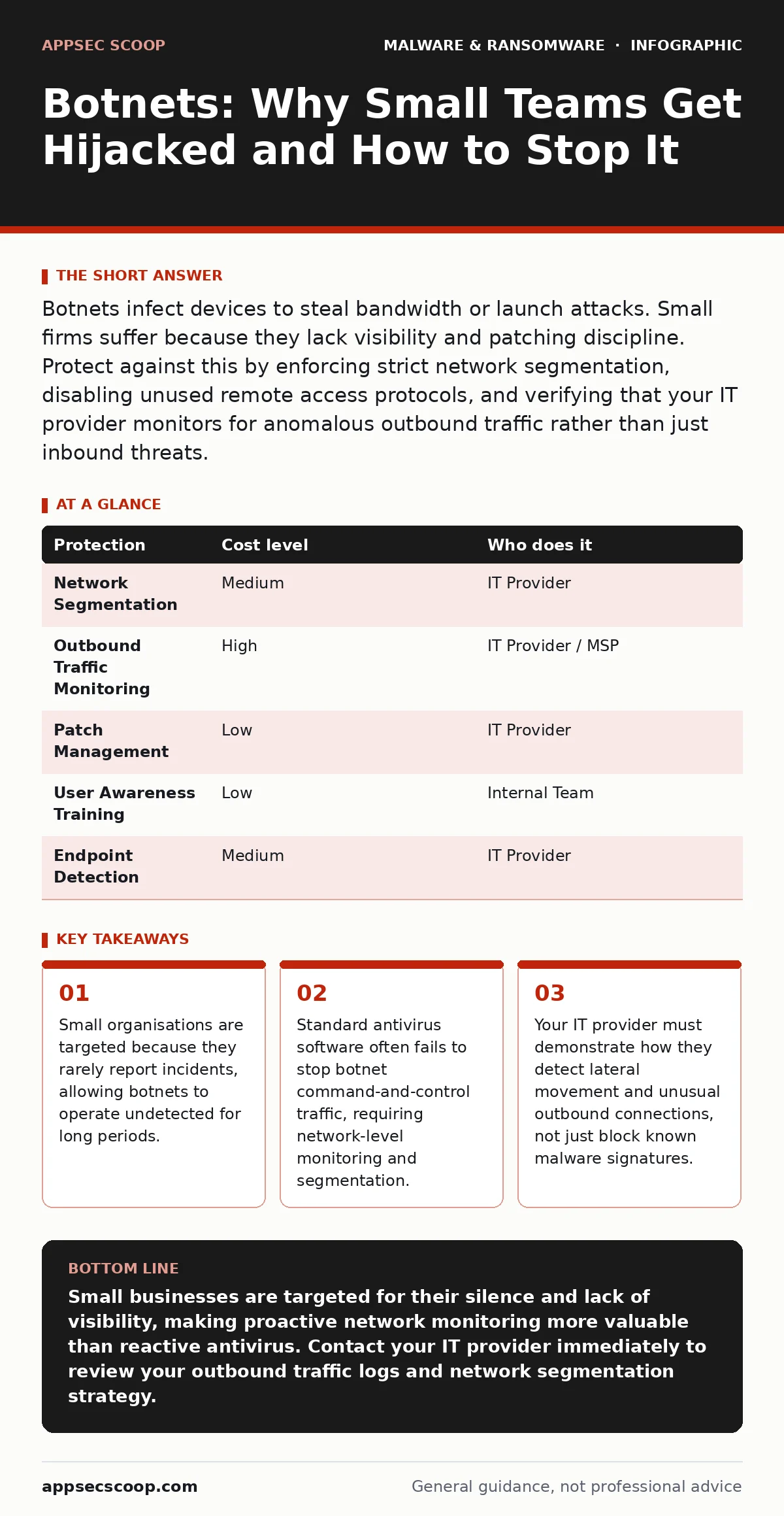
Botnets infect devices to steal bandwidth or launch attacks. Small firms suffer because they lack visibility and patching discipline. Protect against this by enforcing strict network segmentation, disabling unused remote access protocols, and verifying that your IT provider monitors for anomalous outbound traffic rather than just inbound threats.
The Economics of Invisibility
Small organisations are exposed to botnets because they are statistically quiet. Large enterprises have security operations centres that detect and report anomalies. These reports feed into global threat intelligence feeds. Small firms rarely have the resources to monitor traffic patterns. When an infection occurs, it often goes unreported. This silence creates a blind spot. Attackers know that a small business is less likely to notice a slow drain on bandwidth or a minor increase in CPU usage. They also know that small firms are less likely to take legal action or notify authorities. This lack of consequence makes small networks attractive hosting grounds for botnet nodes.
The risk is not always immediate financial loss. The danger lies in being used as a proxy. Your network becomes part of a larger attack against someone else. This can lead to your IP address being blacklisted. Email servers may be blocked by major providers. Web traffic may be throttled by internet service providers. Reputational damage follows when clients experience service disruptions caused by your compromised infrastructure.
How Infection Occurs
Botnets do not require complex exploits to gain entry. They rely on volume and convenience. Many infections start with a simple mistake. An employee clicks a link in a phishing email that downloads a hidden installer. This installer may appear to be a legitimate update for a common application. It could also be embedded in a document with malicious macro security settings. Macros are small scripts within documents that automate tasks. If enabled, they can execute code on your machine.
Another common vector is unpatched software. Vulnerabilities in operating systems or web browsers allow remote code execution. Attackers scan the internet for open ports and known vulnerabilities. If your firewall allows inbound traffic to a vulnerable service, the botnet client can install itself automatically. This process is silent. No pop-up appears. No error message is displayed. The device simply joins the network of infected machines.
Network Segmentation as a Barrier
Once a device is infected, the botnet client seeks to expand. It scans the local network for other vulnerable devices. This is called lateral movement. In a flat network, where all devices share the same subnet, the infection spreads rapidly. Every device is accessible from every other device. Segmentation breaks this path. By dividing your network into smaller zones, you limit the reach of an infected machine.
For example, guest Wi-Fi should be completely isolated from the internal corporate network. IoT devices, such as smart printers or security cameras, should reside on a separate VLAN. Virtual LANs allow you to create logical networks within a physical one. If a printer is compromised, the botnet cannot reach the file servers or workstations. This containment slows the spread. It gives you time to identify and remove the threat.
Segmentation also aids in monitoring. It is easier to spot unusual traffic between specific segments than in a chaotic, flat network. You can set alerts for traffic that should never occur. For instance, a printer should not be initiating connections to external web servers. If it does, the alert triggers an investigation.
Monitoring Outbound Traffic
Traditional security focuses on inbound threats. Firewalls block malicious packets from entering the network. However, botnets communicate outbound. The infected device calls home to receive instructions. This command-and-control traffic often looks like normal web browsing. It uses standard ports and protocols. Signature-based antivirus software may not flag it because the payload is not yet present. The device is waiting for instructions.
You need behavior-based detection to spot this activity. This method looks for patterns rather than specific signatures. It flags devices that are sending data to unknown external IP addresses. It identifies connections that occur at unusual times or with unusual frequency. Imagine a server that suddenly starts making hundreds of small connections to different domains. This is not normal server behaviour. It indicates a potential botnet communication channel.
Implementing egress filtering can help. This restricts outbound traffic to only necessary destinations. If your company does not need to access social media, block that traffic at the firewall. This reduces the surface area for command-and-control communication. It also prevents employees from accidentally downloading malware from malicious sites.
| Protection | Cost level | Who does it |
|---|---|---|
| Network Segmentation | Medium | IT Provider |
| Outbound Traffic Monitoring | High | IT Provider / MSP |
| Patch Management | Low | IT Provider |
| User Awareness Training | Low | Internal Team |
| Endpoint Detection | Medium | IT Provider |
Assessing Your IT Provider
Many small businesses outsource their IT security. This is a practical choice, but it requires diligence. You must verify that your provider is actively managing your security posture. Do not assume that having an IT company means you are protected. Ask specific questions about their capabilities. Do not accept vague answers about "comprehensive security."
You need to know how they detect threats that are not yet known. Signature-based tools are reactive. They only stop threats that have already been identified. You need proactive monitoring. Ask about their logging retention policies. Can they look back in time to see what happened before an alert was raised? Can they correlate events across different devices?
See also: USB Malware: How It Works and How to Block It
Questions to Ask Your Provider
Prepare these questions before your next service review. They will reveal the depth of your current protection.
- How do you detect and respond to lateral movement within our network?
- Do you monitor outbound traffic for command-and-control communications?
- What is your process for patching critical vulnerabilities within 48 hours of disclosure?
- Can you provide a sample report of anomalous network activity from the last quarter?
- How do you isolate IoT devices from the main corporate network?
- What is your incident response plan if a device is found to be part of a botnet?
Beyond Traditional Antivirus
Relying solely on antivirus software is a mistake. Modern botnets use polymorphic code. This means the code changes slightly with each infection. This evades signature-based detection. You need a layered approach. Combine antivirus with network monitoring, segmentation, and user training.
Consider the risk of cryptojacking. This is a form of botnet activity where infected devices mine cryptocurrency. It consumes CPU and GPU resources. This slows down systems and increases electricity costs. It may not be immediately obvious, but the performance degradation is noticeable. Monitoring for high resource usage on idle devices can reveal this activity.
Also, be aware of USB malware. Infected drives can carry botnet clients. If employees plug in unknown USB drives, the malware can execute automatically. Disable autorun on all endpoints. This prevents automatic execution of code from removable media.
The Cost of Inaction
The cost of a botnet infection is not just the time spent cleaning it. It is the opportunity cost. Employees are distracted. Systems are slow. Reputation is damaged. In some cases, regulatory fines apply if customer data is exfiltrated. Prevention is cheaper than remediation.
Investing in proper network architecture and monitoring pays dividends. It reduces the attack surface. It speeds up incident response. It provides peace of mind. Do not let the size of your organisation dictate your security posture. Small does not mean safe. It means you must be smarter.
Key takeaways
- Small organisations are targeted because they rarely report incidents, allowing botnets to operate undetected for long periods.
- Standard antivirus software often fails to stop botnet command-and-control traffic, requiring network-level monitoring and segmentation.
- Your IT provider must demonstrate how they detect lateral movement and unusual outbound connections, not just block known malware signatures.
Small businesses are targeted for their silence and lack of visibility, making proactive network monitoring more valuable than reactive antivirus. Contact your IT provider immediately to review your outbound traffic logs and network segmentation strategy.
Frequently asked questions
Can a single infected phone compromise the whole office?
Yes, if the phone connects to the corporate Wi-Fi and the network is not segmented. The botnet client can scan for other vulnerable devices and spread laterally.
Do I need a firewall if I have antivirus?
Yes. Antivirus protects individual devices, while a firewall controls traffic between networks. They serve different purposes and should be used together for layered defence.
How do I know if my device is part of a botnet?
Look for unusual network activity, high CPU usage during idle times, or outbound connections to unknown IP addresses. Network monitoring tools can provide clear alerts.
Is cloud storage safe from botnets?
Cloud storage itself is secure, but the devices accessing it are not. If a device is infected, it can upload malicious files or leak credentials. Protect the endpoint, not just the storage.
How this guide was produced: written by the AppSec Scoop editorial team with AI assistance, checked against the public references listed below, and reviewed when the facts change. See our editorial policy or report an error.