
A malware payload is the specific code that executes the attacker’s goal, such as data exfiltration or encryption. It is distinct from the delivery mechanism. Misunderstanding this separation leads to false positives and missed detections because the initial infection vector often contains no malicious code.
Misreading: The Payload Is the Entire File
You often assume that the file you downloaded or opened contains the malicious action. This is rarely the case. The initial file is usually a dropper or loader. Its sole purpose is to establish persistence and fetch the actual payload from a remote server. The dropper may look benign in a static scan because it contains no destructive code.
It only creates the environment for the payload to run later. This separation means that deleting the initial file does not stop the attack if the payload has already been downloaded to memory or a temporary directory. See our guide on removing malware from a Windows PC for steps that address persistent loaders rather than just the visible executable.
Correct reading: The payload is the functional component that performs the intended harm. It is frequently delivered dynamically after the initial compromise. Treat the first executed file as a transport mechanism, not the threat itself.
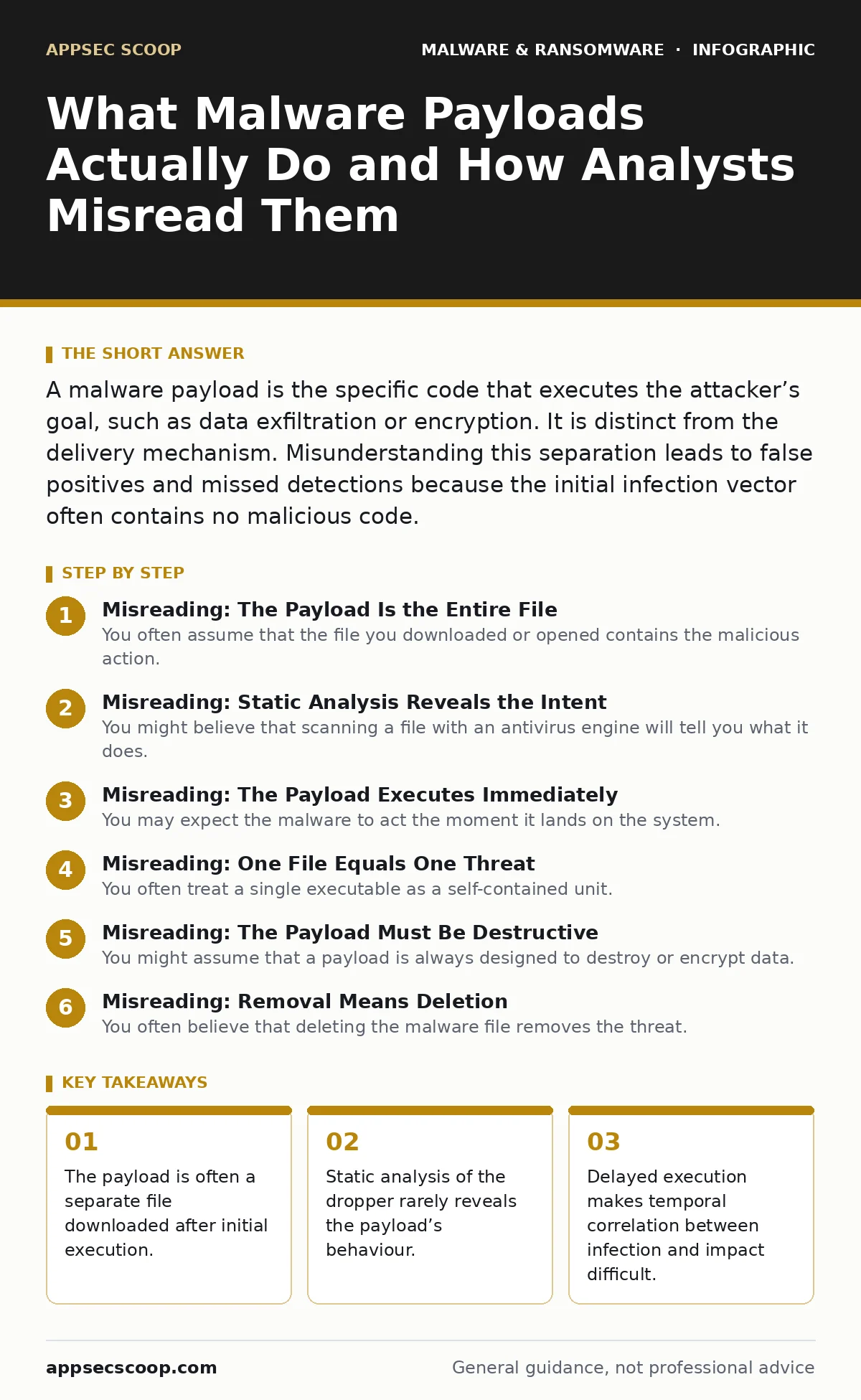
Misreading: Static Analysis Reveals the Intent
You might believe that scanning a file with an antivirus engine will tell you what it does. Static analysis examines the code without running it. Many modern payloads use packing or encryption to hide their structure. When you scan a packed file, you see only the unpacking routine, not the hidden payload. The actual malicious instructions are only visible when the code executes in memory. This is why signature-based detection fails against new variants. The file looks different to the scanner every time it is generated, even if the payload’s behaviour remains identical. This is why behavior-based detection is necessary to catch actions that static signatures miss.
Correct reading: Static analysis identifies known patterns but cannot determine the runtime behaviour of obfuscated code. You must observe the process tree and network connections to understand what the payload actually attempts to do.
Misreading: The Payload Executes Immediately
You may expect the malware to act the moment it lands on the system. Attackers often use delay timers or trigger conditions. The payload might wait for a specific network connection, a user login, or a certain time of day. This delay helps it evade immediate detection and allows it to blend in with normal system activity. If you are monitoring for sudden spikes in CPU or network usage, you might miss a payload that wakes up only once a day. This technique is common in cryptojacking malware, which tries to avoid detection by running during off-hours or when the system is idle.
Correct reading: Execution timing is a tactical choice. The payload may remain dormant for hours or days after the initial infection. Monitoring must be continuous and look for anomalous behaviour over time, not just at the moment of infection.
Misreading: One File Equals One Threat
You often treat a single executable as a self-contained unit. In reality, a payload often consists of multiple stages. The first stage might drop a second file, which then downloads a third. Each stage can have a different signature and behaviour. This modular approach allows attackers to update the payload without changing the initial dropper. If you only analyse the first file, you miss the subsequent components that perform the actual damage. This complexity is similar to how botnets operate, where the initial infection installs a client that then receives commands from a central server.
Correct reading: Treat the infection as a chain of events, not a single file. Trace the process creation tree to identify all child processes spawned by the initial executable. Each child process may represent a new stage of the payload delivery.
Misreading: The Payload Must Be Destructive
You might assume that a payload is always designed to destroy or encrypt data. Many payloads are designed for stealth and persistence rather than immediate impact. They might install keyloggers, screen capture tools, or backdoors. These payloads aim to remain undetected for as long as possible to harvest credentials or intellectual property.
They do not trigger alarms because they do not modify system files or encrypt drives. This subtlety makes them harder to detect than ransomware. You may find yourself investigating a system that appears normal, yet sensitive data is slowly leaking out. This is why email attachment scanning alone is insufficient; the attachment may deliver a loader that installs a silent data theft payload.
Correct reading: The payload’s goal defines its behaviour. Not all payloads are destructive. Some are designed to observe and exfiltrate data quietly. Look for unusual network traffic or process injections rather than just file modifications.
See also: USB Malware: How It Works and How to Block It
Misreading: Removal Means Deletion
You often believe that deleting the malware file removes the threat. This is a dangerous misconception. Many payloads install components in the registry, scheduled tasks, or system services. These components ensure the payload restarts if the system reboots. Simply deleting the main executable leaves these persistence mechanisms intact.
The payload will likely re-download itself or activate another dormant component. This is why bootkits are particularly difficult to remove; they reside in the firmware or bootloader, below the operating system level. Standard deletion tools cannot reach them. You must audit the system for unauthorized services and scheduled tasks to ensure complete removal.
Correct reading: Deletion of the file is not removal of the threat. You must identify and disable all persistence mechanisms the payload established. This includes checking startup folders, registry run keys, and service definitions.
Key takeaways
- The payload is often a separate file downloaded after initial execution.
- Static analysis of the dropper rarely reveals the payload’s behaviour.
- Delayed execution makes temporal correlation between infection and impact difficult.
Frequently asked questions
How do I know if a file is a dropper or the actual payload?
Droppers typically have little internal code and focus on network connections or file creation. Payloads contain the logic for the specific attack, such as encryption or data theft.
Can a payload hide in memory without writing to disk?
Yes, fileless malware resides entirely in RAM. It uses system tools to execute code, leaving no executable file for traditional scanners to find.
Does updating antivirus software protect against all payloads?
No, updates only help against known signatures. New or obfuscated payloads will bypass signature-based protection until a new signature is created.
Why do some payloads wait before executing?
Delaying execution helps evade detection by security tools that monitor for immediate malicious activity. It also allows the attacker to choose the optimal time for impact.
How this guide was produced: written by the AppSec Scoop editorial team with AI assistance, checked against the public references listed below, and reviewed when the facts change. See our editorial policy or report an error.