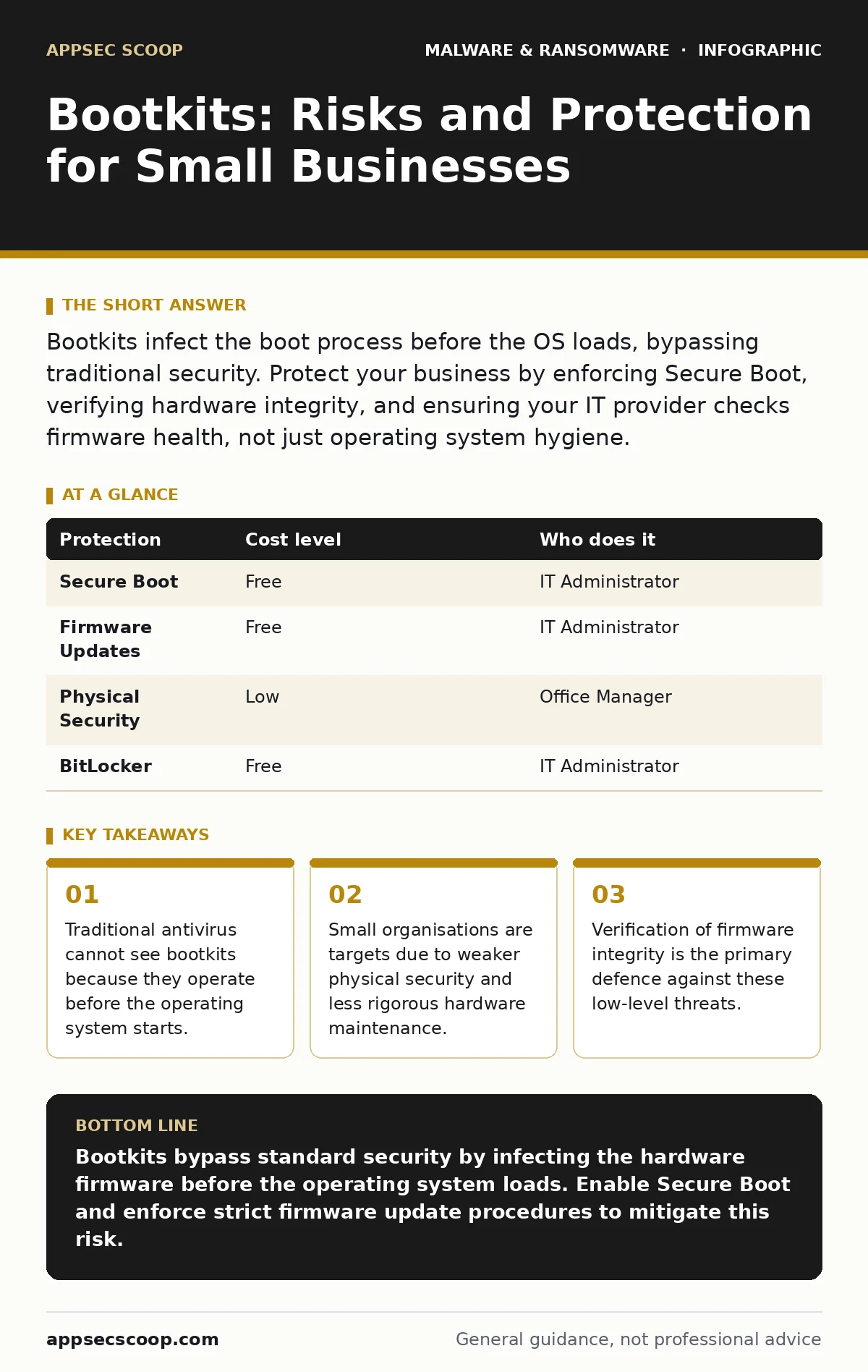
Bootkits infect the boot process before the OS loads, bypassing traditional security. Protect your business by enforcing Secure Boot, verifying hardware integrity, and ensuring your IT provider checks firmware health, not just operating system hygiene.
The Hidden Layer of Attack
Most security tools monitor the operating system. They watch file changes, process launches, and network connections. A bootkit operates below this layer. It resides in the firmware, the permanent software embedded in hardware components like the motherboard or network interface card.
When you power on a computer, the firmware runs first. It performs basic hardware checks and loads the operating system. If a bootkit is present, it executes before the security software starts. It can hide its presence, modify system calls, or steal credentials as they are typed.
This positioning makes detection difficult. The malware is not a file you can scan. It is part of the hardware’s instructions. Standard antivirus software has no visibility into this stage. It assumes the firmware is trusted. When that trust is broken, the entire security model fails.
Why Small Organisations Are Exposed
Large enterprises often have dedicated hardware security teams. They manage firmware updates centrally and enforce strict physical access controls. Small organisations rarely have this depth. They rely on generalist IT support or managed service providers who focus on operating system health.
Physical access is a major risk vector. An attacker who can briefly plug a device into a USB port or open a machine case can install a bootkit. This is known as a bad USB attack or a direct firmware attack. In a small office, unattended laptops or servers are common.
Supply chain risks also play a part. If a hardware vendor is compromised, the firmware shipped with new devices may already contain malicious code. Small businesses often lack the resources to verify the cryptographic signatures of firmware updates. They trust the vendor implicitly. This trust is exploited by attackers who seek long-term persistence.
Unlike malware payloads that run as applications, bootkits do not leave traces in the file system. They do not create scheduled tasks or registry keys. They exist in the hardware’s memory. This makes them harder to find and remove than typical trojans.
The Cost of Invisibility
The primary cost of a bootkit is time. By the time you notice unusual behaviour, the attacker has been inside your network for weeks or months. They have mapped your infrastructure and stolen credentials.
Remediation is expensive. You cannot simply run a cleaner. You must reflash the firmware on every affected device. In severe cases, you must replace the hardware entirely. This downtime disrupts business operations. For a small company, losing access to critical servers for days can be devastating.
Data loss is another consequence. If the bootkit enables ransomware, the encryption keys may be stolen before the files are locked. This allows attackers to decrypt your backups, forcing you to pay the ransom. Removing malware from a Windows PC is a standard procedure. Removing a bootkit requires specialised tools and expertise that many small IT teams do not possess.
Low-Cost Protections
You do not need expensive hardware to mitigate these risks. Many protections are built into modern computers but are often disabled or ignored.
| Protection | Cost level | Who does it |
|---|---|---|
| Secure Boot | Free | IT Administrator |
| Firmware Updates | Free | IT Administrator |
| Physical Security | Low | Office Manager |
| BitLocker | Free | IT Administrator |
Secure Boot is the most effective defence. It ensures that only signed, trusted code runs during the boot process. If a bootkit tries to load, Secure Boot blocks it. This feature is standard on UEFI systems. It must be enabled in the BIOS settings.
Firmware updates are equally important. Vendors regularly patch vulnerabilities in BIOS and UEFI firmware. These updates fix holes that attackers use to install bootkits. You must apply these updates promptly. Delaying them leaves you exposed to known exploits.
Physical security is often overlooked. Lock laptops in cabinets when not in use. Use Kensington locks. Prevent unauthorised access to server rooms. An attacker needs physical access to install many bootkits. Denying that access removes the threat.
BitLocker, the full disk encryption tool in Windows, adds another layer. Even if a bootkit captures the boot process, it cannot read the encrypted data without the key. This limits the damage an attacker can do. It does not prevent the infection, but it protects your data.
What to Ask Your IT Provider
Many small businesses outsource their IT. Your provider may focus on keeping systems online rather than securing the hardware layer. You need to verify that they consider firmware security.
- Do you check for BIOS and UEFI vulnerabilities during routine maintenance?
- How do you verify the integrity of firmware updates before applying them?
- Is Secure Boot enabled on all endpoints and servers?
- Do you have a process for detecting firmware anomalies?
- How do you handle physical access to hardware for maintenance?
These questions reveal whether your provider understands the full attack surface. If they only talk about antivirus and firewalls, they are missing the low-level threats. Behavior-based detection can help, but it relies on the operating system being intact. If the firmware is compromised, the OS cannot report accurately.
See also: Cryptojacking Risks for Small Teams: Hidden Costs and Protections · Tabletop Exercises for Small Teams: Run Effective Drills Without the Budget
Beyond Traditional Antivirus
Antivirus software is necessary but insufficient. It scans for known signatures of malware. Bootkits do not have signatures in the traditional sense. They are modifications to hardware code.
You need behavior-based detection that monitors the boot process. Some advanced endpoint detection platforms can check the integrity of the boot chain. They compare the current state against a known good baseline. If there is a mismatch, they alert you.
This is not a replacement for Secure Boot. It is a complement. Secure Boot prevents unsigned code from running. Detection identifies changes that may have slipped through. Together, they provide a deeper defence.
Consider how email attachment scanning fails against bootkits. An attacker may not need to trick you into opening a file. They may exploit a vulnerability in the firmware itself via a network update. This is why network segmentation and firmware patching are critical.
Maintenance and Monitoring
Security is not a one-time setup. It requires ongoing maintenance. Firmware vulnerabilities are discovered regularly. You must stay informed about new threats.
Monitor your systems for unusual boot times. A bootkit may slow down the startup process as it loads its own code. While not definitive, this can be an indicator.
Regularly audit your BIOS settings. Ensure that Secure Boot remains enabled. Attackers may try to disable it if they gain physical access. Check for any unauthorised changes to the boot order.
Integrate firmware health checks into your broader security strategy. This includes understanding macro security settings in documents, which are often the entry point for initial compromise. While macros do not install bootkits directly, they can deliver the tools that exploit firmware vulnerabilities.
The Reality of Persistence
Bootkits are designed for persistence. They want to stay in your system as long as possible. This makes them particularly dangerous for long-term data theft.
Unlike cryptojacking, which aims to steal computing resources for immediate gain, bootkits aim for access. They may lie dormant for months. This makes them hard to attribute and hard to detect.
You must assume that your hardware could be compromised. Plan for this scenario. Have a recovery plan that includes firmware restoration. Test this plan regularly. Ensure your team knows how to reflash BIOS chips.
Final Considerations
The threat of bootkits is real, but manageable. It requires a shift in mindset. You must secure the hardware, not just the software.
This means prioritising firmware updates and enabling Secure Boot. It means asking your IT provider the right questions. It means accepting that physical security is part of cybersecurity.
By addressing these low-level risks, you protect your business from the most persistent and hidden threats. You ensure that your security foundation is solid.
Key takeaways
- Traditional antivirus cannot see bootkits because they operate before the operating system starts.
- Small organisations are targets due to weaker physical security and less rigorous hardware maintenance.
- Verification of firmware integrity is the primary defence against these low-level threats.
Bootkits bypass standard security by infecting the hardware firmware before the operating system loads. Enable Secure Boot and enforce strict firmware update procedures to mitigate this risk.
Frequently asked questions
Can a bootkit be removed with antivirus software?
No, standard antivirus cannot remove bootkits because they operate below the operating system level. You must reflash the firmware to remove them.
Is Secure Boot enough to stop all bootkits?
Secure Boot blocks unsigned code, but it does not prevent all attacks. Some bootkits exploit vulnerabilities in the Secure Boot implementation itself.
How often should I update my BIOS firmware?
You should update your BIOS firmware whenever a vendor releases a critical security patch. Do not wait for scheduled maintenance windows.
Can a bootkit spread across a network?
Some bootkits can spread via network vulnerabilities in firmware, but most require physical access or initial compromise of the operating system.
How this guide was produced: written by the AppSec Scoop editorial team with AI assistance, checked against the public references listed below, and reviewed when the facts change. See our editorial policy or report an error.