Cyber hygiene requires consistent maintenance of access rights, software updates and backup verification. Small teams must shift from reactive fixes to scheduled audits. You should verify that your IT provider performs regular privilege reviews and tests recovery procedures, not just installs software and leaves it alone.
The hidden cost of neglect in small teams
Small organisations often believe they are too insignificant to target. Attackers automate scans that identify exposed services regardless of company size. A single misconfigured server can provide entry to an entire network. The damage stems not from sophisticated malware but from basic oversights. Shared accounts prevent audit trails.
Unpatched software provides known entry points. Weak authentication allows credential stuffing attacks. These issues compound over time. Neglect creates a technical debt that grows silently. When an incident occurs, the lack of distinct user identities makes it impossible to determine the scope of the breach. Recovery becomes a guesswork exercise rather than a structured process.
Defining the scope of digital maintenance
Cyber hygiene refers to the routine practices that maintain the security posture of an organisation. It is not a product you buy. It is a discipline you enforce. The core elements include identity management, software maintenance and data protection. Many teams confuse hygiene with security tools. Firewalls and antivirus software are tools.
Hygiene is the process of configuring those tools correctly and updating them regularly. You must distinguish between the mechanism and the maintenance. A firewall does nothing if it allows all outbound traffic by default. Antivirus software fails if it runs with outdated signature databases. The maintenance schedule matters more than the initial installation.
Practical controls for limited resources
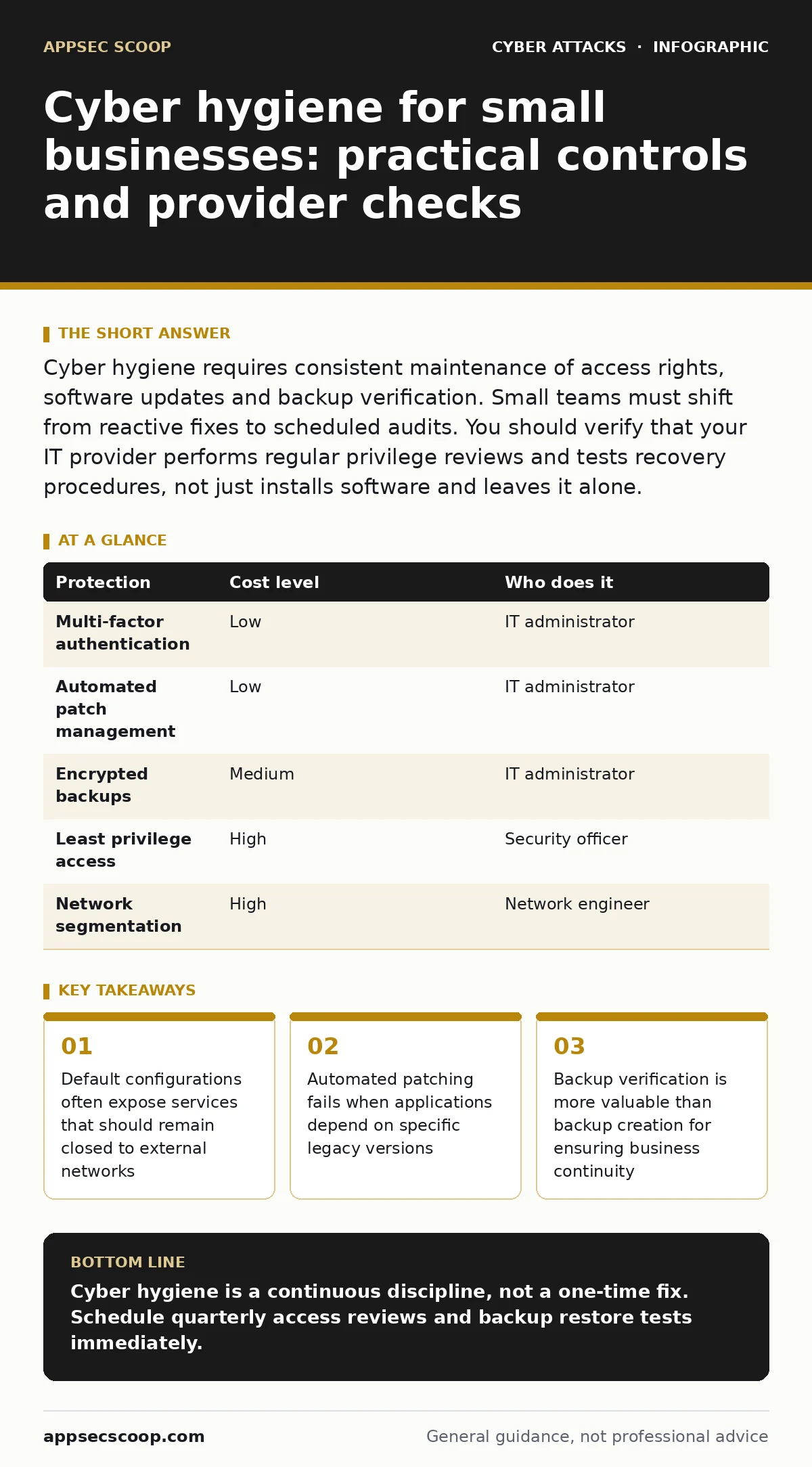
| Protection | Cost level | Who does it |
|---|---|---|
| Multi-factor authentication | Low | IT administrator |
| Automated patch management | Low | IT administrator |
| Encrypted backups | Medium | IT administrator |
| Least privilege access | High | Security officer |
| Network segmentation | High | Network engineer |
Implementing multi-factor authentication reduces the risk of compromised credentials. This measure forces attackers to obtain a second factor, which is often harder to steal than a password. You should enforce this for all administrative accounts and remote access. Automated patch management ensures that software vulnerabilities are closed quickly.
Manual updates are prone to human error and delay. You must verify that the automation excludes critical legacy applications that break with updates. Encrypted backups protect data from ransomware. If backups are accessible to the same attacker who encrypts the primary data, they are useless. Store backups offline or in a separate cloud account with distinct credentials.
The trap of default configurations
Software vendors ship products with default settings that prioritise ease of use over security. These defaults often include open ports, default usernames and weak encryption standards. You must change every default credential immediately upon installation. You must close every port that is not required for business operations. This process is known as hardening.
It requires documentation. You should maintain an inventory of all devices and their required ports. Regular audits compare the live configuration against this baseline. Deviations indicate potential misconfigurations or unauthorized changes. This step is often skipped because it is tedious. The cost of skipping it is often total system compromise.
Managing identity and access rights
Identity management is the backbone of modern security. You must ensure that each user has only the access they need to perform their job. This principle is called least privilege. When employees change roles, their access rights must be updated. When they leave, their access must be revoked immediately. Many small businesses neglect this step. They assume that inactive accounts are harmless.
Attackers use these dormant accounts to move laterally within a network. You should conduct quarterly access reviews. These reviews verify that current access matches current job responsibilities. Automate the offboarding process where possible. Manual revocation is error-prone and slow. For deeper insights on access control, see zero trust security.
See also: Bootkits: Risks and Protection for Small Businesses · Callback Phishing: Risks and Protection for Small Businesses
Maintaining software and endpoints
Software vendors release updates to fix vulnerabilities. You must apply these updates promptly. Delaying updates leaves known vulnerabilities exposed. However, updates can break functionality. You must balance security with stability. Use a staging environment to test updates. This allows you to identify compatibility issues before they affect users.
Endpoint protection monitors devices for malicious activity. It is not a substitute for patching. It detects threats that bypass other controls. You must configure endpoint protection to alert on suspicious behaviour, not just known malware. Regularly review these alerts. Silence reduces noise but may hide genuine threats. For related threats, see malicious email attachments.
Verifying data resilience
Backups are your last line of defence. You must verify that they work. Creating a backup is easy. Restoring from it is difficult. Many organisations discover that their backups are corrupted or incomplete only after an incident. You should perform regular restore tests. These tests verify that data can be recovered within an acceptable time frame. Define recovery time objectives and recovery point objectives.
These metrics determine how much data loss and downtime you can tolerate. Align your backup strategy with these metrics. Test restores quarterly. Document the procedure. Train staff on the recovery process. A backup strategy without a tested recovery plan is a liability, not an asset. For broader infrastructure risks, see attacks on data centers.
Evaluating your IT provider
You must ask specific questions to assess the competence of your IT provider. General assurances are insufficient. You need evidence of process and accountability.
- What is your procedure for reviewing user access rights?
- How do you test the integrity and restorability of backups?
- What is your policy for applying security patches to legacy systems?
- How do you detect and respond to anomalous network activity?
These questions reveal whether the provider follows best practices or merely performs routine maintenance. A competent provider will have documented procedures for each area. They will be able to explain the trade-offs involved in their decisions. They will welcome scrutiny of their processes. If they cannot answer these questions clearly, you should consider alternative providers. For communication-related threats, see email spoofing. For simulation-based testing, see table exercises.
Key takeaways
- Default configurations often expose services that should remain closed to external networks
- Automated patching fails when applications depend on specific legacy versions
- Backup verification is more valuable than backup creation for ensuring business continuity
Cyber hygiene is a continuous discipline, not a one-time fix. Schedule quarterly access reviews and backup restore tests immediately.
Frequently asked questions
How often should we review user permissions?
Review permissions at least quarterly or whenever an employee changes roles. This ensures access rights align with current job responsibilities and reduces the risk of privilege abuse.
Is multi-factor authentication enough for security?
Multi-factor authentication significantly reduces credential-based attacks but does not protect against insider threats or compromised devices. It must be combined with least privilege and regular audits.
What is the biggest risk in small business IT?
The biggest risk is often shared credentials and lack of audit trails. These practices make it impossible to track user activity and increase the impact of a single compromised account.
Do we need a security officer for a small team?
You do not need a dedicated officer, but you must assign security responsibilities to a specific individual. This person ensures that hygiene tasks are performed and documented consistently.
How this guide was produced: written by the AppSec Scoop editorial team with AI assistance, checked against the public references listed below, and reviewed when the facts change. See our editorial policy or report an error.