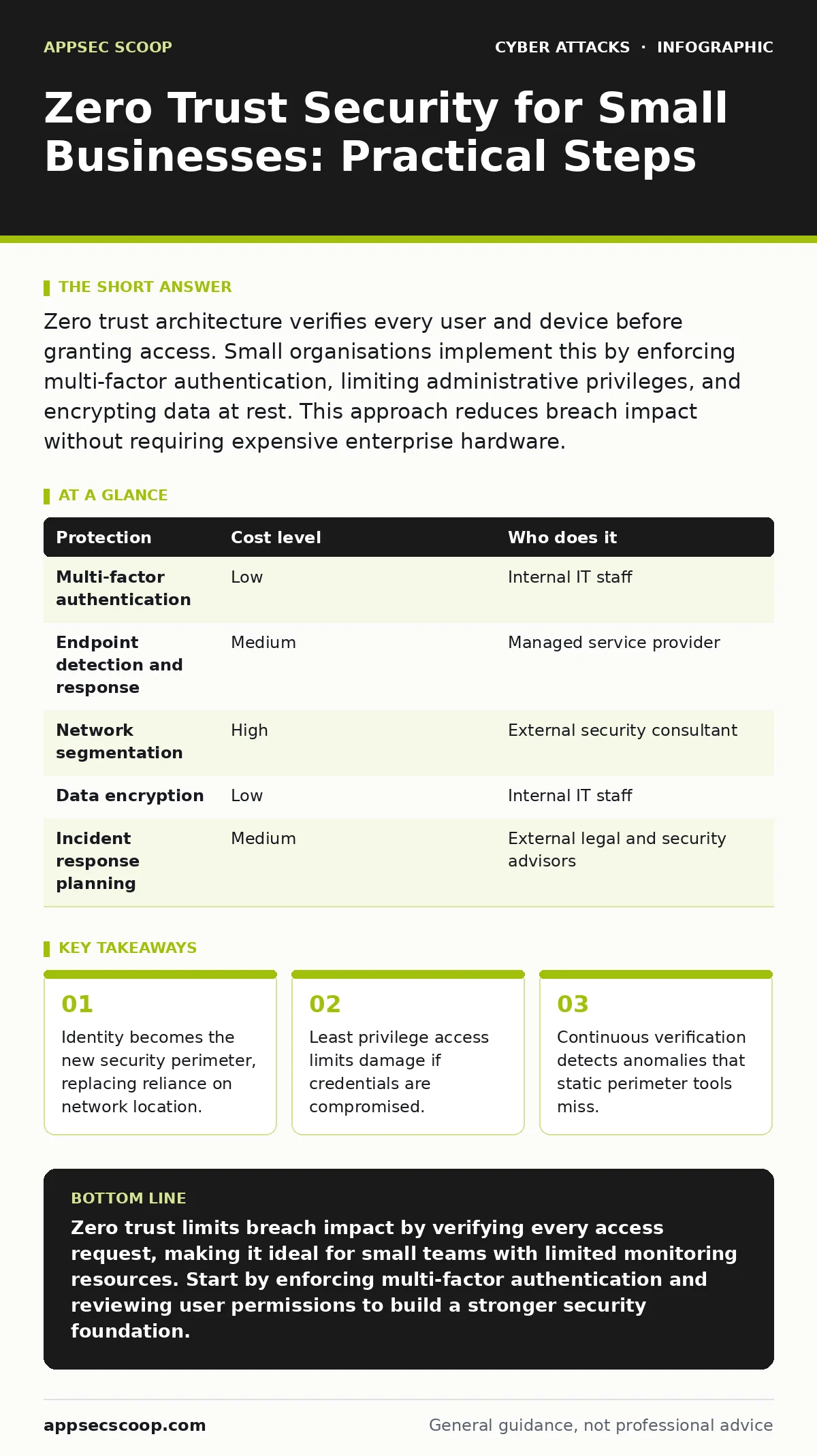
Zero trust architecture verifies every user and device before granting access. Small organisations implement this by enforcing multi-factor authentication, limiting administrative privileges, and encrypting data at rest. This approach reduces breach impact without requiring expensive enterprise hardware.
Why Perimeter Security Fails at Small Scale
Traditional security models assume that traffic inside the local network is trustworthy. This assumption collapses when staff work remotely or use personal devices. Small organisations often lack the budget for dedicated security operations centres, making them prime targets for automated attacks. Zero trust security operates on the principle of never trust, always verify. It treats every connection as potentially hostile, regardless of whether it originates from the office or a café. This shift reduces the attack surface significantly.
The cost of a breach often exceeds the investment in prevention. Small teams cannot absorb the downtime associated with ransomware or data exfiltration. By segmenting access, you limit the lateral movement an attacker can achieve. If one account is compromised, the attacker cannot pivot to other systems. This containment strategy is particularly effective for organisations with limited monitoring resources. It forces attackers to break into each system individually rather than sweeping the network.
Core Mechanisms of Zero Trust Implementation
Zero trust relies on three primary pillars: identity verification, device health, and network segmentation. Identity verification ensures that the person requesting access is who they claim to be. Multi-factor authentication adds a layer of security beyond passwords. This requires a second form of proof, such as a code from a mobile application or a hardware token. Passwords alone are insufficient because they can be stolen or guessed.
Device health checks verify that the connecting equipment meets security standards. This includes checking for updated operating systems and active antivirus software. A device that fails these checks should not be granted access to sensitive resources. Network segmentation divides the internal network into smaller zones. Each zone has its own security controls. This prevents an attacker from moving freely between different departments or systems. It restricts access to only what is necessary for each role.
Affordable Controls for Limited Budgets
Implementing zero trust does not require purchasing expensive proprietary software. Many controls are available through standard cloud services or open-source tools. The focus should be on policy enforcement rather than hardware. You can achieve significant security gains by configuring existing tools correctly. This approach keeps costs low while maintaining high security standards.
Multi-factor authentication is the most impactful control for small organisations. It is widely supported by email providers, cloud storage services, and remote access tools. Enforcing this policy across all user accounts drastically reduces the risk of credential theft. Another affordable measure is disabling unused accounts and services. Every active service represents a potential entry point for attackers. Regularly reviewing access permissions ensures that only necessary connections remain active.
Encryption protects data even if it is stolen. Encrypting files at rest and in transit adds a layer of security that does not rely on network boundaries. Most modern operating systems include built-in encryption tools. Using these features ensures that data remains unreadable without the correct keys. This protects against both external attacks and internal theft. It is a passive control that requires minimal ongoing maintenance.
Delegation and Outsourcing Strategy
Small teams often lack the expertise to manage complex security configurations. Delegating certain tasks to third-party providers can fill these gaps. However, not all tasks are suitable for outsourcing. Strategic decisions about access policies must remain in-house. You need to understand the risks your organisation faces. This knowledge guides the selection of appropriate controls.
Managed service providers can handle routine maintenance tasks. These include software updates, patch management, and log monitoring. Outsourcing these activities frees internal staff to focus on core business functions. It also ensures that updates are applied consistently and promptly. Delayed updates are a common cause of security vulnerabilities. Professional management reduces the likelihood of human error in these critical processes.
| Protection | Cost level | Who does it |
|---|---|---|
| Multi-factor authentication | Low | Internal IT staff |
| Endpoint detection and response | Medium | Managed service provider |
| Network segmentation | High | External security consultant |
| Data encryption | Low | Internal IT staff |
| Incident response planning | Medium | External legal and security advisors |
Questions to Ask IT Providers
Selecting the right partner requires clear communication about expectations and capabilities. You need to ensure that the provider understands zero trust principles. Ask specific questions to gauge their expertise and approach. These questions help you avoid vague promises and focus on actionable outcomes.
- How do you verify user identity beyond standard passwords?
- What is your process for monitoring and responding to suspicious activity?
- How do you handle segmentation of network resources for different user roles?
- Can you provide a detailed report of access logs and anomalies?
- What is your procedure for updating and patching managed devices?
These questions reveal the depth of the provider’s security practices. A competent provider will offer clear, technical answers. They should explain how they implement least privilege access. They should also describe how they detect and respond to threats. Avoid providers who rely on generic statements about security. Specificity indicates experience and competence.
See also: Bootkits: Risks and Protection for Small Businesses · Callback Phishing: Risks and Protection for Small Businesses
Hidden Costs and Trade-offs
Zero trust implementation introduces friction into user workflows. Additional verification steps can slow down access to resources. Users may resist changes that require more effort to perform their daily tasks. Balancing security with usability is a constant challenge. Overly strict controls can lead to shadow IT, where users bypass security to get work done. This creates new, unmonitored risks.
There is also a maintenance cost associated with zero trust. Policies must be reviewed and updated regularly. Access rights change as staff join, leave, or change roles. Failing to update these permissions creates security gaps. This requires ongoing administrative effort. Small teams must allocate time for these tasks or budget for external support. Neglecting maintenance undermines the entire security posture.
Integrating Related Security Practices
Zero trust works best when combined with other security measures. Understanding related threats helps you design more effective controls. For instance, spear phishing attacks often target specific individuals to steal credentials. Even with multi-factor authentication, social engineering can trick users into bypassing security. Training staff to recognise these attempts is vital.
Social engineering exploits human psychology rather than technical vulnerabilities. Zero trust reduces the impact of these attacks by limiting access. However, it does not prevent the initial compromise. Combining technical controls with user education creates a stronger defence. You should also consider tabletop exercises to test your incident response plans. These simulations help identify gaps in your procedures.
Other threats like typosquatting can redirect users to malicious sites. Zero trust does not directly prevent this, but it limits the damage if credentials are entered on fake sites. Replay attacks involve capturing and reusing valid data transmissions.
Encryption and session timeouts help mitigate this risk. Session hijacking can be prevented by using secure, short-lived tokens. Watering hole attacks target websites visited by specific groups. Ensuring that web traffic is monitored and filtered adds another layer of defence. Web skimming injects malicious scripts into e-commerce sites. Regular code reviews and content security policies help prevent this.
Maintaining Long-term Security Posture
Security is not a one-time project but an ongoing process. Threats evolve, and new vulnerabilities emerge regularly. You must stay informed about current risks and adjust your controls accordingly. Regular audits help identify weaknesses in your zero trust implementation. These reviews should assess both technical configurations and policy adherence.
Feedback from users is also valuable. They can identify controls that are overly restrictive or confusing. Addressing these issues improves adoption and reduces shadow IT. A collaborative approach to security fosters a culture of vigilance. Everyone in the organisation plays a role in maintaining the security posture. Continuous improvement ensures that your defences remain effective against emerging threats.
Key takeaways
- Identity becomes the new security perimeter, replacing reliance on network location.
- Least privilege access limits damage if credentials are compromised.
- Continuous verification detects anomalies that static perimeter tools miss.
Zero trust limits breach impact by verifying every access request, making it ideal for small teams with limited monitoring resources. Start by enforcing multi-factor authentication and reviewing user permissions to build a stronger security foundation.
Frequently asked questions
Does zero trust replace the need for a firewall?
No, zero trust complements firewalls by adding identity and device verification. Firewalls filter traffic based on IP addresses, while zero trust verifies who and what is sending the traffic. Both are necessary for defence in depth.
Can I implement zero trust without changing my network hardware?
Yes, you can start with software-based controls like multi-factor authentication and access policies. These changes do not require new hardware. Network segmentation may eventually require upgrades, but it is not the first step.
How do I handle guest access with zero trust?
Create a separate, restricted network for guests with no access to internal resources. Use captive portals for authentication. This isolates guest traffic from your core business systems while providing necessary connectivity.
Is zero trust suitable for organisations using legacy systems?
It is challenging but possible. You can isolate legacy systems in a separate network segment. Use jump servers or bastion hosts to mediate access. This limits exposure while you plan for eventual upgrades or replacements.
How this guide was produced: written by the AppSec Scoop editorial team with AI assistance, checked against the public references listed below, and reviewed when the facts change. See our editorial policy or report an error.