Social engineering succeeds when you ignore context, skip verification, or trust implicit authority. Fix these seven common mistakes by enforcing strict identity checks, separating data from authentication, and validating requests through out-of-band channels. Each error has a specific operational fix that removes the attacker’s leverage.
Mistake 1: Trusting Internal Email Headers
You assume that because an email appears to come from a colleague, it is genuine. Attackers exploit this by sending messages from addresses that look similar to legitimate staff accounts. The visual similarity is enough to bypass casual inspection. This mistake ignores the fact that email headers can be forged with minimal effort.
Why it hurts:
Attackers use this trust to bypass technical controls. If you click a link or download an attachment from a trusted-looking sender, you bypass security warnings. This leads directly to issues covered in our guide on malicious email attachments. The attacker gains a foothold inside your network without triggering external alerts.
The fix:
Verify the sender’s identity through a separate channel. Do not rely on the email client’s display name. Check the actual email address against your internal directory. If the address is slightly different, treat it as suspicious. This simple check stops most email spoofing attempts before they cause harm.
Mistake 2: Ignoring Contextual Inconsistencies
You process requests based on their content alone, ignoring the context. An attacker might send a request that is technically correct but contextually wrong. For example, a finance request that arrives outside normal business hours or from an unusual location. You overlook these details because the request appears urgent.
Why it hurts:
Contextual errors are the hallmark of a compromised account or a sophisticated impersonation. By ignoring them, you allow the attacker to maintain control. This approach often leads to CEO fraud scenarios where executives are impersonated. The financial and reputational damage is immediate and difficult to reverse.
The fix:
Establish clear protocols for unusual requests. Define what constitutes a normal request pattern for each department. Train staff to flag deviations from these patterns. If a request seems out of place, pause and verify. This adds a layer of human analysis that automated systems cannot replicate.
Mistake 3: Reusing Credentials Across Systems
You use the same username and password for multiple services. When one system is compromised, attackers use those credentials to access other systems. This is known as credential stuffing. You might not know which system was breached, but the attackers do. They move laterally through your environment with ease.
Why it hurts:
This mistake amplifies the impact of a single breach. Attackers gain access to sensitive data without needing to exploit new vulnerabilities. It undermines the principle of least privilege. Your guide on cyber hygiene covers the basics, but this specific error requires a more structured approach to identity management.
The fix:
Enforce unique credentials for every system. Use a password manager to generate and store complex passwords. Implement multi-factor authentication everywhere possible. This ensures that a stolen password is useless without the second factor. It breaks the chain of lateral movement.
Mistake 4: Failing to Verify Urgent Requests
You act quickly on requests that claim to be urgent. Attackers create a sense of emergency to bypass standard verification procedures. They know that under pressure, people skip checks. This tactic is common in spear phishing campaigns where the attacker has researched their target.
Why it hurts:
Urgency overrides caution. You might transfer funds, share sensitive data, or grant access without proper authorisation. The attacker achieves their goal before you realise something is wrong. The speed of the attack leaves little time for containment. This mistake exploits human psychology rather than technical weaknesses.
The fix:
Create a mandatory pause for all urgent requests. Define a verification step that must be completed before action is taken. This could be a phone call to the requester using a known number. Do not use contact details provided in the urgent message. This breaks the attacker’s momentum and allows for proper verification.
Mistake 5: Over-Privileged User Accounts
You grant users more access than they need to do their job. This violates the principle of least privilege. If an attacker compromises one of these accounts, they gain access to far more data than intended. The attacker can move laterally and escalate privileges without detection.
Why it hurts:
Over-privileged accounts increase the attack surface. Each additional permission is a potential entry point for the attacker. This mistake makes it harder to detect unusual activity because the attacker’s actions blend in with normal user behaviour. It also complicates incident response efforts.
The fix:
Regularly review user permissions. Remove access that is no longer needed. Implement role-based access control to limit permissions based on job function. This reduces the impact of a compromised account. It also makes it easier to detect anomalies in user behaviour.
See also: Callback Phishing: Risks and Protection for Small Businesses · Stop Overprivileged Cloud Identities Before They Leak Data
Mistake 6: Ignoring Out-of-Band Verification
You rely on the same communication channel for both the request and the verification. If an attacker controls the email account, they can also control the verification response. This creates a closed loop where the attacker confirms their own identity. You never see the discrepancy.
Why it hurts:
This mistake allows attackers to bypass verification entirely. They can respond to verification requests in real-time, maintaining the illusion of legitimacy. This is particularly effective in watering hole attacks where the attacker compromises a trusted site. The victim believes they are interacting with a legitimate service.
The fix:
Use a separate channel for verification. If the request comes via email, verify via phone. If the request comes via phone, verify via a pre-established secure portal. Do not use contact details provided by the requester. This ensures that the verification is independent of the attack vector.
Mistake 7: Lack of Incident Reporting Culture
You fail to report suspicious activity because you fear repercussions. This creates a blind spot in your security posture. Attackers rely on this silence to continue their operations. Without reports, you cannot identify patterns or adjust your defences. The mistake is cultural, not technical.
Why it hurts:
Unreported incidents allow attackers to persist in your environment. They refine their techniques based on what works. Your team misses opportunities to learn and improve. This mistake undermines all other security measures. It creates a false sense of security while the risk grows.
The fix:
Encourage open reporting of suspicious activity. Make it clear that there are no negative consequences for reporting. Provide easy channels for reporting, such as a dedicated email address or hotline. Analyse reports to identify trends and update training. This builds a defensive culture that is resilient to social engineering.
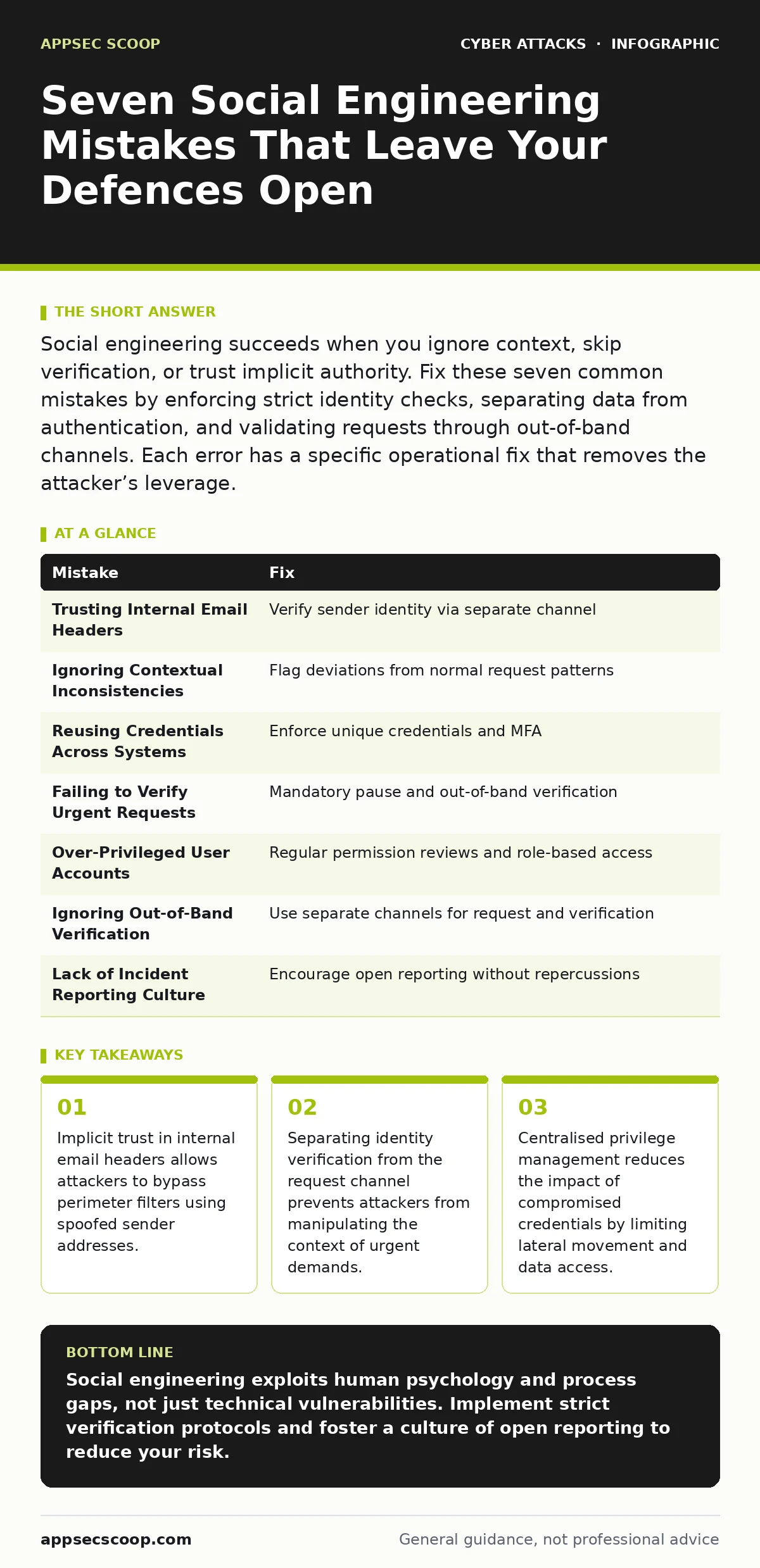
| Mistake | Fix |
|---|---|
| Trusting Internal Email Headers | Verify sender identity via separate channel |
| Ignoring Contextual Inconsistencies | Flag deviations from normal request patterns |
| Reusing Credentials Across Systems | Enforce unique credentials and MFA |
| Failing to Verify Urgent Requests | Mandatory pause and out-of-band verification |
| Over-Privileged User Accounts | Regular permission reviews and role-based access |
| Ignoring Out-of-Band Verification | Use separate channels for request and verification |
| Lack of Incident Reporting Culture | Encourage open reporting without repercussions |
Key takeaways
- Implicit trust in internal email headers allows attackers to bypass perimeter filters using spoofed sender addresses.
- Separating identity verification from the request channel prevents attackers from manipulating the context of urgent demands.
- Centralised privilege management reduces the impact of compromised credentials by limiting lateral movement and data access.
Social engineering exploits human psychology and process gaps, not just technical vulnerabilities. Implement strict verification protocols and foster a culture of open reporting to reduce your risk.
Frequently asked questions
How do I verify a request if the attacker has compromised the employee’s phone?
Use a pre-established emergency contact number or a secure internal messaging platform that is separate from the primary communication channel. This ensures the verification path is not controlled by the attacker.
Can multi-factor authentication stop all social engineering attacks?
Multi-factor authentication significantly reduces risk but does not eliminate it. Attackers may use real-time interception or manipulate the user into approving a legitimate-looking request. It must be combined with user awareness and process controls.
What is the difference between phishing and spear phishing?
Phishing is a broad, untargeted attack sent to many people. Spear phishing is highly targeted and personalised, using specific information about the victim to increase credibility. Both require verification, but spear phishing is harder to detect.
How often should I review user permissions?
Review permissions regularly, ideally quarterly or upon role changes. This ensures that access rights remain aligned with job responsibilities. Automated tools can help identify unused or excessive permissions efficiently.
How this guide was produced: written by the AppSec Scoop editorial team with AI assistance, checked against the public references listed below, and reviewed when the facts change. See our editorial policy or report an error.