
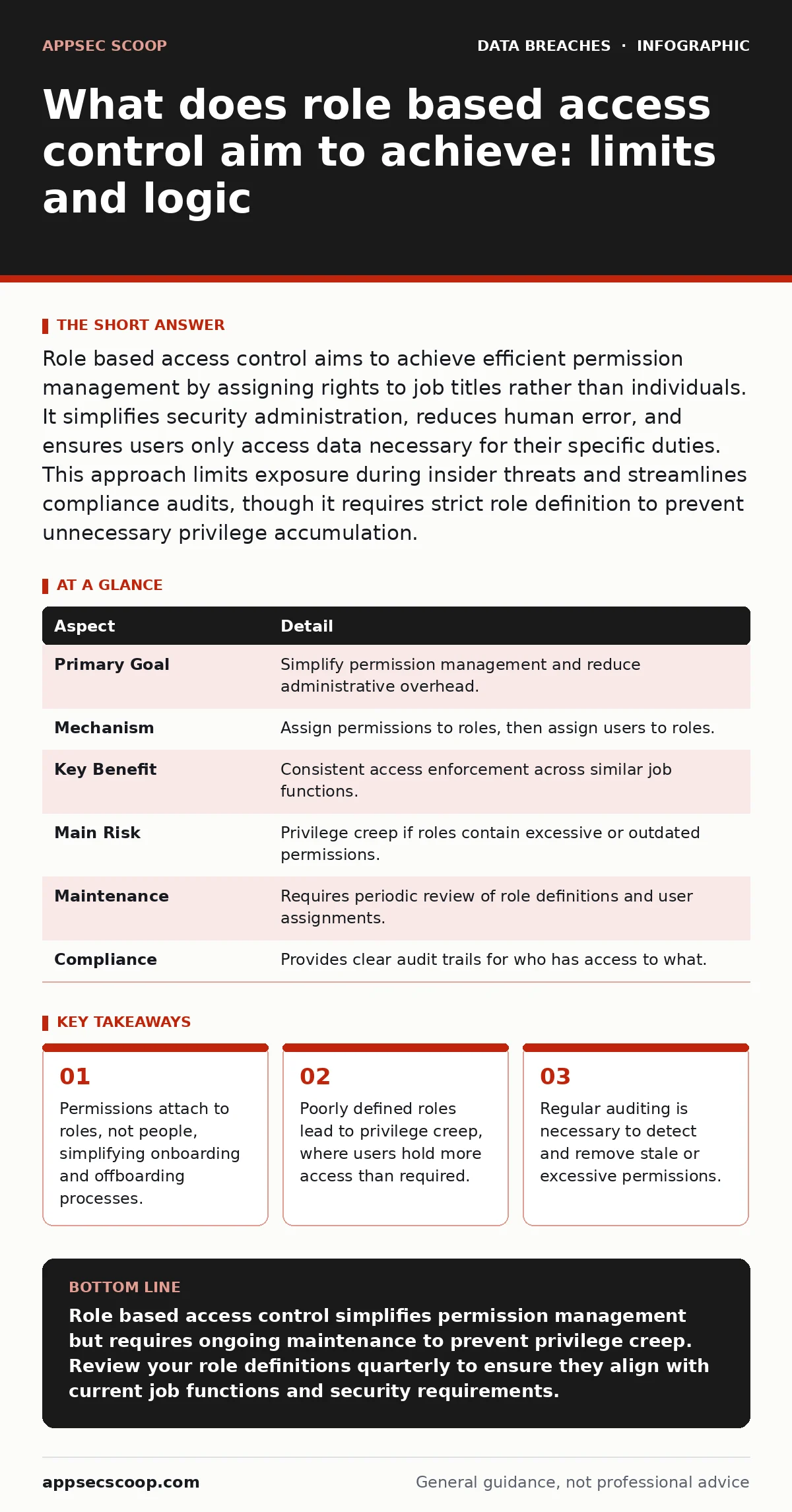
Role based access control aims to achieve efficient permission management by assigning rights to job titles rather than individuals. It simplifies security administration, reduces human error, and ensures users only access data necessary for their specific duties. This approach limits exposure during insider threats and streamlines compliance audits, though it requires strict role definition to prevent unnecessary privilege accumulation.
The mechanics of delegated trust
Imagine a secure server room with multiple doors. Giving every employee a unique key for every door they might ever need is unmanageable. Instead, you create master keys for "Engineers", "Cleaners" and "Managers". Each key opens only the doors relevant to that function. Role based access control operates on this same principle of grouping. It replaces individual permission grants with collective role assignments.
The system works by defining roles first. Each role contains a specific set of permissions. Users are then assigned to these roles. When a user logs in, the system checks their role and grants the associated permissions. This decouples identity from authorization. It means you manage access at the role level, not the user level.
| Aspect | Detail |
|---|---|
| Primary Goal | Simplify permission management and reduce administrative overhead. |
| Mechanism | Assign permissions to roles, then assign users to roles. |
| Key Benefit | Consistent access enforcement across similar job functions. |
| Main Risk | Privilege creep if roles contain excessive or outdated permissions. |
| Maintenance | Requires periodic review of role definitions and user assignments. |
| Compliance | Provides clear audit trails for who has access to what. |
What does role based access control aim to achieve
What does role based access control aim to achieve is a balance between security and operational efficiency. It seeks to enforce the principle of least privilege without creating administrative chaos. By standardising access rights, it reduces the likelihood of human error during permission changes. It also aims to provide a clear audit trail. Security teams can see which roles access specific data, rather than tracking individual users.
This model aims to limit the blast radius of compromised accounts. If an attacker steals credentials, they inherit only the permissions of that role. They do not automatically gain access to unrelated systems. This containment strategy is vital for mitigating data exfiltration risks. It ensures that even with valid credentials, lateral movement is restricted by role boundaries.
The hidden cost of convenience
The primary advantage of this model is speed. Onboarding a new employee involves assigning them to one or two roles. Offboarding involves removing those assignments. This is significantly faster than granting and revoking individual permissions for dozens of systems. However, this convenience comes with a hidden cost: role bloat.
Over time, roles tend to accumulate permissions. New requirements are added to existing roles rather than creating new ones. A "Developer" role might start with code access. Later, it gains database access for debugging. Eventually, it includes production deployment rights. The role becomes a catch-all for any task a developer might ever need. This violates the principle of least privilege. Users end up with more access than their current tasks require.
Who it affects and where it fails
This model affects every user with a digital identity. It shapes what data they can see, modify or delete. It affects security teams who must define and maintain these roles. It also affects auditors who rely on role definitions to verify compliance. The model works well in organisations with clear, stable job functions. It struggles in environments with fluid responsibilities or cross-functional teams.
In dynamic teams, users often need access across multiple domains. Assigning them to multiple roles can lead to permission conflicts or excessive access. Suppose a project manager needs temporary access to a development environment. Creating a specific role for this temporary need is often overlooked. Instead, they are added to the permanent "Developer" role. This introduces unnecessary risk. The model assumes static job functions, which rarely exists in modern agile environments.
What people usually get wrong
Many organisations treat role definition as a one-time task. They create roles during initial system setup and never review them. This leads to stale permissions. Employees change jobs, but their role assignments remain unchanged. They retain access to systems they no longer use. This is known as privilege creep. It expands the attack surface unnecessarily.
Another common error is using too broad roles. A "Super Admin" role that grants full access to all systems is a security nightmare. It eliminates segregation of duties. If one account is compromised, the entire infrastructure is at risk. Best practice dictates splitting administrative duties. Separate roles for user management, system configuration and data oversight prevent any single user from having unchecked power.
See also: Cloud Entitlements: What They Are and Why You Over-Provision Them · Database Security Best Practices: Seven Controls That Actually Work
Integrating with broader security strategies
Role based access control does not operate in isolation. It must work alongside other security measures. For instance, strong password hygiene ensures that role assignments are not bypassed by stolen credentials. Multi-factor authentication adds another layer of verification. Even if a role grants access, the user must prove their identity.
It also intersects with data minimization principles. By limiting what roles can access, you inherently limit the amount of data exposed to each user. This reduces the potential damage from insider threats or accidental exposure. Regular audits should check if roles still align with business needs. If a role is rarely used, it should be reviewed or decommissioned. This keeps the permission structure lean and effective.
Practical steps for implementation
Start by mapping your organisational functions. Identify distinct job roles and their required permissions. Document these requirements clearly. Avoid vague descriptions. Specify exact systems, data sets and actions. Create roles that match these definitions precisely. Do not combine unrelated functions into a single role.
Assign users to roles based on their current job function. Review these assignments regularly. Automate the onboarding and offboarding process where possible. Use identity management systems to enforce role changes automatically. Monitor for anomalies. If a user in a "Read-Only" role attempts to modify data, investigate immediately. This helps detect compromised accounts or policy violations.
Consider the impact on breach dwell time. Tighter role definitions can reduce the time an attacker spends moving laterally. If they cannot easily escalate privileges, they may be detected sooner. Integrate role logs with your security information and event management system. This provides visibility into access patterns and helps identify suspicious activity.
The limits of role-based models
Role based access control is not a silver bullet. It struggles with context-aware access. It cannot easily determine if a user should access data based on location, time or device status. For this, you need attribute-based access control. This model considers additional factors beyond just the user's role. It offers finer granularity but is more complex to implement.
Hybrid approaches are often necessary. Use role based access control for broad permissions. Overlay attribute-based controls for sensitive data. This combines the efficiency of roles with the precision of attributes. It ensures that users only access data when all conditions are met. This layered approach enhances security without sacrificing usability.
Remember that data sovereignty laws may dictate where data can be accessed. Role definitions must respect these legal boundaries. A role that grants global access may violate local regulations. Ensure your role architecture accounts for geographic restrictions. This prevents legal complications and ensures compliance with international standards.
Key takeaways
- Permissions attach to roles, not people, simplifying onboarding and offboarding processes.
- Poorly defined roles lead to privilege creep, where users hold more access than required.
- Regular auditing is necessary to detect and remove stale or excessive permissions.
Role based access control simplifies permission management but requires ongoing maintenance to prevent privilege creep. Review your role definitions quarterly to ensure they align with current job functions and security requirements.
Frequently asked questions
How often should role assignments be reviewed?
Review role assignments at least quarterly. More frequent reviews are recommended for high-security environments or roles with access to sensitive data.
Can role based access control prevent insider threats?
It limits the damage insiders can cause by restricting their access to only necessary systems. It does not prevent malicious intent but reduces the opportunity for abuse.
What is the difference between role-based and attribute-based access control?
Role-based access control assigns permissions based on job titles. Attribute-based access control considers additional factors like location, time and device status for finer control.
How does this relate to data breach costs?
By limiting access, it reduces the potential impact of a breach. Fewer exposed systems mean lower remediation costs and less regulatory fines.
How this guide was produced: written by the AppSec Scoop editorial team with AI assistance, checked against the public references listed below, and reviewed when the facts change. See our editorial policy or report an error.