
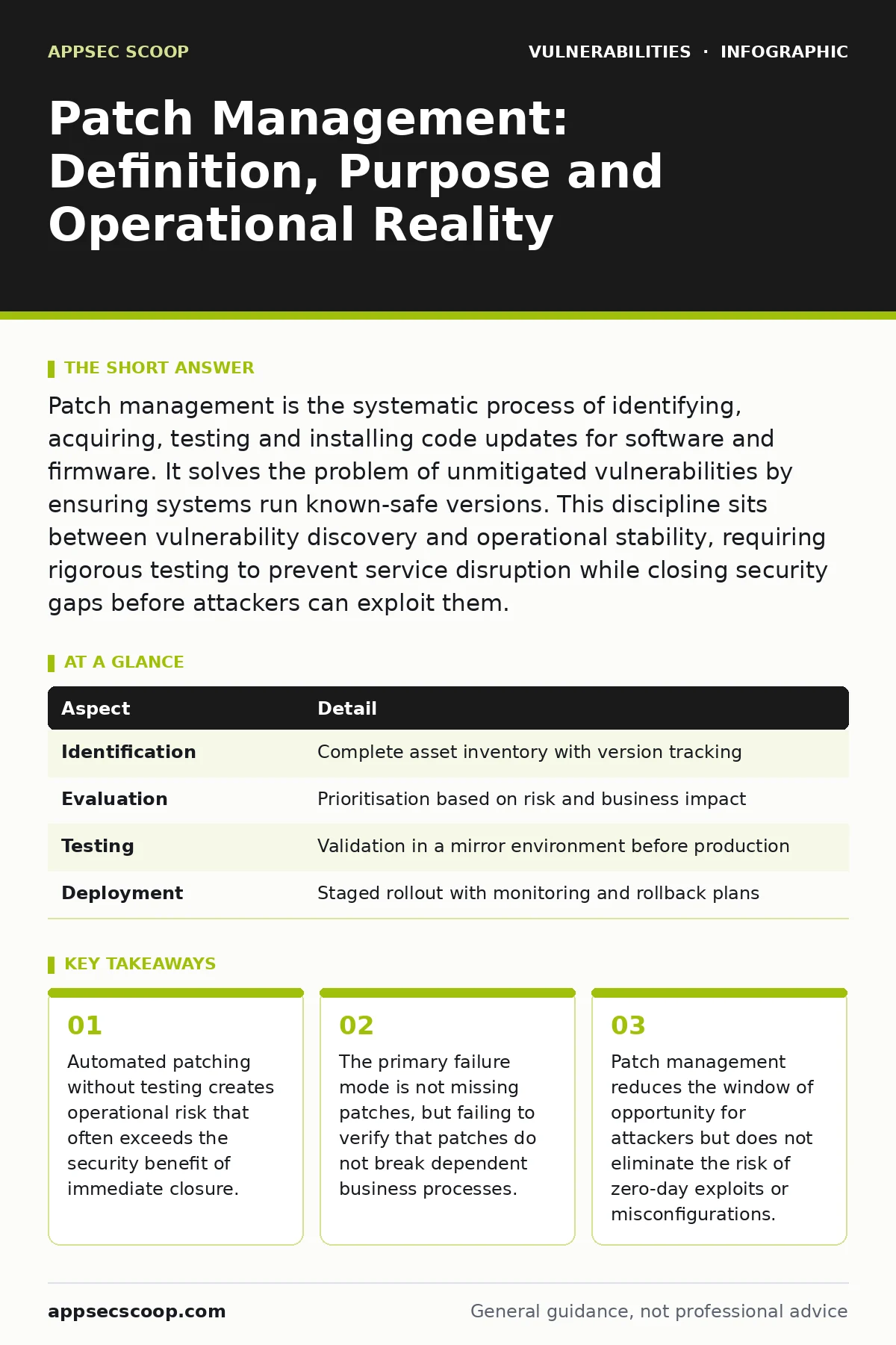
Patch management is the systematic process of identifying, acquiring, testing and installing code updates for software and firmware. It solves the problem of unmitigated vulnerabilities by ensuring systems run known-safe versions. This discipline sits between vulnerability discovery and operational stability, requiring rigorous testing to prevent service disruption while closing security gaps before attackers can exploit them.
The Plumbing Analogy for Software Integrity
Imagine a building with a complex water system. A leak does not appear because the pipes hate you. It appears because the material degrades, the pressure changes, or a joint was poorly sealed during installation. A patch is not a magic fix. It is a replacement sealant or a new pipe segment. If you replace the sealant without checking the pressure in the rest of the system, you might stop the leak at one joint but burst a pipe three floors up. Patch management is the engineering discipline that ensures the replacement holds and the rest of the building stays dry.
Software behaves similarly. Code degrades as new features interact with old logic. Attackers find the weak joints. Patch management is the process of reinforcing those joints without collapsing the structure. This analogy helps clarify why speed is not the only metric. A fast patch that breaks the application is worse than no patch at all, because it creates a new, urgent problem that distracts from the original security gap.
What Patch Management Actually Solves
The core problem patch management addresses is the accumulation of unmitigated software flaws. Every software release contains defects. Some are cosmetic. Some allow data leakage. Others permit remote code execution, where an attacker runs commands on your server. Without a structured approach, these flaws remain open indefinitely. Attackers scan for known versions of software. If you run an outdated version, you are advertising a known weakness.
Patch management solves this by creating a predictable cycle of closure. It ensures that once a vendor releases a fix, your organisation moves to apply it. This reduces the attack surface. It does not make the system invulnerable. It simply removes the known, documented paths that attackers prefer. The goal is to minimise the time between the release of a fix and its deployment in your environment. This period is known as the patch window. Narrowing this window is the primary security benefit.
The Four Phases of the Cycle
Patch management is not a single action. It is a continuous loop consisting of 4 distinct phases. Each phase has specific risks and requirements. Skipping any phase introduces instability or security gaps.
- Identification: You must know what software you have and what versions are running. This requires accurate inventory data. If you do not know an asset exists, you cannot patch it. This phase often fails due to shadow IT or forgotten legacy systems.
- Evaluation: Not every patch is mandatory. Some address minor bugs. Others fix critical security holes. You must determine the severity of the vulnerability. This often involves cross-referencing the patch with vulnerability severity ratings to understand the risk.
- Testing: This is the most ignored phase. You must verify that the patch works in your specific environment. Does it break a dependent service? Does it conflict with other software? Testing prevents outages. It also reveals if the patch actually fixes the issue or if it is a partial fix.
- Deployment: You install the patch. This can be done in waves. Critical systems go first. Non-critical systems follow. You monitor for errors. If the patch fails, you roll back. This phase requires clear rollback procedures. Without them, a failed patch becomes a major incident.
| Aspect | Detail |
|---|---|
| Identification | Complete asset inventory with version tracking |
| Evaluation | Prioritisation based on risk and business impact |
| Testing | Validation in a mirror environment before production |
| Deployment | Staged rollout with monitoring and rollback plans |
Integration with Other Defences
Patch management does not exist in isolation. It is one layer in a broader security architecture. It works alongside other controls to provide defence in depth. For example, you might use web application firewalls to block known attack patterns while you prepare a patch. This buys time. It does not replace the patch. The firewall is a temporary barrier. The patch is the structural repair.
You also need to consider risk-based vulnerability management. This approach accepts that you cannot patch everything immediately. It focuses resources on the vulnerabilities that matter most to your business. Patch management provides the mechanism. Risk-based vulnerability management provides the strategy. Without the strategy, you patch everything equally, wasting time on low-risk items. Without the mechanism, the strategy is just a list of intentions.
Another related concept is responsible disclosure. When a researcher finds a flaw, they tell the vendor. The vendor creates a patch. You apply it. This chain relies on trust and timing. If you ignore the disclosure, you remain exposed. If you apply the patch without testing, you risk stability. The balance is delicate.
Common Misconceptions and Failures
Many organisations believe that patch management is about speed. They aim for zero-day patching. This is often impossible and sometimes dangerous. Zero-day vulnerabilities are unknown. There is no patch. You cannot patch what has not been fixed. You can only mitigate the risk through other means, such as restricting access or monitoring for anomalies.
Another common error is assuming that automated patching is sufficient. Automation is a tool, not a strategy. If you automate the deployment of a broken patch, you automate the outage. Automation should handle the mechanical tasks. Humans must handle the evaluation and testing. This hybrid approach ensures both speed and safety.
People also confuse patching with updating. An update may include new features. A patch fixes a specific issue. You do not always need the new features. Sometimes, new features introduce new bugs. Sticking to the latest stable version, rather than the latest release, is often a safer strategy. This is particularly true for core infrastructure components.
The Hidden Costs of Patching
The obvious cost of patching is the time spent testing and deploying. The hidden cost is the risk of regression. A regression is when a fix breaks a previously working function. This is common in complex systems. A patch for one module may affect another module that shares a library. You must map these dependencies.
Another hidden cost is the fragmentation of environments. If you patch some servers but not others, you create inconsistency. This makes troubleshooting harder. It also creates a false sense of security. You might think you are secure because the web servers are patched, but the backend servers are not. Attackers often pivot from patched to unpatched systems. Consistency is key.
Finally, there is the cost of legacy systems. Some software is no longer supported. You cannot patch it. You must isolate it. This isolation adds complexity to your network design. It requires strict access controls. It is a permanent tax on your security posture. You must accept this trade-off or replace the system.
What to Do Next
Start by auditing your patching process. How long does it take from patch release to deployment? Is this time consistent? Do you test every patch? If you cannot answer these questions, you do not have a process. You have a habit.
Build a mirror environment. This is a copy of your production environment. Use it for testing. Do not test in production. It is too risky. The cost of the mirror environment is less than the cost of a single outage.
Review your inventory. Are you missing assets? Are you running unsupported versions? Clean this up first. You cannot patch what you do not see. This foundational work is boring, but it is the basis of all other security efforts.
Key takeaways
- Automated patching without testing creates operational risk that often exceeds the security benefit of immediate closure.
- The primary failure mode is not missing patches, but failing to verify that patches do not break dependent business processes.
- Patch management reduces the window of opportunity for attackers but does not eliminate the risk of zero-day exploits or misconfigurations.
Frequently asked questions
How do I prioritise which patches to apply first?
Use vulnerability prioritisation to rank patches by risk. Consider the severity of the flaw, the exposure of the asset, and the availability of exploits. Critical patches for internet-facing systems should be applied immediately after testing. Internal systems with low risk can wait.
Is it safe to use automated patching tools?
Automated tools reduce manual effort but increase the risk of untested deployments. Use automation for testing and staging. Use human approval for production deployment. This balances speed with safety. Never automate the final decision without oversight.
How this guide was produced: written by the AppSec Scoop editorial team with AI assistance, checked against the public references listed below, and reviewed when the facts change. See our editorial policy or report an error.