
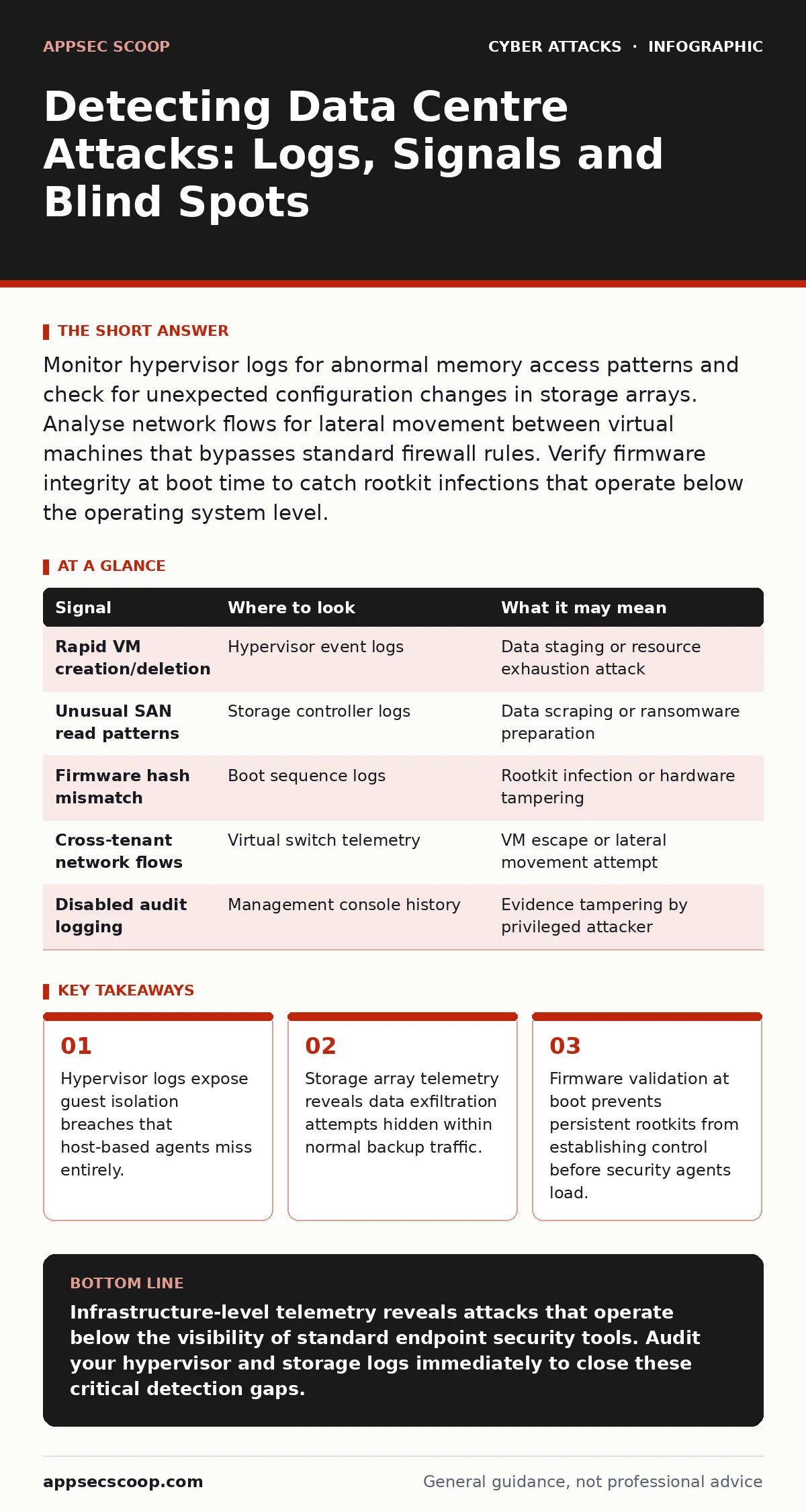
Monitor hypervisor logs for abnormal memory access patterns and check for unexpected configuration changes in storage arrays. Analyse network flows for lateral movement between virtual machines that bypasses standard firewall rules. Verify firmware integrity at boot time to catch rootkit infections that operate below the operating system level.
Hypervisor Telemetry and Guest Isolation
The hypervisor sits between the hardware and the virtual machines, managing resource allocation and isolation. When an attacker compromises a guest, they often attempt to escape this containment. Standard operating system logs inside the guest do not record these escape attempts. You must inspect the hypervisor’s own event logs for anomalies. Look for sudden spikes in memory allocation requests from a single virtual machine. This may indicate a brute-force attempt to access adjacent memory pages belonging to other tenants.
Monitor for unexpected changes in virtual network adapter configurations. An attacker might reassign a virtual machine to a different virtual switch to bypass network segmentation. Check for rapid creation and deletion of virtual disks. This behaviour often precedes data staging for exfiltration. The hypervisor sees these actions regardless of what the guest operating system reports. Relying solely on guest-side monitoring leaves a critical blind spot.
Storage Array and SAN Activity
Storage Area Networks handle the bulk of data movement within a data centre. Attackers targeting data often move laterally to storage controllers rather than individual servers. This allows them to access data across multiple hosts simultaneously. Analyse the command logs of your storage arrays for unusual read patterns. A sudden increase in random read operations from a single host may indicate data scraping.
Look for writes to hidden or unused sectors of the disk. Attackers may store malware or exfiltrated data in these areas to avoid detection by standard file system monitors. Verify that backup jobs are running on schedule and completing successfully. A failed backup job might indicate that an attacker has encrypted the data or altered permissions to block access. Compare current storage utilisation with historical baselines to identify unexpected growth.
| Signal | Where to look | What it may mean |
|---|---|---|
| Rapid VM creation/deletion | Hypervisor event logs | Data staging or resource exhaustion attack |
| Unusual SAN read patterns | Storage controller logs | Data scraping or ransomware preparation |
| Firmware hash mismatch | Boot sequence logs | Rootkit infection or hardware tampering |
| Cross-tenant network flows | Virtual switch telemetry | VM escape or lateral movement attempt |
| Disabled audit logging | Management console history | Evidence tampering by privileged attacker |
Firmware and Boot Sequence Integrity
The boot process loads firmware before the operating system starts. If an attacker compromises the firmware, they maintain control even after a full operating system reinstall. This type of persistence is difficult to detect using traditional antivirus tools. You must verify the cryptographic signatures of firmware components at every boot. Many modern systems support measured boot, which records hash values of each component into a trusted platform module.
Compare these recorded hashes against known good values stored in a secure, offline repository. Any deviation indicates tampering. Check for unexpected changes to the boot order in the BIOS or UEFI settings. An attacker might change the boot priority to load a malicious payload from a USB device before the main operating system starts. Regularly update firmware to patch known vulnerabilities, but verify the integrity of the update package before installation.
Virtual Network Traffic Analysis
Virtual switches handle traffic between virtual machines on the same physical host. This traffic often bypasses physical network sensors. You must capture and analyse this internal traffic to detect lateral movement. Look for connections between virtual machines that should not communicate. For example, a web server should not initiate connections to a database server on a non-standard port.
Monitor for large volumes of encrypted traffic between internal hosts. While encryption protects data, it also hides malicious activity from deep packet inspection. Analyse the metadata of these flows, including packet size and timing. Anomalous patterns may indicate command and control communication or data exfiltration. Implement micro-segmentation to restrict unnecessary east-west traffic. This limits the damage an attacker can cause if they compromise a single virtual machine.
Management Plane Privilege Abuse
The management plane controls the configuration of data centre hardware and software. Attackers often target this plane to gain broad access with minimal noise. Look for unusual login attempts to management interfaces, especially from unexpected source IPs. Check for changes to user permissions, such as the creation of new administrative accounts or the elevation of existing users.
Monitor for configuration changes to firewall rules, DNS settings, or routing tables. An attacker might modify these settings to redirect traffic to their own servers or to exfiltrate data. Verify that all management interfaces are accessible only from trusted, dedicated management networks. Disable unused services and ports on management controllers to reduce the attack surface. Implement multi-factor authentication for all administrative access to prevent credential theft from granting full control.
Common Blind Spots in Detection
Many security teams focus heavily on perimeter defences and guest operating systems, neglecting the underlying infrastructure. This creates significant blind spots. One major blind spot is the assumption that virtual machine isolation is absolute. In practice, side-channel attacks can leak information between guests sharing the same physical CPU. Another blind spot is the lack of visibility into storage array commands. Most security information and event management systems do not ingest storage logs by default.
A third blind spot is the reliance on default configurations for hypervisors and virtual switches. These defaults often permit excessive connectivity between guests. Attackers exploit this to move laterally without crossing network boundaries. Regularly audit your infrastructure configurations against security baselines. Ensure that logging is enabled for all components, including firmware, hypervisors, and storage controllers. Without comprehensive logging, you cannot detect attacks that operate below the operating system level.
Integrating Signals for Context
No single log source provides a complete picture of an attack. You must correlate signals from multiple sources to identify malicious activity. For example, a spike in hypervisor memory usage combined with unusual storage read patterns may indicate a data scraping attack. Integrate logs from hypervisors, storage arrays, and network devices into a centralised analysis platform. Use correlation rules to link related events across these different domains.
Automate the detection of known attack patterns using behavioural analytics. This helps identify anomalies that static rules might miss. However, be prepared for false positives. Tuning your detection rules requires a deep understanding of normal data centre operations. Regularly review and update your correlation rules to adapt to new threats. The goal is to reduce the time between an attack occurring and your team becoming aware of it.
Key takeaways
- Hypervisor logs expose guest isolation breaches that host-based agents miss entirely.
- Storage array telemetry reveals data exfiltration attempts hidden within normal backup traffic.
- Firmware validation at boot prevents persistent rootkits from establishing control before security agents load.
Infrastructure-level telemetry reveals attacks that operate below the visibility of standard endpoint security tools. Audit your hypervisor and storage logs immediately to close these critical detection gaps.
Frequently asked questions
How do I detect a VM escape without host-based agents?
Monitor hypervisor logs for abnormal memory access patterns and unexpected virtual network adapter changes that indicate guest isolation failure.
What storage signals indicate data exfiltration?
Look for unusual random read patterns from a single host and writes to hidden disk sectors that bypass standard file system monitoring.
Can firmware attacks bypass traditional antivirus?
Yes, firmware rootkits load before the operating system, making them invisible to standard endpoint protection tools that run within the guest OS.
How do I secure the management plane?
Restrict access to trusted networks, enforce multi-factor authentication, and monitor for unusual configuration changes or privilege escalations.
How this guide was produced: written by the AppSec Scoop editorial team with AI assistance, checked against the public references listed below, and reviewed when the facts change. See our editorial policy or report an error.