
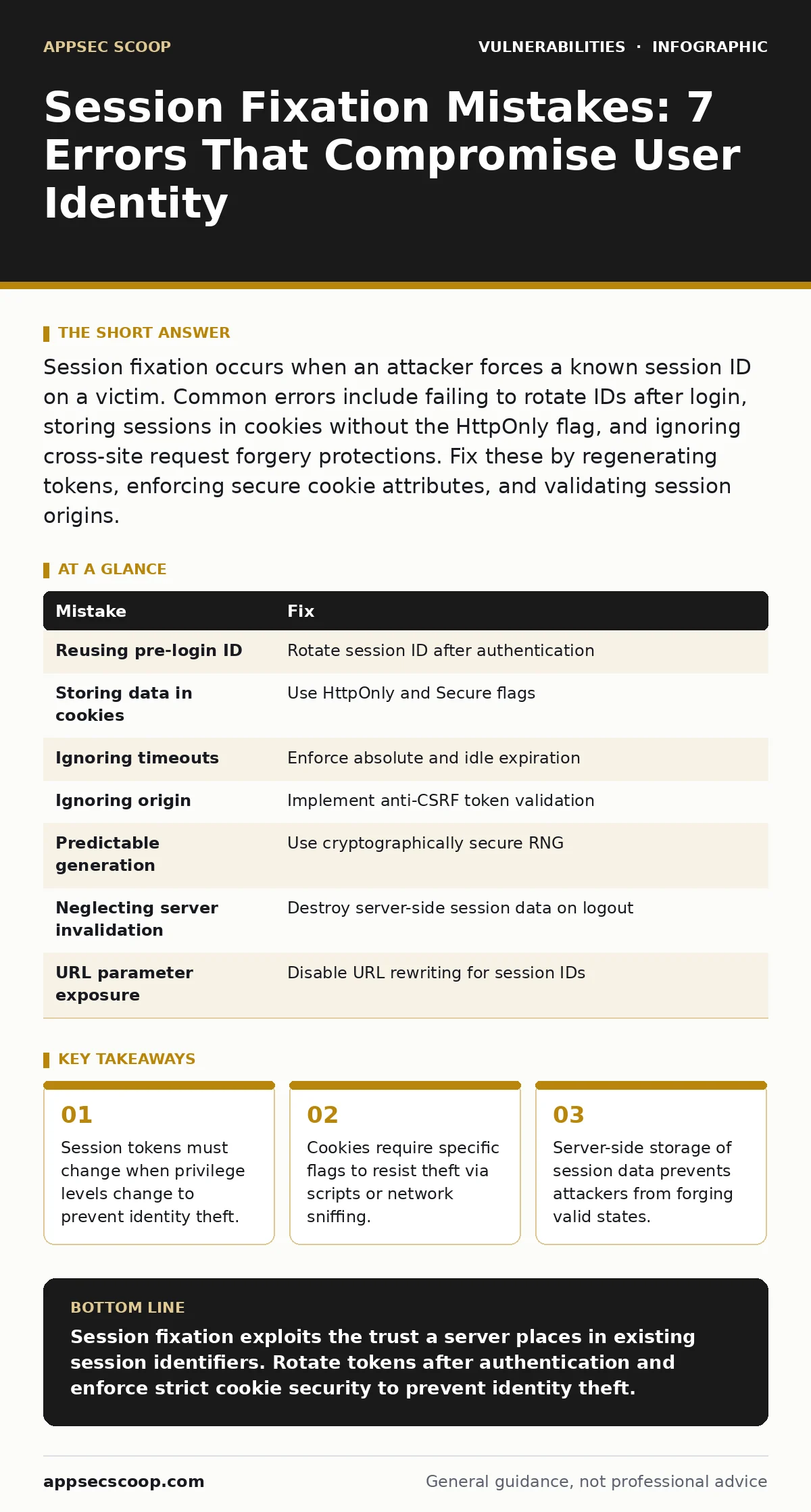
Session fixation occurs when an attacker forces a known session ID on a victim. Common errors include failing to rotate IDs after login, storing sessions in cookies without the HttpOnly flag, and ignoring cross-site request forgery protections. Fix these by regenerating tokens, enforcing secure cookie attributes, and validating session origins.
Mistake 1: Reusing the Pre-Login Session Identifier
The most common error is allowing a user to keep their existing session token after they successfully authenticate. An attacker sets a cookie with a known ID before the victim logs in. When the victim authenticates, the server binds that known ID to the high-privilege account. The attacker already holds the key to the kingdom.
Why it hurts: The attacker gains immediate access to the authenticated session. They do not need to steal credentials or guess the token. The server trusts the existing session state, assuming the user who set it is the same user who logged in. This bypasses the security boundary between anonymous and authenticated states.
The fix: Invalidate the current session and generate a new, cryptographically random session ID immediately upon successful login. This process, known as session rotation, ensures the attacker’s known ID becomes worthless. Implement this logic in your secure software development lifecycle to catch logic errors early.
Mistake 2: Storing Sensitive Data in Client-Side Cookies
Developers often store session identifiers or user roles directly in browser cookies without protection. If an attacker can read these cookies through cross-site scripting, they can extract the session token. Even if the token is random, possession of it grants access. The browser sends the cookie to the server with every request.
Why it hurts: Client-side storage exposes tokens to malicious scripts running in the same origin. Without proper isolation, any injected script can read the cookie value and send it to a remote server. This turns a simple session hijack into a remote takeover. The server sees a valid token and grants access.
The fix: Use the HttpOnly flag on all session cookies. This flag prevents JavaScript from accessing the cookie value. Combine this with the Secure flag to ensure transmission only over encrypted connections. Refer to our guide on web cache poisoning to understand how caching servers might inadvertently expose sensitive headers if not configured correctly.
Mistake 3: Ignoring Session Timeout and Expiration
Sessions that never expire or have excessively long lifetimes increase the window of opportunity for attackers. A stolen token remains valid indefinitely. If a user leaves a device unattended, any subsequent user can access the active session. Long-lived sessions also accumulate more state, increasing the impact of a breach.
Why it hurts: The longer a session lives, the higher the probability of token theft. Attackers can harvest tokens from public Wi-Fi or compromised devices. A valid token from months ago can still grant access if the server does not enforce strict expiration. This defeats the purpose of periodic re-authentication.
The fix: Implement both absolute and idle timeouts. Absolute timeouts force re-authentication after a set period, regardless of activity. Idle timeouts invalidate the session after a period of inactivity. Rotate the session ID again after the timeout expires and the user re-authenticates. This limits the damage of a stolen token.
Mistake 4: Failing to Validate Session Origin
Applications often accept session tokens from any source without verifying where they came from. If an attacker can trick a user’s browser into sending a request with a valid session token, the server processes it. This is the core mechanism behind cross-site request forgery. The server sees a valid token and assumes the user intended the action.
Why it hurts: An attacker can force a logged-in user to perform unwanted actions. Changing an email address or transferring funds requires only a valid session token. The browser automatically includes the cookie. The server cannot distinguish between a legitimate user action and an attacker’s forced request.
The fix: Require anti-CSRF tokens for state-changing requests. These tokens are unique per session and must be included in the request body or header. Validate them on the server side. This ensures the request originated from a page served by your application, not an external site.
Mistake 5: Using Predictable Session Generation Algorithms
Some systems generate session IDs using sequential numbers, timestamps, or weak random number generators. Predictable tokens allow attackers to guess valid session IDs. If an attacker can determine the algorithm, they can generate their own valid tokens. This reduces session hijacking to a calculation problem.
Why it hurts: Predictability removes the secrecy required for security. An attacker does not need to steal a token; they can create one that the server will accept. Weak randomness often stems from using standard library functions designed for speed, not security. These functions may produce patterns that are statistically guessable.
The fix: Use a cryptographically secure pseudo-random number generator for session IDs. Ensure the output space is large enough to prevent collision and brute-force attacks. Avoid using system time or process IDs as inputs. Review your vulnerability prioritization strategy to address weak cryptography before it is exploited.
See also: Password Hygiene: The Hidden Costs and Real Limits of Credential Care
Mistake 6: Neglecting Server-Side Session Invalidation
Logging out should destroy the session on the server, not just delete the cookie in the browser. If the server retains the session data, an attacker who has stolen the token can still use it. Deleting the client-side cookie is a convenience feature, not a security control. The server must forget the session state.
Why it hurts: The session remains active on the server even after the user logs out. An attacker with the token can continue accessing the account. This is common in applications that cache session data for performance. The logout function fails to remove the cached state, leaving a backdoor open.
The fix: Explicitly remove the session data from the server store during logout. Invalidate the token in any distributed cache or database. Ensure that subsequent requests with the old token are rejected. This guarantees that logging out terminates access, regardless of whether the attacker holds the token.
Mistake 7: Allowing Session Fixation via URL Parameters
Some applications pass session IDs in the URL query string for compatibility with older systems. These IDs appear in browser history, server logs, and referrer headers. Any application that logs referrer data exposes session tokens to third-party sites. This creates a widespread leakage vector for session data.
Why it hurts: URLs are easily shared and logged. An attacker can embed a link with a fixed session ID in an email or forum post. When the victim clicks, their browser sends the ID to the server. The server associates the victim’s login with the attacker’s ID. The attacker gains access without any complex exploit.
The fix: Disable URL rewriting for session IDs. Force the application to use cookies exclusively for session management. If URL parameters are necessary, ensure they are regenerated after login. Monitor server logs for sensitive data exposure and adjust your patch management processes to fix logging configurations.
| Mistake | Fix |
|---|---|
| Reusing pre-login ID | Rotate session ID after authentication |
| Storing data in cookies | Use HttpOnly and Secure flags |
| Ignoring timeouts | Enforce absolute and idle expiration |
| Ignoring origin | Implement anti-CSRF token validation |
| Predictable generation | Use cryptographically secure RNG |
| Neglecting server invalidation | Destroy server-side session data on logout |
| URL parameter exposure | Disable URL rewriting for session IDs |
Key takeaways
- Session tokens must change when privilege levels change to prevent identity theft.
- Cookies require specific flags to resist theft via scripts or network sniffing.
- Server-side storage of session data prevents attackers from forging valid states.
Session fixation exploits the trust a server places in existing session identifiers. Rotate tokens after authentication and enforce strict cookie security to prevent identity theft.
Frequently asked questions
Does HTTPS prevent session fixation?
HTTPS encrypts the token in transit but does not prevent an attacker from forcing a known token on a victim. You must still rotate session IDs after login.
How do I detect session fixation attacks?
Monitor for multiple login attempts associated with the same session ID from different IP addresses. This pattern often indicates an attacker waiting for a victim to authenticate.
Can single sign-on systems suffer from session fixation?
Yes. If the identity provider does not rotate tokens upon authentication, the downstream application may inherit a fixed session. Ensure the entire chain rotates identifiers.
Should I use server-side or client-side sessions?
Server-side sessions are more secure. The client holds only an opaque token, while the server manages the state. This prevents attackers from forging or modifying session data.
How this guide was produced: written by the AppSec Scoop editorial team with AI assistance, checked against the public references listed below, and reviewed when the facts change. See our editorial policy or report an error.