
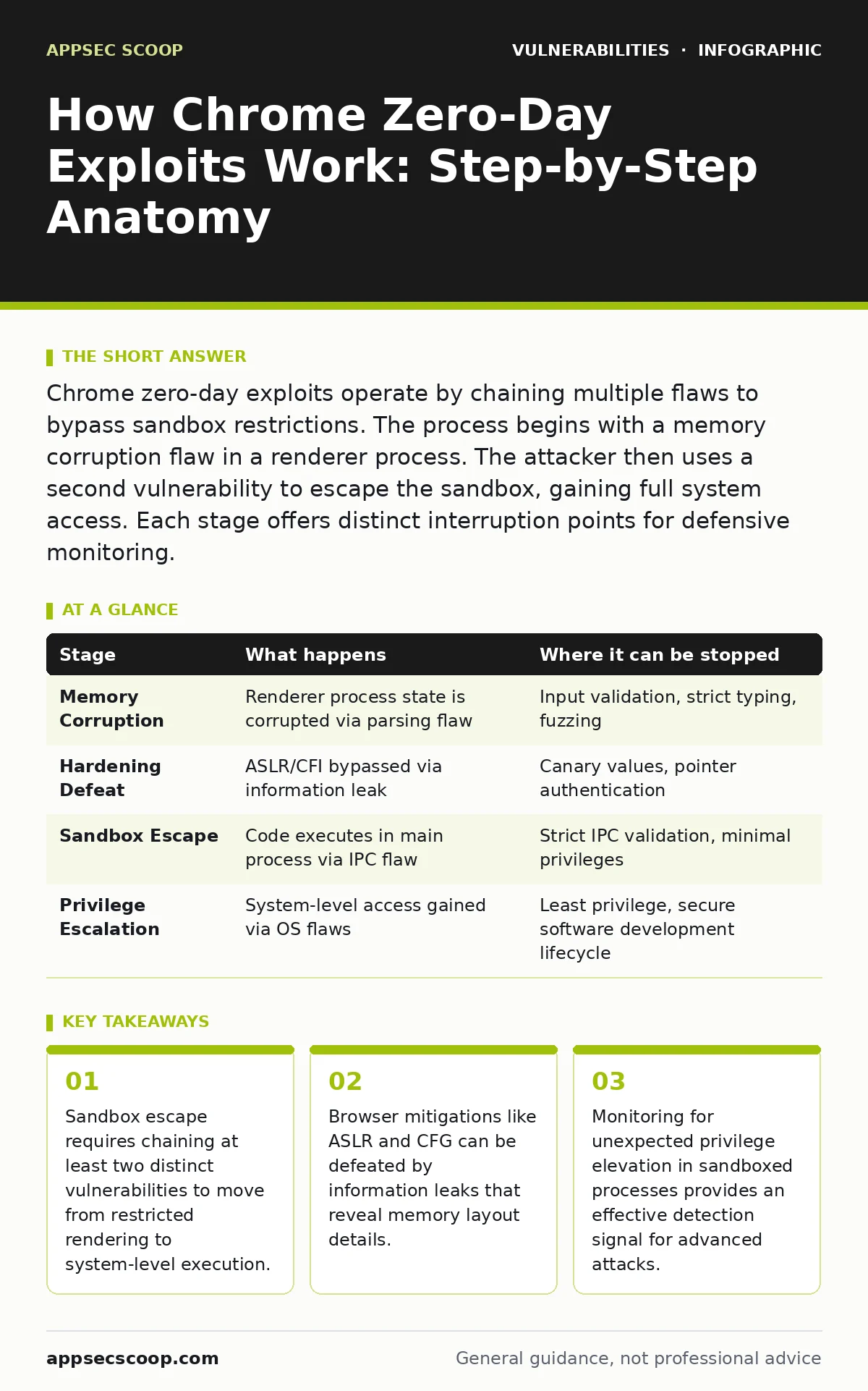
Chrome zero-day exploits operate by chaining multiple flaws to bypass sandbox restrictions. The process begins with a memory corruption flaw in a renderer process. The attacker then uses a second vulnerability to escape the sandbox, gaining full system access. Each stage offers distinct interruption points for defensive monitoring.
The Initial Memory Corruption Vector
Browser rendering engines process untrusted input constantly. Attackers target the complex parsers that handle HTML, CSS, JavaScript, or media files. The initial flaw is typically a memory safety error. This includes buffer overflows, use-after-free conditions, or type confusion bugs. These errors allow an attacker to write data to unintended memory locations. The goal is not immediate code execution. The goal is to corrupt the state of the renderer process in a predictable way.
Modern browsers run rendering in separate processes. This isolation limits the damage of the initial crash. The attacker must craft input that triggers the bug without crashing the process entirely. Precision is required. A random crash alerts the user and stops the exploit. A controlled corruption allows the attacker to redirect execution flow. This stage relies on the complexity of the codebase. Large codebases contain more paths for these subtle errors to exist.
Defeating Runtime Hardening Mechanisms
Once memory corruption is achieved, the browser’s runtime protections intervene. Address Space Layout Randomization (ASLR) randomises the memory addresses of code and data. Control Flow Integrity (CFI) ensures execution follows expected paths. These mechanisms make blind exploitation difficult. The attacker needs an information leak to proceed. This leak reveals the actual memory layout or valid code pointers.
The attacker searches for a secondary flaw that leaks memory contents. This might be a out-of-bounds read or a type confusion that exposes internal addresses. With this information, the attacker calculates the correct offsets for their shellcode. They bypass ASLR by knowing where libraries are loaded. They bypass CFI by jumping to valid code gadgets, a technique known as Return-Oriented Programming (ROP). This stage is often the most difficult. It requires deep knowledge of the specific browser version and its hardening features.
Crossing the Sandbox Boundary
The renderer process runs in a strict sandbox. It has limited access to the file system and hardware. Even if code executes here, the attacker gains little value. The critical step is sandbox escape. This requires a second vulnerability, often in the browser’s core components. These components manage communication between the sandboxed renderer and the main browser process.
The attacker sends malicious messages from the compromised renderer to the main process. These messages exploit flaws in the IPC (Inter-Process Communication) handling. A buffer overflow in the IPC handler allows the attacker to execute code in the main process. This process has higher privileges. It can interact with the operating system directly. The sandbox boundary is crossed. This stage highlights the trade-off between performance and security. Complex IPC mechanisms introduce attack surfaces that are difficult to secure perfectly.
Privilege Escalation and Persistence
With code execution in the main process, the attacker has significant access. However, they may not have administrative rights. The final stage often involves privilege escalation. The attacker exploits weaknesses in the operating system or the browser’s update mechanism. They might install a driver or modify system files. The goal is persistence. The attack must survive browser restarts and updates.
This stage relies on the attacker’s ability to navigate the host environment. They might exploit insecure file permissions or misconfigured services. The browser’s auto-update feature can be targeted to install malicious versions. This stage connects browser security to overall system hygiene. A patched browser is useless if the underlying operating system is vulnerable. The attack chain is complete only when the attacker has stable, elevated access.
| Stage | What happens | Where it can be stopped |
|---|---|---|
| Memory Corruption | Renderer process state is corrupted via parsing flaw | Input validation, strict typing, fuzzing |
| Hardening Defeat | ASLR/CFI bypassed via information leak | Canary values, pointer authentication |
| Sandbox Escape | Code executes in main process via IPC flaw | Strict IPC validation, minimal privileges |
| Privilege Escalation | System-level access gained via OS flaws | Least privilege, secure software development lifecycle |
Interruption Points for Defensive Teams
Defending against zero-days requires interrupting the chain. You cannot patch every flaw instantly. You must break the sequence. Monitoring for unusual process behaviour is effective. A renderer process attempting to access system files is a red flag. A main process executing code from an unexpected module is another.
Network monitoring can detect the initial payload delivery. Unusual HTTP requests or data exfiltration patterns signal activity. Endpoint Detection and Response (EDR) solutions can block the sandbox escape attempt. They monitor for the specific system calls used in IPC exploitation. These measures do not prevent the initial bug. They stop the attack from achieving its goal. This approach accepts that flaws will exist. It focuses on limiting their impact.
The Role of Exploitability Versus Severity
Not all vulnerabilities are equal. A high severity rating does not guarantee ease of exploitation. Some flaws are trivial to trigger but hard to weaponise. Others are difficult to trigger but lead directly to remote code execution. Understanding exploitability versus severity helps prioritise responses. A flaw that requires user interaction is less dangerous than one that triggers automatically.
The attack surface matters. A flaw in the JavaScript engine is more exposed than one in a niche plugin. The complexity of the exploit chain also matters. Chaining three vulnerabilities is harder than exploiting one. This nuance is often lost in simple rating systems. Teams should look beyond the score. They should assess the practical difficulty of exploitation. This assessment informs resource allocation for monitoring and patching.
Mitigation Strategies for Long-Term Resilience
Patch management remains the primary defence. Regular updates close known flaws. However, zero-days exist until patches are released. Mitigation strategies reduce the window of exposure. Disabling unnecessary features reduces the attack surface. Blocking certain content types can prevent initial exploitation.
User education plays a role. Users should avoid visiting untrusted sites. They should keep their systems updated. Organisational policies should enforce least privilege. Regular audits of software dependencies help identify risks. The secure software development lifecycle ensures new code is less vulnerable. This proactive approach complements reactive patching. It builds resilience against unknown threats.
Key takeaways
- Sandbox escape requires chaining at least two distinct vulnerabilities to move from restricted rendering to system-level execution.
- Browser mitigations like ASLR and CFG can be defeated by information leaks that reveal memory layout details.
- Monitoring for unexpected privilege elevation in sandboxed processes provides an effective detection signal for advanced attacks.
Frequently asked questions
How do I know if my Chrome instance is vulnerable to a specific zero-day?
Check the browser version against the release notes. Look for patches related to memory safety or sandbox escapes. Update immediately if a relevant fix is available.
Can enterprise policies prevent all browser-based exploits?
No policy prevents all exploits. Policies can reduce risk by disabling extensions, restricting sites, and enforcing updates. They cannot eliminate the complexity of modern web standards.
What is the difference between a zero-day and a one-day exploit?
A zero-day is exploited before a patch exists. A one-day exploit occurs shortly after a patch is released, targeting systems that have not yet updated. Both rely on the same underlying flaws.
Should we disable JavaScript to prevent these attacks?
Disabling JavaScript breaks most modern web applications. It is not a practical mitigation for most users. Focus on browser updates and sandbox integrity instead. BOTTOM LINE: Browser exploits succeed by chaining multiple vulnerabilities to bypass isolation layers. Monitor for abnormal process behaviour to detect and stop these chains before they achieve full system access.
How this guide was produced: written by the AppSec Scoop editorial team with AI assistance, checked against the public references listed below, and reviewed when the facts change. See our editorial policy or report an error.