
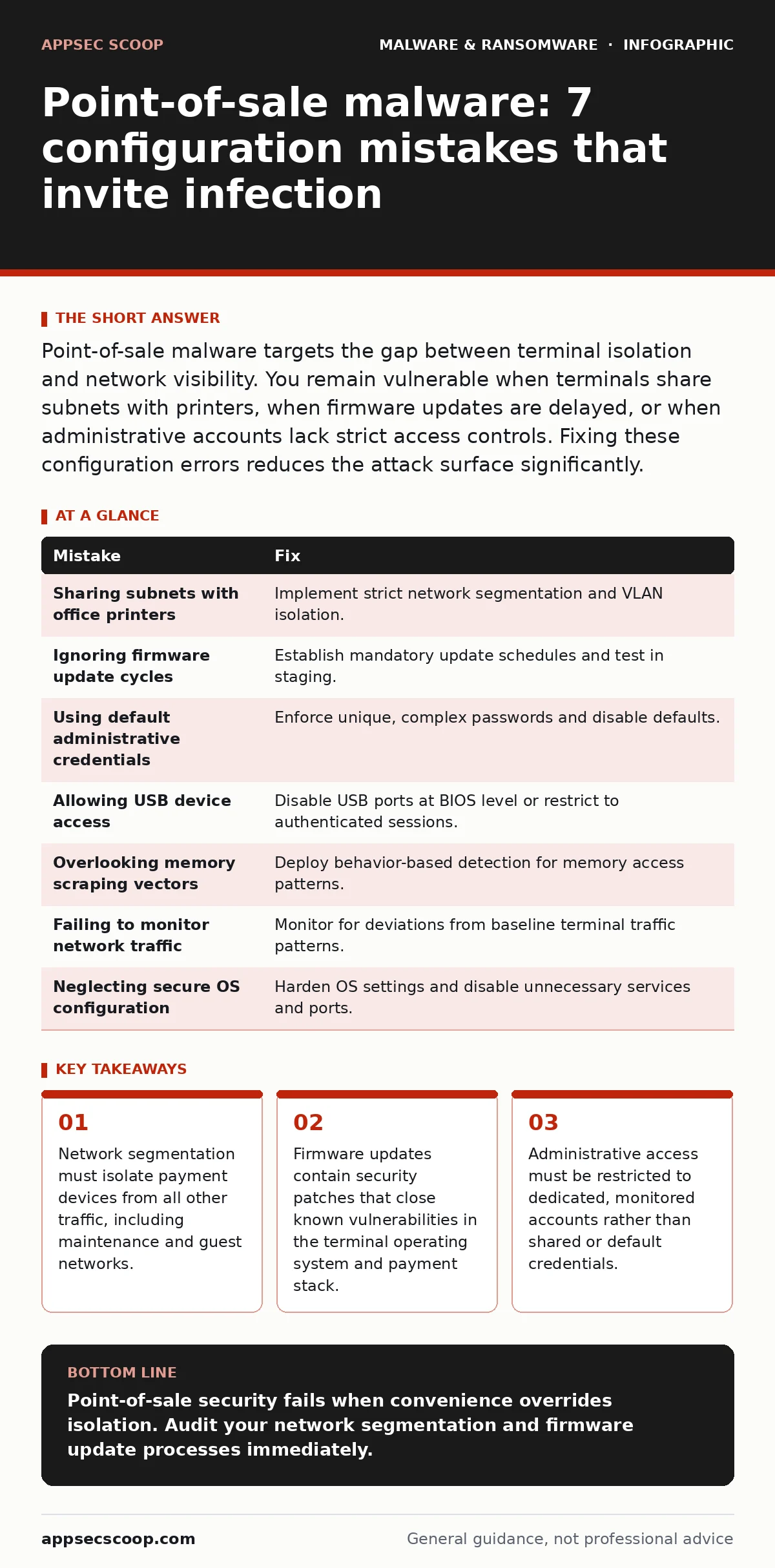
Point-of-sale malware targets the gap between terminal isolation and network visibility. You remain vulnerable when terminals share subnets with printers, when firmware updates are delayed, or when administrative accounts lack strict access controls. Fixing these configuration errors reduces the attack surface significantly.
Mistake 1: Sharing subnets with office printers
Payment terminals reside on the same logical network segment as office printers and copiers. This design choice assumes that internal traffic is trustworthy. It is not. Attackers often use a printer as an initial foothold because these devices have weak authentication and exposed web interfaces. Once inside the printer’s network segment, the attacker can scan for other devices. Point-of-sale terminals respond to these scans. The malware then moves laterally to the terminal.
Why it hurts: The lack of segmentation allows a low-value target to become a bridge to high-value payment data. Lateral movement becomes trivial when network firewalls do not enforce strict rules between device types.
The fix: Implement strict network segmentation. Place payment terminals in a dedicated VLAN that has no outbound connectivity except to the payment processor and required update servers. Block all traffic from the printer VLAN to the payment VLAN at the firewall level.
Mistake 2: Ignoring firmware update cycles
Terminals run on embedded operating systems that receive security patches. These patches address vulnerabilities in the kernel, the payment application framework, and the cryptographic libraries. Many operations teams delay updates to avoid downtime. They assume that air-gapped devices are safe from remote exploitation. This assumption fails when maintenance staff connect to the device or when supply chain compromises occur. Outdated firmware contains known flaws that malware exploits to gain kernel-level access.
Why it hurts: Known vulnerabilities remain open. Malware authors publish exploit code for these flaws shortly after discovery. Delaying updates extends the window of exposure.
The fix: Establish a mandatory update schedule for all payment devices. Test updates in a staging environment before deploying them to production. Automate the verification of firmware versions to ensure compliance. Refer to guides on bootkits to understand how low-level firmware compromises persist through reboots.
Mistake 3: Using default administrative credentials
Many terminals ship with default administrator passwords. Operations teams often change these passwords for the first time but reuse them across all devices. They also share these credentials among staff. When an attacker obtains one password, they gain access to every terminal. Default credentials are listed in public databases. Automated scanners look for these specific login combinations.
Why it hurts: Credential reuse turns a single compromised device into a network-wide breach. Shared accounts remove accountability. You cannot trace who performed an action or which device was accessed by an attacker.
The fix: Enforce unique, complex passwords for each terminal. Use a password manager to store and retrieve these credentials securely. Disable default accounts where possible. Implement multi-factor authentication for administrative access if the terminal hardware supports it.
Mistake 4: Allowing USB device access
Terminals often allow USB connections for maintenance, debugging, or loading updates. Attackers exploit this by inserting malicious USB drives. These drives can contain USB malware that auto-runs when connected. The malware may install a keylogger or a memory scraper. Even if the terminal does not execute code from USB by default, the mere connection can trigger vulnerabilities in the USB stack.
Why it hurts: Physical access bypasses network defenses. A malicious USB drive is a reliable vector for introducing malware into an isolated network.
The fix: Disable USB ports on payment terminals at the BIOS or firmware level. If USB access is required for maintenance, enable it only for specific, authenticated sessions. Audit USB connection logs regularly.
Mistake 5: Overlooking memory scraping vectors
Point-of-sale malware often targets the device’s memory. Payment card data resides in memory during processing. Memory scraping malware reads this data before it is encrypted or transmitted. Traditional antivirus solutions focus on file-based threats. They miss malware that operates entirely in memory. This technique bypasses file integrity monitoring.
Why it hurts: File-based detection fails to see the threat. The malware leaves no trace on the disk. It only exists while the system is running.
The fix: Deploy behavior-based detection solutions that monitor for unusual memory access patterns. Look for processes attempting to read memory regions belonging to the payment application. Isolate the payment application in a secure enclave if the hardware supports it.
See also: Implement Email Attachment Scanning: A Step-by-Step Technical Guide
Mistake 6: Failing to monitor network traffic anomalies
Payment terminals generate predictable network traffic. They communicate with the payment processor at regular intervals. Any deviation from this pattern is suspicious. Many teams do not monitor this traffic. They rely on endpoint agents that may not detect network-based exfiltration. Malware may communicate with command-and-control servers using encrypted channels that blend in with normal traffic.
Why it hurts: Lack of visibility allows data exfiltration to go unnoticed. Attackers can steal data slowly over time, staying below the threshold of detection.
The fix: Implement network monitoring that establishes a baseline for normal terminal behavior. Alert on unusual outbound connections, unusual packet sizes, or connections to unknown IP addresses. Use deep packet inspection to analyse encrypted traffic metadata.
Mistake 7: Neglecting secure configuration of the OS
The operating system on the terminal often retains default settings that are insecure. These include enabled debugging ports, unnecessary services, and permissive file permissions. Attackers exploit these misconfigurations to escalate privileges. For example, an attacker may use a weak service account to gain administrative rights. This is similar to how trojans exploit misconfigured systems to establish persistence.
Why it hurts: Misconfigurations provide easy entry points. They reduce the effort required for an attacker to gain control.
Disable unnecessary services and ports. Restrict file permissions to the minimum required for operation. Regularly audit configurations against these benchmarks.
| Mistake | Fix |
|---|---|
| Sharing subnets with office printers | Implement strict network segmentation and VLAN isolation. |
| Ignoring firmware update cycles | Establish mandatory update schedules and test in staging. |
| Using default administrative credentials | Enforce unique, complex passwords and disable defaults. |
| Allowing USB device access | Disable USB ports at BIOS level or restrict to authenticated sessions. |
| Overlooking memory scraping vectors | Deploy behavior-based detection for memory access patterns. |
| Failing to monitor network traffic | Monitor for deviations from baseline terminal traffic patterns. |
| Neglecting secure OS configuration | Harden OS settings and disable unnecessary services and ports. |
Key takeaways
- Network segmentation must isolate payment devices from all other traffic, including maintenance and guest networks.
- Firmware updates contain security patches that close known vulnerabilities in the terminal operating system and payment stack.
- Administrative access must be restricted to dedicated, monitored accounts rather than shared or default credentials.
Point-of-sale security fails when convenience overrides isolation. Audit your network segmentation and firmware update processes immediately.
Frequently asked questions
How do I know if my point-of-sale terminal is infected?
Look for unusual network traffic, unexpected reboots, or changes in system performance. Memory scraping malware may not cause visible symptoms.
Can antivirus software protect point-of-sale terminals?
Traditional antivirus detects known file signatures. It often misses memory-based malware. You need behavior-based detection for comprehensive protection.
What is the role of network segmentation in POS security?
Segmentation limits lateral movement. If an attacker compromises a printer, they cannot reach the payment terminals if the networks are properly isolated.
How often should I update point-of-sale firmware?
Update immediately when critical security patches are released. Establish a regular schedule for non-critical updates to ensure timely application.
How this guide was produced: written by the AppSec Scoop editorial team with AI assistance, checked against the public references listed below, and reviewed when the facts change. See our editorial policy or report an error.