
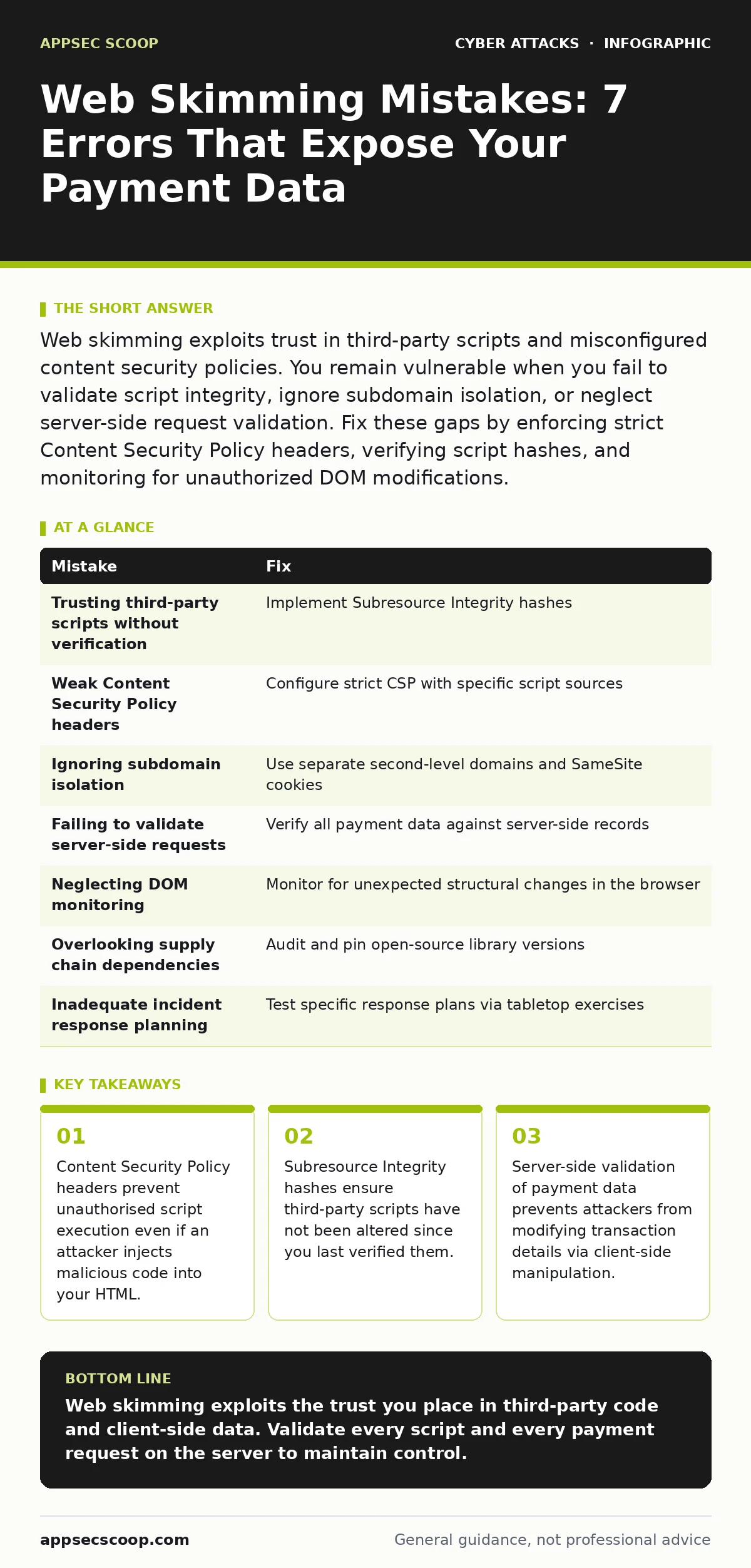
Web skimming exploits trust in third-party scripts and misconfigured content security policies. You remain vulnerable when you fail to validate script integrity, ignore subdomain isolation, or neglect server-side request validation. Fix these gaps by enforcing strict Content Security Policy headers, verifying script hashes, and monitoring for unauthorized DOM modifications.
Mistake 1: Trusting Third-Party Scripts Without Verification
You load external analytics or chat widgets to improve user experience. These scripts run with the same privileges as your own code. If the provider’s server is compromised, or if an attacker intercepts the connection, they can inject web skimming code that executes in your browser. The script appears legitimate because it comes from a known domain.
Why it hurts: The malicious code captures credit card details as users type them into your payment form. It sends this data to an attacker-controlled server before your legitimate processor receives it. You see no error in your logs because the injection happens in the client’s browser, not on your server.
The fix: Implement Subresource Integrity. This mechanism allows you to specify a cryptographic hash for each external script. The browser checks the downloaded script against this hash. If the script has changed, even by a single character, the browser refuses to execute it. This prevents modified scripts from running, even if the attacker controls the CDN.
Mistake 2: Weak Content Security Policy Headers
Content Security Policy is an HTTP header that tells the browser which sources are allowed to run scripts. Many sites leave this header empty or set it to allow all sources. This gives attackers free rein to inject scripts from any domain. Without these restrictions, a simple cross-site scripting vulnerability becomes a direct path to data theft.
Why it hurts: Attackers inject inline scripts or load code from malicious domains. Your browser executes this code because your policy says all sources are trusted. The skimming script runs silently in the background. It observes keystrokes or reads form fields, sending the data away before the user submits the payment.
The fix: Configure a strict Content Security Policy. Specify exactly which domains are allowed to load scripts. Use the script-src directive to list approved origins. Include the nonce or hash source for inline scripts if you must use them. This ensures that only scripts you explicitly approve can run, blocking injected skimming code.
Mistake 3: Ignoring Subdomain Isolation
You host your main site on shop.example.com and your analytics on stats.example.com. Browsers treat these as part of the same domain for cookie purposes. If an attacker compromises the analytics subdomain, they can often access cookies or session tokens from the main site. This lack of separation grants them access to authenticated user sessions.
Why it hurts: The attacker uses the compromised subdomain to inject scripts that read session cookies. They can then perform actions on behalf of logged-in users, including viewing saved payment methods. This bypasses the need to steal passwords. It turns a low-value subdomain into a high-value attack vector for financial data.
The fix: Isolate sensitive subdomains using different second-level domains. Host your main application on app.example.com and analytics on analytics.example.net. Set the SameSite attribute on cookies to Strict or Lax. This prevents cross-domain requests from carrying cookies, limiting the damage if one subdomain is breached. See our guide on session hijacking for more on protecting authenticated states.
Mistake 4: Failing to Validate Server-Side Requests
You rely on the client to send payment details to your processor. The client-side code calculates the total, selects the currency, and packages the data. Attackers can intercept this request using browser extensions or network proxies. They modify the amount, the recipient account, or the frequency of a recurring payment before it reaches your server.
Why it hurts: Your server trusts the data sent by the client. It processes the modified request without verification. The user pays the correct amount, but the attacker redirects the funds. This is a form of man-in-the-middle attack that exploits the lack of server-side validation. You lose revenue and customer trust, and reversing the transaction is difficult.
The fix: Validate all payment data on the server. Never trust client-side calculations for totals or account details. Use a secure, server-side session to track the transaction state. Compare the incoming data against the server’s record. If the amounts or accounts do not match, reject the transaction. This prevents replay attacks where an attacker resends a modified request.
Mistake 5: Neglecting DOM Monitoring
Your website’s Document Object Model changes dynamically as users interact with forms. Attackers inject scripts that modify the DOM to hide their skimming code or to create fake input fields. Standard security tools often miss these changes because they look for known malicious signatures, not behavioural anomalies in the page structure.
Why it hurts: The skimming code hides in plain sight. It might add an invisible input field that captures keystrokes or modify the form’s action URL to point to the attacker’s server. Users see the legitimate checkout page. They enter their details, believing they are safe. The data is exfiltrated before the legitimate submission occurs.
The fix: Implement runtime application self-protection tools that monitor the DOM for unexpected changes. Look for new script tags, modified form actions, or hidden input fields. Alert when the structure of the payment page deviates from the expected baseline. This detects behavioural anomalies that signature-based scanners miss.
See also: Stop Session Fixation: Binding Tokens to Users and Devices · Detecting Data Centre Attacks: Logs, Signals and Blind Spots
Mistake 6: Overlooking Supply Chain Dependencies
You use open-source libraries for form validation or UI components. These libraries have their own dependencies. If any library in this chain is compromised, or if an attacker injects malicious code into a popular package, your site becomes vulnerable. This is a supply chain attack that bypasses your own code review processes.
Why it hurts: The malicious code is embedded in a trusted library. It executes every time a user loads the page. It can include skimming scripts that harvest payment data. You have no visibility into this code unless you audit every dependency manually. Updating the library might not fix the issue if the attacker persists in newer versions.
The fix: Regularly audit your dependency tree. Use tools that scan for known vulnerabilities in open-source packages. Pin specific versions of libraries to prevent automatic updates to compromised versions. Consider using a software bill of materials to track all components. This reduces the risk of watering hole attacks targeting popular libraries.
Mistake 7: Inadequate Incident Response Planning
You assume that web skimming will not happen to you. You lack a plan for detecting and responding to such an incident. When an attack occurs, your team scrambles to identify the source, the extent of the data loss, and the remediation steps. This delay allows the attacker to continue harvesting data and cover their tracks.
Why it hurts: The longer the skimming code remains active, the more data is stolen. Customers suffer financial loss and identity theft. Your reputation takes a severe hit. Regulatory penalties may follow. Without a clear plan, you cannot quickly isolate the affected systems or notify the right parties.
The fix: Develop and test an incident response plan specific to web skimming. Include steps for detecting injected scripts, isolating affected pages, and notifying customers and payment processors. Conduct tabletop exercises to simulate this scenario. Ensure your team knows how to verify script integrity and restore clean versions of compromised files.
| Mistake | Fix |
|---|---|
| Trusting third-party scripts without verification | Implement Subresource Integrity hashes |
| Weak Content Security Policy headers | Configure strict CSP with specific script sources |
| Ignoring subdomain isolation | Use separate second-level domains and SameSite cookies |
| Failing to validate server-side requests | Verify all payment data against server-side records |
| Neglecting DOM monitoring | Monitor for unexpected structural changes in the browser |
| Overlooking supply chain dependencies | Audit and pin open-source library versions |
| Inadequate incident response planning | Test specific response plans via tabletop exercises |
Key takeaways
- Content Security Policy headers prevent unauthorised script execution even if an attacker injects malicious code into your HTML.
- Subresource Integrity hashes ensure third-party scripts have not been altered since you last verified them.
- Server-side validation of payment data prevents attackers from modifying transaction details via client-side manipulation.
Web skimming exploits the trust you place in third-party code and client-side data. Validate every script and every payment request on the server to maintain control.
Frequently asked questions
How do I know if my site is being skimmed?
Look for unexpected outbound network traffic to unknown domains. Check for modified form actions or hidden input fields in the DOM. Monitor for anomalies in transaction patterns.
Does HTTPS prevent web skimming?
HTTPS encrypts data in transit but does not prevent malicious scripts from running in the browser. If the script is injected before encryption, the data is still stolen.
Can a firewall stop web skimming?
Traditional firewalls inspect network packets, not application logic. They cannot detect scripts that modify the DOM or capture keystrokes within the browser.
How often should I update my Content Security Policy?
Review your CSP whenever you add new third-party scripts or change your site’s architecture. Regular audits ensure that your policy remains strict and effective.
How this guide was produced: written by the AppSec Scoop editorial team with AI assistance, checked against the public references listed below, and reviewed when the facts change. See our editorial policy or report an error.