
Avoid treating encryption keys like static secrets. Automate rotation, separate key usage from data access, and ensure your key management service survives region failures. Misconfigured permissions and manual key handling are the primary causes of exposure in bring your own key architectures.
Mistake 1: Treating Key Access Like Data Access
Many teams assume that if a user cannot read the encrypted file, they cannot read the key. This is a false equivalence. In bring your own key models, the key management service and the storage service are distinct systems. You might lock down the object storage perfectly while leaving the key management policy wide open.
Why it hurts: An attacker who gains access to the key management service can decrypt any data protected by that key, regardless of storage permissions. This bypasses all storage-level controls. It turns a storage breach into a total data compromise.
The fix: Apply least privilege to the key management service independently. Do not grant decrypt permissions to the same identities that have read access to the data. Use a separation of duties model where operational staff manage storage and cryptographic staff manage keys. Review your cloud entitlements regularly to ensure no service accounts have unnecessary cryptographic permissions.
Mistake 2: Manual Key Rotation Processes
Relying on humans to rotate encryption keys is a recipe for failure. The process involves generating a new key, updating the key management service, ensuring the application can read the old key for a transition period, and then deleting the old key. Each step introduces a window of vulnerability or operational friction.
Why it hurts: Humans miss steps. Old keys remain active longer than necessary, or new keys are not activated before old ones are deleted, causing application outages. In either case, the security posture degrades. The transition period is often extended indefinitely due to fear of breaking production systems.
The fix: Automate key rotation through native features of your key management service. Most public cloud providers support automatic rotation of the key material while keeping the key identifier constant. This allows applications to continue using the same reference while the underlying secret changes. You must still manage the key policy, but the material itself rotates without manual intervention.
Mistake 3: Single Key for Multiple Data Sets
It is tempting to create one master key for an entire environment. It simplifies management and reduces the number of keys to track. However, this creates a single point of failure for all your encrypted data.
Why it hurts: If that single key is compromised, every data set protected by it is exposed. There is no segmentation. An attacker who steals the key gains access to customer data, financial records, and internal communications simultaneously. This violates the principle of least privilege at the cryptographic layer.
The fix: Segment your data by sensitivity or business unit and assign unique keys to each segment. Use a hierarchy where a master key protects other keys, but the data itself is encrypted with distinct keys. This limits the blast radius of a compromise. If one key is leaked, only the specific data set protected by that key is at risk.
Mistake 4: Ignoring Key Management Service Availability
Teams focus heavily on the availability of their applications and storage, often neglecting the availability of the key management service. Encryption is not a one-time action. Decryption often requires real-time access to the key management service to unwrap the data key.
Why it hurts: If the key management service experiences an outage or is blocked by network misconfigurations, your data becomes permanently inaccessible. This is a denial of service against your own data. It is often more damaging than a storage outage because the storage remains intact but unreadable.
The fix: Design your architecture to tolerate key management service latency or failure. Use multi-region key replication where supported. Ensure your cloud security groups allow traffic to the key management service endpoints from all regions where your application runs. Test failover scenarios where the primary key management endpoint is unreachable.
Mistake 5: Storing Keys in Application Code or Config Files
Some developers attempt to simplify integration by embedding keys or key identifiers directly in application configuration files or code repositories. This is often done to avoid complex integration with secret management tools.
Why it hurts: Code repositories are often widely accessible within an organisation. Configuration files are frequently leaked. If the key material or the ability to retrieve it is stored in code, you have effectively nullified the encryption. This is a common source of leaked cloud access keys and credential exposure.
The fix: Never store key material in code or configuration files. Use environment variables or dedicated secret management tools to pass key identifiers to applications. The application should only know the identifier, not the secret. Retrieve the actual key material only at runtime through the key management service API.
See also: Encryption in Transit: How It Protects Data Between Systems · Cloud patch management: automating updates without breaking production
Mistake 6: Failing to Audit Key Usage
Encrypting data is the easy part. Understanding who accessed the keys and when is harder. Many teams enable encryption but do not enable detailed logging for key management operations.
Why it hurts: Without logs, you cannot detect misuse. You cannot see if a rogue administrator is decrypting data they should not access. You cannot trace the origin of a data breach back to a specific key usage event. This lack of visibility makes incident response nearly impossible.
The fix: Enable audit logging for all key management operations. Send these logs to a centralised, tamper-proof logging service. Set up alerts for unusual patterns, such as decryption attempts from unexpected IP addresses or by unexpected service accounts. Regularly review these logs as part of your security operations routine.
Mistake 7: Overlooking Key Deletion Procedures
When data is no longer needed, teams often delete the data but forget to delete the encryption keys. Or, they delete the keys but do not verify that the data is unrecoverable.
Why it hurts: Retaining keys longer than necessary increases the attack surface. If you delete data but keep the key, an attacker who compromises storage backups can still decrypt the deleted data. If you delete the key but the data remains, you have lost access to that data permanently, which is a business continuity risk.
The fix: Define a clear lifecycle for keys that mirrors the lifecycle of the data. When data is deleted, ensure the key is scheduled for deletion after a safe retention period. Verify that key deletion is irreversible in your chosen key management service. Coordinate with your shift-left security practices to include key lifecycle management in the design phase of new applications.
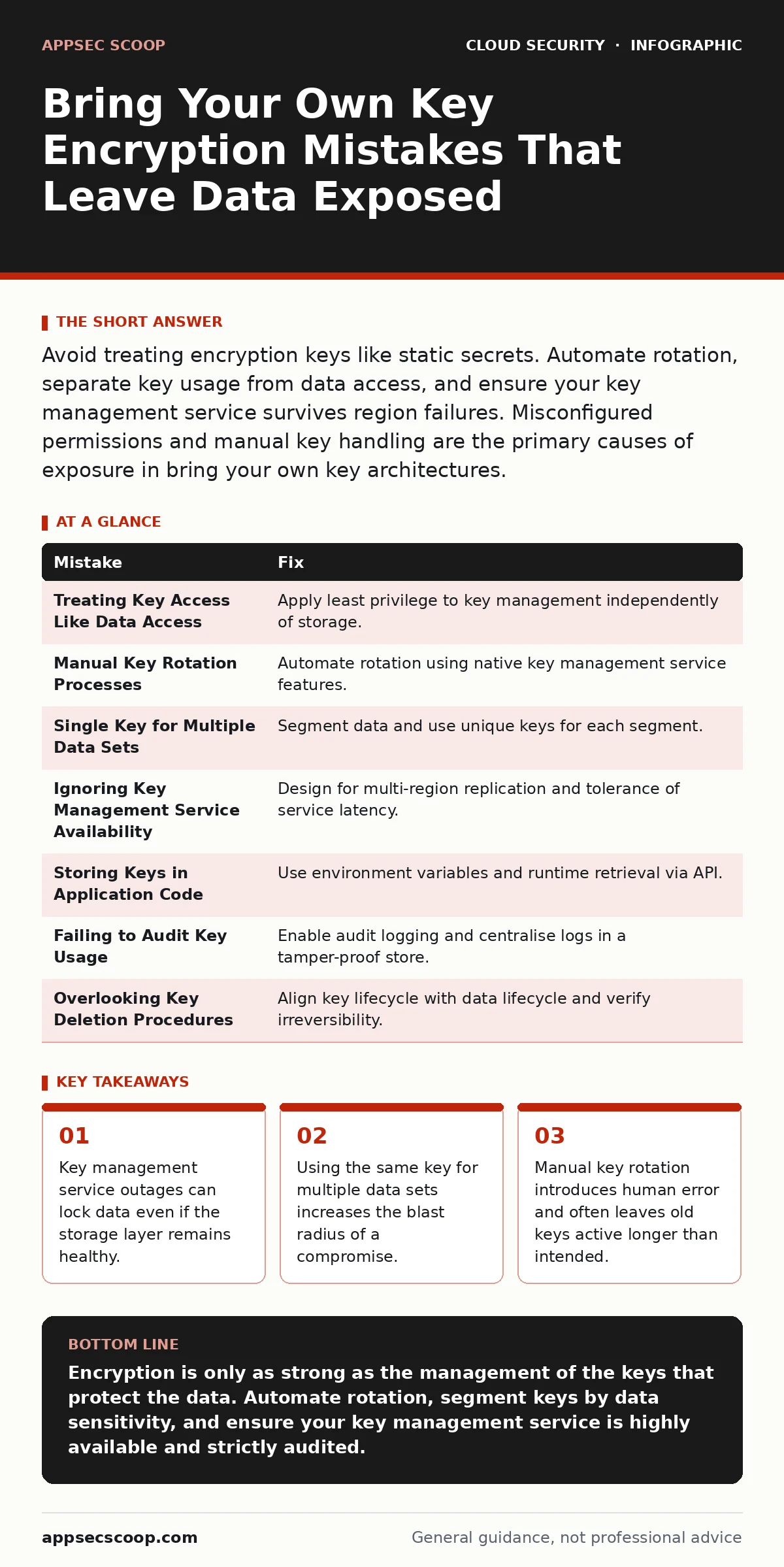
| Mistake | Fix |
|---|---|
| Treating Key Access Like Data Access | Apply least privilege to key management independently of storage. |
| Manual Key Rotation Processes | Automate rotation using native key management service features. |
| Single Key for Multiple Data Sets | Segment data and use unique keys for each segment. |
| Ignoring Key Management Service Availability | Design for multi-region replication and tolerance of service latency. |
| Storing Keys in Application Code | Use environment variables and runtime retrieval via API. |
| Failing to Audit Key Usage | Enable audit logging and centralise logs in a tamper-proof store. |
| Overlooking Key Deletion Procedures | Align key lifecycle with data lifecycle and verify irreversibility. |
Key takeaways
- Key management service outages can lock data even if the storage layer remains healthy.
- Using the same key for multiple data sets increases the blast radius of a compromise.
- Manual key rotation introduces human error and often leaves old keys active longer than intended.
Encryption is only as strong as the management of the keys that protect the data. Automate rotation, segment keys by data sensitivity, and ensure your key management service is highly available and strictly audited.
Frequently asked questions
Does bring your own key protect against insider threats?
It limits the impact of insider threats by separating key access from data access, but it does not eliminate them if insiders have both.
How often should I rotate encryption keys?
Automate rotation to occur regularly, such as every year or when personnel changes occur, to limit the exposure window of any single key.
Can I use the same key for development and production?
Never use the same key for different environments. This prevents accidental access to production data from development systems and limits breach impact.
What happens if I lose my root key?
If you lose the root key and do not have a backup, your data is permanently unrecoverable. Always maintain secure, offline backups of root keys.
How this guide was produced: written by the AppSec Scoop editorial team with AI assistance, checked against the public references listed below, and reviewed when the facts change. See our editorial policy or report an error.