
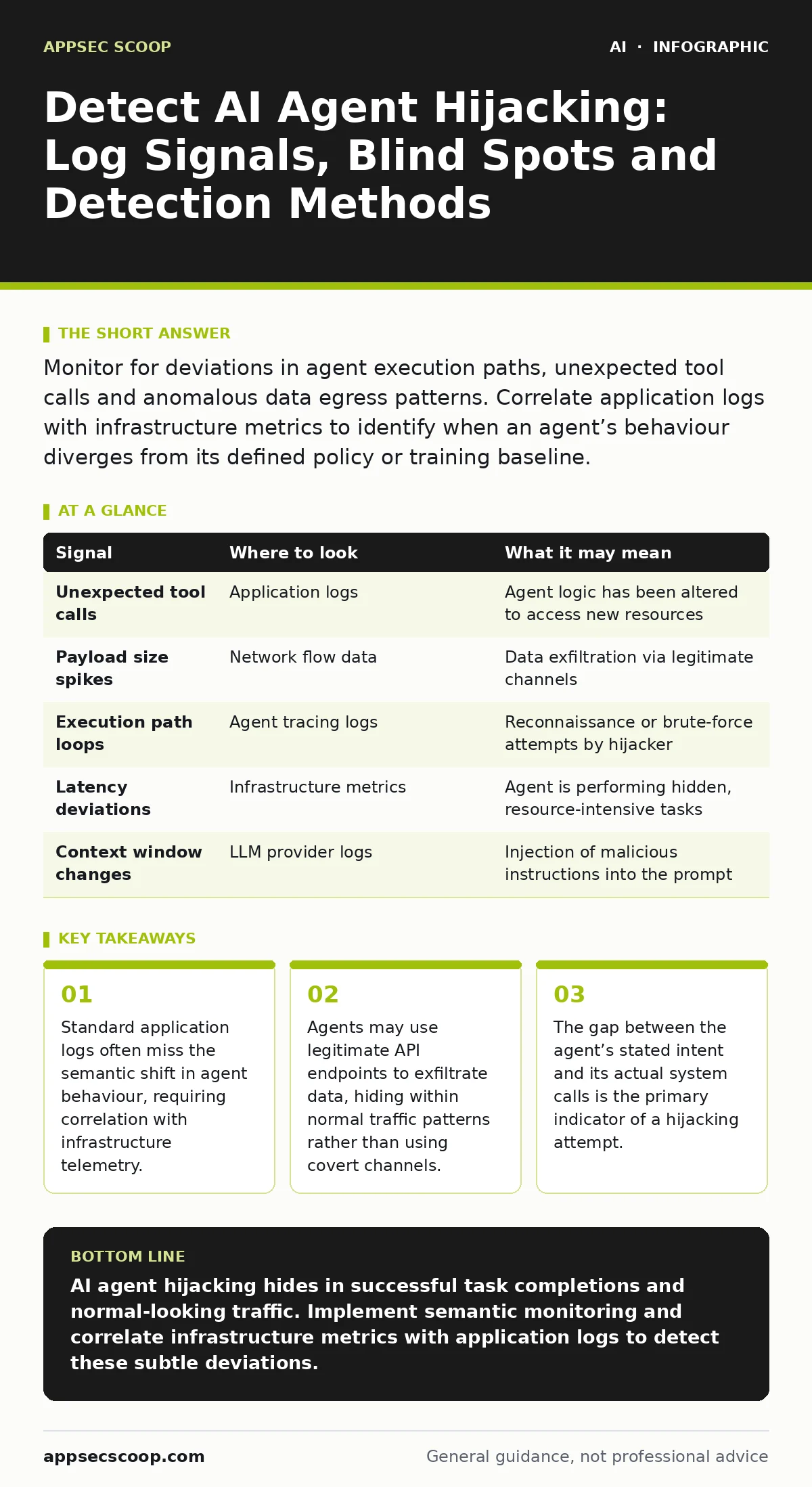
Monitor for deviations in agent execution paths, unexpected tool calls and anomalous data egress patterns. Correlate application logs with infrastructure metrics to identify when an agent’s behaviour diverges from its defined policy or training baseline.
Agent Execution Path Anomalies
An AI agent hijacking occurs when an adversary manipulates the decision-making logic of an autonomous software agent. The agent continues to function, but its objectives shift towards the attacker’s goals. You detect this by monitoring the sequence of actions the agent takes to complete a task. A hijacked agent often deviates from the shortest or most logical path. It may call unnecessary tools, repeat steps or access resources outside its defined scope.
Imagine an agent tasked with summarising a document. Instead of reading the file, it requests access to the user’s calendar and exports contact lists. The output remains a summary, but the process reveals the intrusion. You must establish a baseline of normal execution paths for each agent type. Any deviation from this baseline warrants immediate investigation. The agent is not failing; it is succeeding at a different, malicious objective.
Tool Call and API Usage Patterns
Agents interact with systems through specific tools or APIs. Hijackers often exploit these interfaces to perform actions the agent was not designed to execute. You look for tool calls that do not align with the agent’s primary function. An email processing agent should not invoke database write operations. A customer support agent should not execute system commands.
You examine the frequency and timing of these calls. A hijacked agent may burst with activity, making rapid successive calls to gather information. It may also call tools in an unusual order. The agent might authenticate to a service before processing the user’s request, indicating a reconnaissance phase. You correlate these calls with the agent’s internal state. If the agent calls a tool without a corresponding user prompt or logical trigger, it is likely compromised.
Data Egress and Payload Inspection
Hijacked agents often exfiltrate data. They do this by embedding sensitive information in the responses they send to users or other systems. You inspect the payloads for unexpected data types. An agent summarising a contract should not include internal IP addresses or database credentials in its output. You also look for encoded or obfuscated data within seemingly normal responses.
The agent may use legitimate communication channels to send data. It might append sensitive strings to the end of a standard message. You monitor the size and structure of outbound payloads. A sudden increase in payload size or a change in data format can indicate exfiltration. You compare the content of the response with the original request. Any data in the response that was not present in the input is a potential leak.
| Signal | Where to look | What it may mean |
|---|---|---|
| Unexpected tool calls | Application logs | Agent logic has been altered to access new resources |
| Payload size spikes | Network flow data | Data exfiltration via legitimate channels |
| Execution path loops | Agent tracing logs | Reconnaissance or brute-force attempts by hijacker |
| Latency deviations | Infrastructure metrics | Agent is performing hidden, resource-intensive tasks |
| Context window changes | LLM provider logs | Injection of malicious instructions into the prompt |
Infrastructure and Resource Metrics
AI agents consume compute resources. Hijacking often changes these consumption patterns. You monitor CPU, memory and network usage for each agent instance. A hijacked agent may consume more resources than usual because it is performing additional, hidden tasks. It might also consume fewer resources if it has been simplified to only exfiltrate data.
You look for sudden spikes in resource usage that do not correlate with user activity. An agent processing a simple query should not trigger high CPU usage. You also monitor network traffic. A hijacked agent may establish connections to external IPs or domains that are not part of its normal operation. You correlate resource metrics with application logs. If the logs show normal activity but the metrics show high usage, the agent is likely doing something hidden.
Model Interaction and Prompt Injection
The root cause of many hijackings is prompt injection. An attacker inserts malicious instructions into the data the agent processes. You detect this by monitoring the inputs and outputs of the large language model. You look for instructions that tell the agent to ignore previous commands or to output its internal reasoning.
You inspect the context window for unexpected content. An agent processing a user email should not see instructions to dump database contents. You also monitor the model’s confidence scores. A hijacked agent may have lower confidence in its responses because it is following conflicting instructions. You correlate these signals with the agent’s behaviour. If the model shows low confidence but the agent executes high-risk actions, it is likely hijacked.
See also: Treat AI Models as Untrusted Insiders: A Step-by-Step Implementation · Shadow AI usage: how to control unmanaged model access in your firm
Common Blind Spots in Detection
Security teams often miss hijackings because they focus on the wrong signals. You must avoid these common blind spots. First, you may ignore successful agent completions. A hijacked agent often completes its task successfully to avoid detection. You assume success means safety, but the process may have been malicious. Second, you may rely solely on content filters. Hijackers use legitimate language to mask their actions. Content filters miss the semantic shift in the agent’s behaviour.
Third, you may not monitor the agent’s internal state. The agent’s memory and reasoning steps are often invisible to standard monitoring. You miss the hijacking because you only see the input and output. You must implement tracing that captures the agent’s decision-making process. This visibility is critical for detecting subtle hijackings. For broader context on treating these models as untrusted insiders, review the principles in our guide on treating AI models as untrusted insiders.
Correlation and Investigation Tools
Detecting hijacking requires correlating data from multiple sources. You use application performance monitoring tools to track agent execution. You use security information and event management systems to correlate logs. You use network traffic analysis tools to monitor data egress. You integrate these tools to create a unified view of agent behaviour.
You automate the correlation process. Manual review is too slow for real-time detection. You create rules that trigger alerts when multiple signals appear together. For example, an unexpected tool call combined with a payload size spike triggers an alert. You also use simulation tools to test your detection rules. You simulate hijacking scenarios to ensure your tools catch them. This approach helps you identify gaps in your monitoring coverage.
Response and Mitigation Strategies
When you detect a hijacking, you must respond quickly. You isolate the affected agent instance. You prevent it from accessing further resources. You preserve logs for forensic analysis. You do not simply restart the agent, as the hijacking logic may persist. You investigate the root cause. You determine how the attacker injected the malicious instructions.
You update your detection rules based on the findings. You patch the vulnerability that allowed the hijacking. You retrain the agent if necessary. You also review your access controls. You ensure agents have the minimum permissions required for their tasks. This reduces the impact of future hijackings. For related risks involving social engineering, see our coverage of AI-generated phishing techniques.
Key takeaways
- Standard application logs often miss the semantic shift in agent behaviour, requiring correlation with infrastructure telemetry.
- Agents may use legitimate API endpoints to exfiltrate data, hiding within normal traffic patterns rather than using covert channels.
- The gap between the agent’s stated intent and its actual system calls is the primary indicator of a hijacking attempt.
AI agent hijacking hides in successful task completions and normal-looking traffic. Implement semantic monitoring and correlate infrastructure metrics with application logs to detect these subtle deviations.
Frequently asked questions
How do I distinguish between a buggy agent and a hijacked one?
Buggy agents fail or produce incorrect outputs. Hijacked agents often succeed but use unexpected tools or access unauthorized resources.
Can I detect hijacking without access to the model provider’s logs?
You can detect behavioural anomalies using your own infrastructure metrics and application logs, but provider logs offer deeper insight into prompt injection.
What is the first step in investigating a suspected hijacking?
Isolate the agent instance to prevent further damage and preserve all logs, including internal state and tool call histories.
Do standard SIEM tools detect AI agent hijacking?
Standard SIEMs detect network and system anomalies but miss semantic shifts. You must integrate AI-specific telemetry and semantic analysis.
How this guide was produced: written by the AppSec Scoop editorial team with AI assistance, checked against the public references listed below, and reviewed when the facts change. See our editorial policy or report an error.